zabbix server部署
目标:搭建一套能监控服务器、网站、电商平台的监控系统。
装 Zabbix → 配数据库 → 改配置 → 启服务 → 网页访问 → 能监控服务器。
1. 关闭防火墙和selinux、同步时钟
[root@rocky ~]# systemctl stop firewalld
[root@rocky ~]# systemctl disable firewalld
[root@rocky ~]# setenforce 0
[root@server ~]# sed -i 's/^SELINUX=enforcing/SELINUX=disabled/' /etc/selinux/config
[root@server ~]# date
[root@server ~]# timedatectl set-timezone Asia/Shanghai
[root@server ~]# systemctl restart chronyd
[root@server ~]# timedatectl
2. 安装zabbix 源 + 安装zabbix 服务
[root@zabbix_server~]#rpm-Uvh https://repo.zabbix.com/zabbix/7.0/rocky/8/x86_64/zabbix-release-7.0-1.el8.noarch.rpm
[root@server ~]# yum clean all
[root@server ~]# yum makecache
[root@server ~]# yum install -y zabbix-server-mysql zabbix-web-mysql zabbix-sql-scripts zabbix-apache-conf
先装 zabbix-release:让系统能找到 Zabbix 的安装包,装 zabbix-server-mysql:Zabbix 服务本体装 zabbix-web-mysql:网页控制台,装 zabbix-sql-scripts:数据库初始化表结构
3. 安装数据库MariaDB
[root@server ~]# systemctl status mysqld
[root@server ~]# dnf module enable mariadb:10.5 -y
[root@server ~]# yum install -y mariadb-server
[root@server ~]# systemctl start mariadb
[root@server ~]# systemctl enable mariadb
Zabbix 必须用数据库存数据:
监控数据、告警、主机、图表、用户……全都存在 MySQL/MariaDB。
4. 创建zabbix 库+授权用户
[root@server ~]# mysql -uroot
MariaDB [(none)]> CREATE DATABASE zabbix CHARACTER SET utf8mb4 COLLATE utf8mb4_bin;
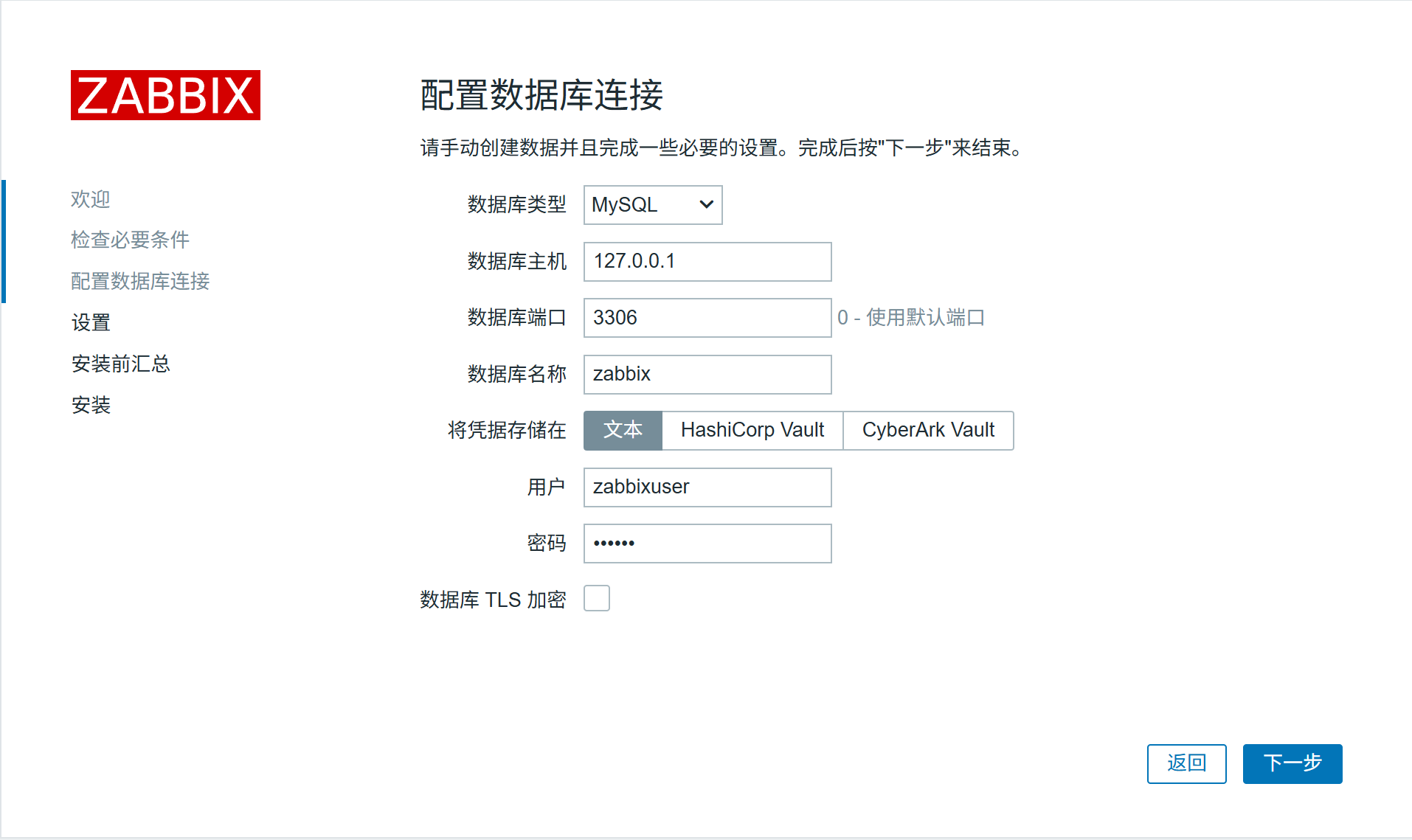
MariaDB [(none)]> grant all on zabbix.* to 'zabbixuser'@'localhost' identified by '123456';
MariaDB [(none)]> flush privileges;
导入zabbix需要的表
[root@server ~]# zcat /usr/share/zabbix-sql-scripts/mysql/server.sql.gz | mysql -uzabbixuser -p zabbix
Enter password:
创建库:给 Zabbix 一个专门放数据的仓库,授权用户:让 Zabbix 能登录、读写数据库,密码 123456:后面配置文件要填一样的
5. Zabbix Server核心参数配置
[root@zabbix_server ~]# vim /etc/zabbix/zabbix_server.conf
DBHost=localhost
DBName=zabbix
DBUser=zabbixuser
DBPassword=123456
DBSocket=/var/lib/mysql/mysql.sock
[root@server ~]# systemctl start zabbix-server.service
[root@server ~]# systemctl enable zabbix-server.service
[root@server ~]# netstat -antp | grep zabbix

6. Web界面配置
6.1 配置 PHP:
[root@server ~]# dnf module reset php -y
[root@server ~]# dnf module enable php:7.4 -y #zabbix 6.0
[root@server ~]# dnf module enable php:8.0 -y #zabbix 7.0
[root@zabbix_server ~]# yum install -y php*
[root@server ~]# vim /etc/php-fpm.d/zabbix.conf
php_value[date.timezone] = Asia/Shanghai (添加一行)
7.2 启动httpd:
[root@server ~]# yum install -y httpd
[root@server ~]# systemctl start httpd
[root@server ~]# systemctl enable httpd
8.3配置zabbix server监控本机
[root@zabbix_server ~]# yum install -y zabbix-agent
[root@zabbix_server ~]# vim /etc/zabbix/zabbix_agentd.conf
Server=192.168.138.129 //被动模式、指定server IP,你自己的IP
ServerActive=192.168.138.129 //主动模式,指定server IP,你自己的IP
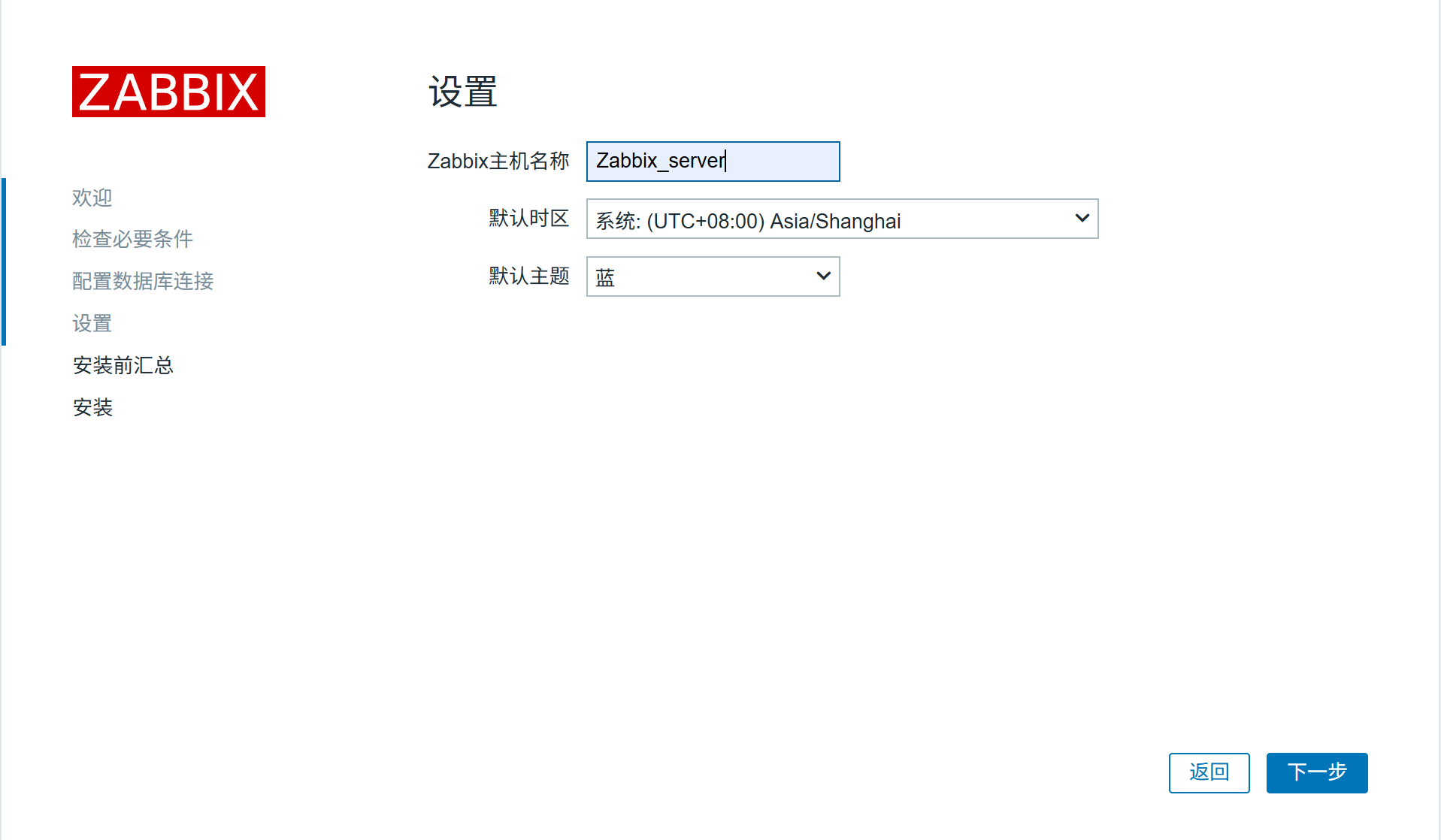
Hostname=Zabbix server
Agent 是被监控端,负责收集数据发给 Server。
Server:允许谁来拉数据,ServerActive:主动推数据给谁,Hostname:网页端显示的主机名
[root@zabbix_server ~]# systemctl start zabbix-agent
[root@zabbix_server ~]# systemctl enable zabbix-agent
[root@zabbix_server ~]# netstat -antp | grep zabbix
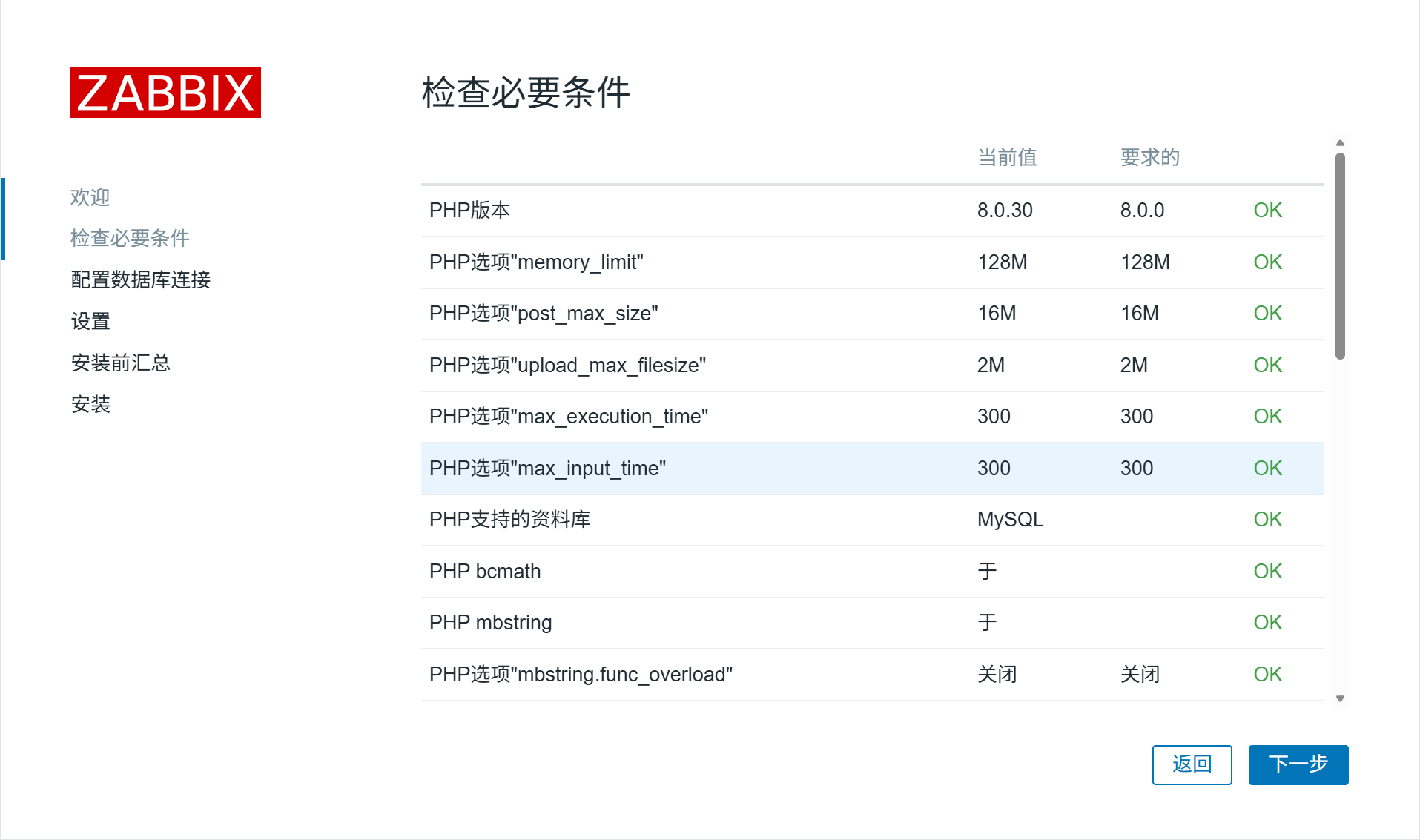
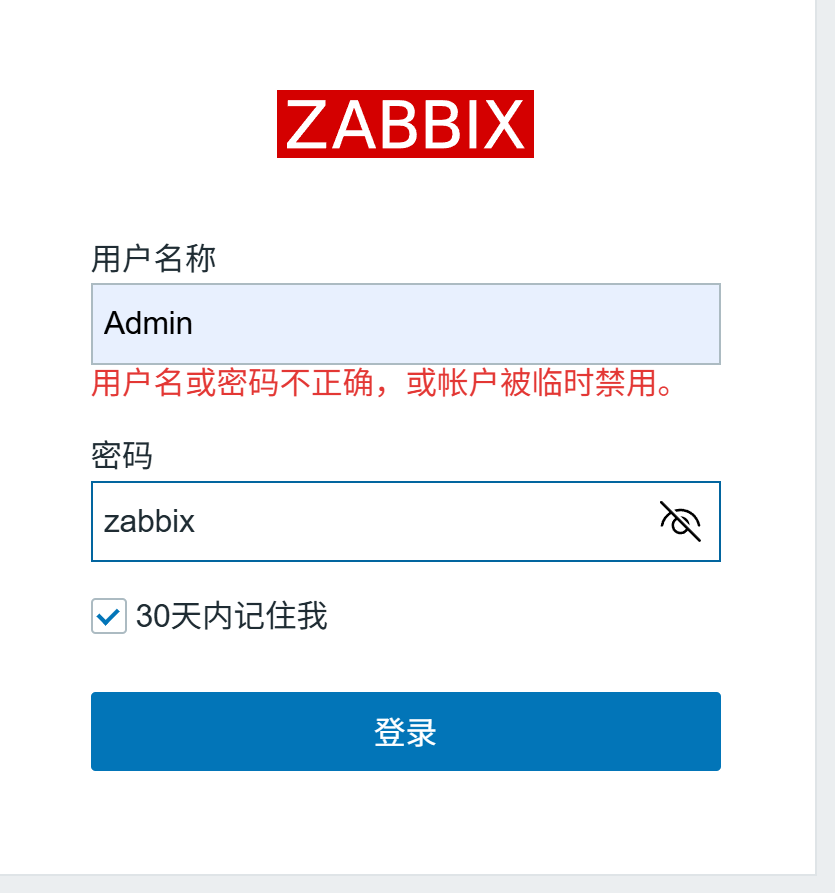
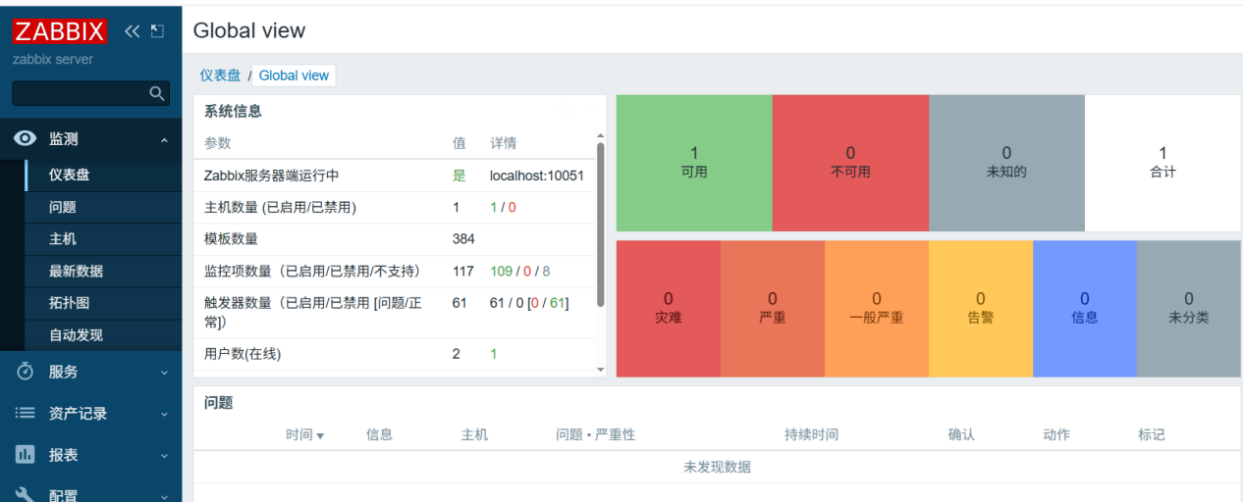
8. 通过浏览器访问zabbix web页面
http://192.168.138.129/zabbix (你自己的IP哦)



openEuler 是由开放原子开源基金会孵化的全场景开源操作系统项目,面向数字基础设施四大核心场景(服务器、云计算、边缘计算、嵌入式),全面支持 ARM、x86、RISC-V、loongArch、PowerPC、SW-64 等多样性计算架构
更多推荐


 6
6 0
0- 0


 已为社区贡献1条内容

所有评论(0)