Linux 软件包管理终极指南:RPM 与 YUM 从入门到封神
rpm 管理软件包
Windows 中软件包管理
-
控制面板中程序和功能。通过安装,将信息注册到系统中。
-
用户下载的绿色软件。例如U盘启动盘工具rufus。
软件包来源:应用商城,第三方官方网站(qq、微信)。
分析 RPM 包
Linux 发行版本
-
以 RHEL 为代表的发行版本,使用rpm包管理系统:
- RHEL (Red Hat Enterprise Linux)
- Fedora(由原来的RedHat桌面版本发展而来,免费版本)
- CentOS(RHEL的社区克隆版本,免费)
- CentOS Stream(RHEL的社区克隆版本,免费)
- Rocky(RHEL的社区克隆版本,免费)
- OEL(Oralce Enterprise Linux)
-
以 Debian 为代表的发行版本,使用deb包管理系统:
-
Debian,社区Linux的典范,迄今为止最遵循GNU规范的Linux系统。
-
Ubuntu,Debian 衍生版,是一个以桌面应用为主的Linux操作系统。
-
Kali Linux,Debian 衍生版,旨在渗透测试和数字取证。
-
-
其他版本:ArchLinux Gentoo 等等…
RPM 包文件名格式
redhat 开发了 rpm 包管理,提供一个标准的软件版本管理方法,比从归档包解压文件到系统简单多了。CentOS 提供的所有软件都是rpm格式。
RPM软件包文件名格式:name-version-release.architecture.rpm
示例:lrzsz-0.12.20-36.el7.x86_64.rpm
- name,是描述其内容的一个或多个词语(lrzsz)。
- version,是原始软件的版本号(0.12.20)。
- release,是基于该版本的发行版号,由软件打包商设置,后者不一定是原始软件开发商(36.el7)。
- architecture,是编译的软件包运行的处理器架构。
- noarch,表示此软件包不限定架构。
- x86_64,表示此软件包限定x86 64位。
- aarch64,表示此软件包限定ARM 64位。
RPM 包组成
每个rpm包涵三个部分:
- 需要安装的文件。
- 包的元数据信息,包括包的名称、版本、架构等;软件包说明;软件包依赖关系;许可证;更变日志;其他信息。
- 脚本:软件包安装,更新,卸载需要执行的脚本。
通常,软件提供商使用GPG密钥对RPM软件包进行数字签名(Red Hat会对其发布的所有软件包进行数字签名)。 RPM系统通过确认包由相应的GPG密钥签名来验证包的完整性。 如果GPG签名不匹配,RPM系统拒绝安装包。
RPM 包安装和更新
- 如果同一个软件有多个版本,只需安装最高版本。
- 在大多数情况下,一个软件只能安装一个版本。 kernel是个例外。如果构建包的文件名没有冲突,则可以安装多个版本。 由于只能通过引导到该内核来测试新内核,因此特定设计了包,以便可以一次安装多个版本。如果内核无法启动,则旧内核仍然可用且可引导。
- 软件包升级只需要安装最新版本,不需要逐步升级。
- 升级RPM包将删除旧版本的软件包并安装新版本,通常会保留配置文件。
rpm 命令
查询(重点)
# 查看软件包所在仓库精确位置
[root@centos7 ~]# repoquery --location httpd
http://mirrors.aliyun.com/centos/7/updates/x86_64/Packages/httpd-2.4.6-99.el7.centos.1.x86_64.rpm
# 查询系统中安装了哪些软件包
[root@server ~ 11:33:14]# rpm -qa
virt-what-1.18-4.el7_9.1.x86_64
grub2-common-2.02-0.87.0.1.el7.centos.9.noarch
firewalld-filesystem-0.6.3-13.el7_9.noarch
setup-2.8.71-11.el7.noarch
sg3_utils-1.37-19.el7.x86_64
basesystem-10.0-7.el7.centos.noarch
NetworkManager-team-1.18.8-2.el7_9.x86_64
kbd-misc-1.15.5-16.el7_9.noarch
kbd-legacy-1.15.5-16.el7_9.noarch
selinux-policy-targeted-3.13.1-268.el7_9.2.noarch
nss-softokn-freebl-3.67.0-3.el7_9.x86_64
kexec-tools-2.0.15-51.el7_9.3.x86_64
glibc-2.17-326.el7_9.x86_64
openssh-server-7.4p1-22.el7_9.x86_64
......

# 查询系统中某个软件包是否安装
[root@server ~ 12:50:13]# rpm -q httpd
httpd-2.4.6-99.el7.centos.1.x86_64
[root@server ~ 12:51:14]# rpm -q kernel
kernel-3.10.0-1160.71.1.el7.x86_64

# 查询系统中某个已安装的软件包元数据信息
[root@server ~ 12:51:29]# rpm -q coreutils -i
Name        : coreutils
Version     : 8.22
Release     : 24.el7_9.2
Architecture: x86_64
Install Date: 2026年05月13日 星期三 16时55分38秒
Group       : System Environment/Base
Size        : 14594210
License     : GPLv3+
Signature   : RSA/SHA256, 2020年11月18日 星期三 22时16分51秒, Key ID 24c6a8a7f4a80eb5
Source RPM  : coreutils-8.22-24.el7_9.2.src.rpm
Build Date  : 2020年11月17日 星期二 06时24分59秒
Build Host  : x86-01.bsys.centos.org
Relocations : (not relocatable)
Packager    : CentOS BuildSystem <http://bugs.centos.org>
Vendor      : CentOS
URL         : http://www.gnu.org/software/coreutils/
Summary     : A set of basic GNU tools commonly used in shell scripts
Description :
These are the GNU core utilities.  This package is the combination of
the old GNU fileutils, sh-utils, and textutils packages.


# 查询系统中某个已安装的软件包包涵哪些文件
[root@server ~ 12:51:49]# rpm -q openssh-server -l
/etc/pam.d/sshd
/etc/ssh/sshd_config
/etc/sysconfig/sshd
/usr/lib/systemd/system/sshd-keygen.service
/usr/lib/systemd/system/sshd.service
/usr/lib/systemd/system/sshd.socket
/usr/lib/systemd/system/sshd@.service
/usr/lib64/fipscheck/sshd.hmac
/usr/libexec/openssh/sftp-server
/usr/sbin/sshd
/usr/sbin/sshd-keygen
/usr/share/man/man5/moduli.5.gz
/usr/share/man/man5/sshd_config.5.gz
/usr/share/man/man8/sftp-server.8.gz
/usr/share/man/man8/sshd.8.gz
/var/empty/sshd


# 查询系统中某个已安装的软件包包涵哪些配置文件
[root@server ~ 12:52:44]# rpm -q openssh-server -c
/etc/pam.d/sshd
/etc/ssh/sshd_config
/etc/sysconfig/sshd

# 查询系统中某个已安装的软件包包涵哪些文档文件
[root@server ~ 12:53:36]# rpm -q openssh-server -d
/usr/share/man/man5/moduli.5.gz
/usr/share/man/man5/sshd_config.5.gz
/usr/share/man/man8/sftp-server.8.gz
/usr/share/man/man8/sshd.8.gz

# 查询系统中某个某个文件属于哪个已安装的软件包
[root@server ~ 12:54:19]# rpm -q -f /etc/ssh/sshd_config
openssh-server-7.4p1-22.el7_9.x86_64

# 查询系统中某个已安装的软件包包涵的脚本
[root@server ~ 13:04:14]#  rpm -q openssh-server --scripts
preinstall scriptlet (using /bin/sh):
getent group sshd >/dev/null || groupadd -g 74 -r sshd || :
getent passwd sshd >/dev/null || \
  useradd -c "Privilege-separated SSH" -u 74 -g sshd \
  -s /sbin/nologin -r -d /var/empty/sshd sshd 2> /dev/null || :
postinstall scriptlet (using /bin/sh):

if [ $1 -eq 1 ] ; then
        # Initial installation
        systemctl preset sshd.service sshd.socket >/dev/null 2>&1 || :
fi
preuninstall scriptlet (using /bin/sh):

if [ $1 -eq 0 ] ; then
        # Package removal, not upgrade
        systemctl --no-reload disable sshd.service sshd.socket > /dev/null 2>&1 || :
        systemctl stop sshd.service sshd.socket > /dev/null 2>&1 || :
fi
postuninstall scriptlet (using /bin/sh):

systemctl daemon-reload >/dev/null 2>&1 || :
if [ $1 -ge 1 ] ; then
        # Package upgrade, not uninstall
        systemctl try-restart sshd.service >/dev/null 2>&1 || :
fi


# 查询系统中某个已安装的软件包变更日志
[root@server ~ 13:18:50]# rpm -q openssh-server --changelog
* 四 9月 30 2021 Dmitry Belyavskiy <dbelyavs@redhat.com> - 7.4p1-22 + 0.10.3-2
- avoid segfault in Kerberos cache cleanup (#1999263)
- fix CVE-2021-41617 (#2008884)

* 二 6月 25 2019 Jakub Jelen <jjelen@redhat.com> - 7.4p1-21 + 0.10.3-2
- Avoid double comma in the default cipher list in FIPS mode (#1722446)

* 二 5月 21 2019 Jakub Jelen <jjelen@redhat.com> - 7.4p1-20 + 0.10.3-2
- Revert the updating of cached passwd structure (#1712053)

* 一 3月 04 2019 Jakub Jelen <jjelen@redhat.com> - 7.4p1-19 + 0.10.3-2
- Update cached passwd structure after PAM authentication (#1674541)

* 三 2月 13 2019 Jakub Jelen <jjelen@redhat.com> - 7.4p1-18 + 0.10.3-2
- invalidate supplemental group cache used by temporarily_use_uid()
  when the target uid differs (#1583735)
......

# 查询系统中某个软件包(package)文件包涵哪些配置文件
[root@server ~ 16:34:00]# rpm -qc httpd
/etc/httpd/conf.d/autoindex.conf
/etc/httpd/conf.d/userdir.conf
/etc/httpd/conf.d/welcome.conf
/etc/httpd/conf.modules.d/00-base.conf
/etc/httpd/conf.modules.d/00-dav.conf
/etc/httpd/conf.modules.d/00-lua.conf
/etc/httpd/conf.modules.d/00-mpm.conf
/etc/httpd/conf.modules.d/00-proxy.conf
/etc/httpd/conf.modules.d/00-systemd.conf
......
# 同样-l -d -i也可以配合-p使用

# 查询系统中某个软件包组中包涵哪些软件包
[root@server ~ 16:35:40]# rpm -qg 'System Environment/Base'
grub2-common-2.02-0.87.0.1.el7.centos.9.noarch
centos-release-7-9.2009.1.el7.centos.x86_64
setup-2.8.71-11.el7.noarch
filesystem-3.2-25.el7.x86_64
basesystem-10.0-7.el7.centos.noarch
grub2-pc-modules-2.02-0.87.0.1.el7.centos.9.noarch
......
验证
# 查看openssh-server软件安装是否有问题
[root@server ~ 16:36:18]# rpm -V openssh-server
S.5....T.  c /etc/ssh/sshd_config

# 修改(change)
[root@server ~ 16:37:50]# sed -i 's/PermitRootLogin yes/PermitRootLogin no/g' /etc/ssh/sshd_config
[root@server ~ 16:38:11]# rpm -V openssh-server
S.5....T.  c /etc/ssh/sshd_config
[root@server ~ 16:38:31]# sed -i 's/PermitRootLogin no/PermitRootLogin yes/g' /etc/ssh/sshd_config

# 移走 /etc/ssh/sshd_config 文件,再次查看
[root@server ~ 16:39:13]# mv /etc/ssh/sshd_config .
[root@server ~ 16:40:08]# rpm -V openssh-server
遗漏   c /etc/ssh/sshd_config

# 恢复该文件到原来位置
[root@server ~ 16:40:14]# mv sshd_config /etc/ssh/sshd_config
安装和卸载
# 下载软件包
[root@server ~ 16:41:55]# repoquery --location lrzsz
http://mirrors.aliyun.com/centos/7/os/x86_64/Packages/lrzsz-0.12.20-36.el7.x86_64.rpm

[root@server ~ 16:41:36]# wget http://mirrors.aliyun.com/centos/7/os/x86_64/Packages/lrzsz-0.12.20-36.el7.x86_64.rpm
lrzsz-0.12.20-36.el7.x86_64.rpm

# 安装
[root@server ~ 16:43:07]# rpm -i lrzsz-0.12.20-36.el7.x86_64.rpm
[root@server ~ 16:43:29]# rpm -q lrzsz
lrzsz-0.12.20-36.el7.x86_64

# 卸载
[root@server ~ 16:43:36]# rpm -e lrzsz
[root@server ~ 16:44:02]# rpm -q lrzsz
未安装软件包 lrzsz

# 友好方式安装
[root@server ~ 16:44:12]# rpm -ivh lrzsz-0.12.20-36.el7.x86_64.rpm
准备中...                          ################################# [100%]
正在升级/安装...
   1:lrzsz-0.12.20-36.el7             ################################# [100%]

# 友好方式卸载
[root@server ~ 16:44:36]# rpm -evh lrzsz
准备中...                          ################################# [100%]
正在清理/删除...
   1:lrzsz-0.12.20-36.el7             ################################# [100%]
yum 管理软件包
yum 介绍
- rpm 命令是一个管理软件包的工具,不适用于软件包存储库或自动解决来自多个源的依赖项。
- Yum(Yellowdog Updater Modified)旨在成为管理基于RPM的软件安装和更新的更好系统。yum命令允许安装,更新,删除和获取有关软件包及其依赖项的信息。
yum 命令
help
作用:查看指令作用
# 查看yum命令帮助信息
[root@server ~ 16:45:08]# yum help
info
作用:查看仓库中某个软件包信息
# 查看仓库中httpd包信息
[root@server ~ 16:48:55]# yum info httpd
已加载插件:fastestmirror
Loading mirror speeds from cached hostfile
 * base: mirrors.aliyun.com
 * extras: mirrors.aliyun.com
 * updates: mirrors.aliyun.com
已安装的软件包
名称    :httpd
架构    :x86_64
版本    :2.4.6
发布    :99.el7.centos.1
大小    :9.4 M
源    :installed
来自源:updates
简介    : Apache HTTP Server
网址    :http://httpd.apache.org/
协议    : ASL 2.0
描述    : The Apache HTTP Server is a powerful, efficient, and extensible
         : web server.
list
作用:查询软件包清单
# 查看仓库中http开头的包有哪些
[root@server ~ 16:49:46]# yum list 'http*'
已加载插件:fastestmirror
Loading mirror speeds from cached hostfile
 * base: mirrors.aliyun.com
 * extras: mirrors.aliyun.com
 * updates: mirrors.aliyun.com
已安装的软件包
httpd.x86_64                              2.4.6-99.el7.centos.1      @updates
httpd-tools.x86_64                        2.4.6-99.el7.centos.1      @updates
可安装的软件包
http-parser.i686                          2.7.1-9.el7                base
http-parser.x86_64                        2.7.1-9.el7                base
http-parser-devel.i686                    2.7.1-9.el7                base
http-parser-devel.x86_64                  2.7.1-9.el7                base
httpcomponents-client.noarch              4.2.5-5.el7_0              base
httpcomponents-client-javadoc.noarch      4.2.5-5.el7_0              base
httpcomponents-core.noarch                4.2.4-6.el7                base
httpcomponents-core-javadoc.noarch        4.2.4-6.el7                base
httpcomponents-project.noarch             6-4.el7                    base
httpd-devel.x86_64                        2.4.6-99.el7.centos.1      updates
httpd-itk.x86_64                          2.4.7.04-2.el7             epel
httpd-manual.noarch                       2.4.6-99.el7.centos.1      updates
httpie.noarch                             1.0.3-1.el7                epel
httping.x86_64                            2.5-1.el7                  epel
httpress.x86_64                           1.1.0-2.el7                epel
httpry.x86_64                             0.1.8-1.el7                epel
httpunit.noarch                           1.7-15.el7                 base
httpunit-doc.noarch                       1.7-15.el7                 base
httpunit-javadoc.noarch                   1.7-15.el7                 base

# 查看仓库中httpd包有哪些版本
[root@server ~ 16:50:09]# yum list httpd --showduplicates
已加载插件:fastestmirror
Loading mirror speeds from cached hostfile
 * base: mirrors.aliyun.com
 * extras: mirrors.aliyun.com
 * updates: mirrors.aliyun.com
已安装的软件包
httpd.x86_64                  2.4.6-99.el7.centos.1                  @updates
可安装的软件包
httpd.x86_64                  2.4.6-95.el7.centos                    base
httpd.x86_64                  2.4.6-97.el7.centos                    updates
httpd.x86_64                  2.4.6-97.el7.centos.1                  updates
httpd.x86_64                  2.4.6-97.el7.centos.2                  updates
httpd.x86_64                  2.4.6-97.el7.centos.4                  updates
httpd.x86_64                  2.4.6-97.el7.centos.5                  updates
httpd.x86_64                  2.4.6-98.el7.centos.6                  updates
httpd.x86_64                  2.4.6-98.el7.centos.7                  updates
httpd.x86_64                  2.4.6-99.el7.centos.1                  updates
provides
作用:查看仓库中哪个包可以提供相应文件
# 查看仓库中哪个包可以提供文件sar程序
[root@server ~ 16:50:49]# yum provides sar
已加载插件:fastestmirror
Loading mirror speeds from cached hostfile
 * base: mirrors.aliyun.com
 * extras: mirrors.aliyun.com
 * updates: mirrors.aliyun.com
docker-ce-stable/7/x86_64/filelists_db                |  66 kB     00:00
mirrors.aliyun.com_kubernetes_yum_repos_kubernetes-el |  45 kB     00:00
sysstat-10.1.5-19.el7.x86_64 : Collection of performance monitoring tools for
                             : Linux
源    :base
匹配来源:
文件名    :/usr/bin/sar


sysstat-10.1.5-20.el7_9.x86_64 : Collection of performance monitoring tools
                               : for Linux
源    :updates
匹配来源:
文件名    :/usr/bin/sar

# 备用查询命令
[root@server ~ 16:51:28]# yum provides '*bin/sar'
已加载插件:fastestmirror
Loading mirror speeds from cached hostfile
 * base: mirrors.aliyun.com
 * extras: mirrors.aliyun.com
 * updates: mirrors.aliyun.com
sysstat-10.1.5-19.el7.x86_64 : Collection of performance monitoring tools for
                             : Linux
源    :base
匹配来源:
文件名    :/usr/bin/sar


sysstat-10.1.5-20.el7_9.x86_64 : Collection of performance monitoring tools
                               : for Linux
源    :updates
匹配来源:
文件名    :/usr/bin/sar


# 安装sar工具对应的软件包
[root@server ~ 16:52:08]# yum install -y sysstat
已加载插件:fastestmirror
Loading mirror speeds from cached hostfile
 * base: mirrors.aliyun.com
 * extras: mirrors.aliyun.com
 * updates: mirrors.aliyun.com
正在解决依赖关系
--> 正在检查事务
---> 软件包 sysstat.x86_64.0.10.1.5-20.el7_9 将被 安装
--> 解决依赖关系完成

依赖关系解决

=============================================================================
 Package        架构          版本                      源              大小
=============================================================================
正在安装:
 sysstat        x86_64        10.1.5-20.el7_9           updates        315 k

事务概要
=============================================================================
安装  1 软件包

总下载量:315 k
安装大小:1.1 M
Downloading packages:
sysstat-10.1.5-20.el7_9.x86_64.rpm                      | 315 kB   00:00
Running transaction check
Running transaction test
Transaction test succeeded
Running transaction
警告:RPM 数据库已被非 yum 程序修改。
  正在安装    : sysstat-10.1.5-20.el7_9.x86_64                           1/1
  验证中      : sysstat-10.1.5-20.el7_9.x86_64                           1/1

已安装:
  sysstat.x86_64 0:10.1.5-20.el7_9

完毕!
install
作用:安装软件包
# 安装软件包
[root@server ~ 16:52:39]# yum install -y vsftpd

# 只下载不安装,将依赖软件包一并下载
# 前提是系统中没安装对应软件包,才会下载
[root@server ~ 16:52:46]# yum install vsftpd --downloadonly --downloaddir=/root/
[root@server ~ 16:53:39]# ls vsftpd-*
vsftpd-3.0.2-29.el7_9.x86_64.rpm
localinstall
作用:安装本地文件系统中软件包
# 安装本地文件系统中vsftpd包
[root@server ~ 16:58:08]# yum localinstall ./vsftpd-3.0.2-29.el7_9.x86_64.rpm rm
downgrade
作用:软件包降级
# 降级 vsftpd 版本为 3.0.2-28.el7
[root@server ~ 16:58:08]# yum downgrade -y vsftpd
已加载插件:fastestmirror
Loading mirror speeds from cached hostfile
 * base: mirrors.aliyun.com
 * extras: mirrors.aliyun.com
 * updates: mirrors.aliyun.com
正在解决依赖关系
--> 正在检查事务
---> 软件包 vsftpd.x86_64.0.3.0.2-28.el7 将被 降级
---> 软件包 vsftpd.x86_64.0.3.0.2-29.el7_9 将被 删除
--> 解决依赖关系完成

依赖关系解决
=============================================================================
 Package         架构            版本                    源             大小
=============================================================================
正在降级:
 vsftpd          x86_64          3.0.2-28.el7            base          172 k

事务概要
=============================================================================
降级  1 软件包

总下载量:172 k
Downloading packages:
vsftpd-3.0.2-28.el7.x86_64.rpm                          | 172 kB   00:00
Running transaction check
Running transaction test
Transaction test succeeded
Running transaction
  正在安装    : vsftpd-3.0.2-28.el7.x86_64                               1/2
  清理        : vsftpd-3.0.2-29.el7_9.x86_64                             2/2
  验证中      : vsftpd-3.0.2-28.el7.x86_64                               1/2
  验证中      : vsftpd-3.0.2-29.el7_9.x86_64                             2/2
删除:
  vsftpd.x86_64 0:3.0.2-29.el7_9
已安装:
  vsftpd.x86_64 0:3.0.2-28.el7
完毕!
依赖降级示例:
# 环境准备:安装最新版httpd
[root@server ~ 17:02:15]# yum install -y httpd

# 降级到特定版本:降级失败,因为已安装的 httpd-tools 无法满足当前httpd版本
[root@server ~ 17:02:32]# yum downgrade -y httpd-2.4.6-97.el7.centos
已加载插件:fastestmirror
Loading mirror speeds from cached hostfile
 * base: mirrors.aliyun.com
 * extras: mirrors.aliyun.com
 * updates: mirrors.aliyun.com
正在解决依赖关系
--> 正在检查事务
---> 软件包 httpd.x86_64.0.2.4.6-97.el7.centos 将被 降级
--> 正在处理依赖关系 httpd-tools = 2.4.6-97.el7.centos,它被软件包 httpd-2.4.6-97.el7.centos.x86_64 需要
---> 软件包 httpd.x86_64.0.2.4.6-99.el7.centos.1 将被 删除
--> 解决依赖关系完成
错误:软件包:httpd-2.4.6-97.el7.centos.x86_64 (updates)
          需要:httpd-tools = 2.4.6-97.el7.centos
          已安装: httpd-tools-2.4.6-99.el7.centos.1.x86_64 (@updates)
              httpd-tools = 2.4.6-99.el7.centos.1
          可用: httpd-tools-2.4.6-95.el7.centos.x86_64 (base)
              httpd-tools = 2.4.6-95.el7.centos
          可用: httpd-tools-2.4.6-97.el7.centos.x86_64 (updates)
              httpd-tools = 2.4.6-97.el7.centos
          可用: httpd-tools-2.4.6-97.el7.centos.1.x86_64 (updates)
              httpd-tools = 2.4.6-97.el7.centos.1
          可用: httpd-tools-2.4.6-97.el7.centos.2.x86_64 (updates)
              httpd-tools = 2.4.6-97.el7.centos.2
          可用: httpd-tools-2.4.6-97.el7.centos.4.x86_64 (updates)
              httpd-tools = 2.4.6-97.el7.centos.4
          可用: httpd-tools-2.4.6-97.el7.centos.5.x86_64 (updates)
              httpd-tools = 2.4.6-97.el7.centos.5
          可用: httpd-tools-2.4.6-98.el7.centos.6.x86_64 (updates)
              httpd-tools = 2.4.6-98.el7.centos.6
          可用: httpd-tools-2.4.6-98.el7.centos.7.x86_64 (updates)
              httpd-tools = 2.4.6-98.el7.centos.7
 您可以尝试添加 --skip-broken 选项来解决该问题
 您可以尝试执行:rpm -Va --nofiles --nodigest

 # 解决方法:httpd-tools与httpd一起降级到相同版本
[root@server ~ 17:03:02]# yum downgrade -y httpd-tools-2.4.6-97.el7.centos  httpd-2.4.6-97.el7.centos
已加载插件:fastestmirror
Loading mirror speeds from cached hostfile
 * base: mirrors.aliyun.com
 * extras: mirrors.aliyun.com
 * updates: mirrors.aliyun.com
正在解决依赖关系
--> 正在检查事务
---> 软件包 httpd.x86_64.0.2.4.6-97.el7.centos 将被 降级
---> 软件包 httpd.x86_64.0.2.4.6-99.el7.centos.1 将被 删除
---> 软件包 httpd-tools.x86_64.0.2.4.6-97.el7.centos 将被 降级
---> 软件包 httpd-tools.x86_64.0.2.4.6-99.el7.centos.1 将被 删除
--> 解决依赖关系完成

依赖关系解决

=============================================================================
 Package          架构        版本                        源            大小
=============================================================================
正在降级:
 httpd            x86_64      2.4.6-97.el7.centos         updates      2.7 M
 httpd-tools      x86_64      2.4.6-97.el7.centos         updates       93 k

事务概要
=============================================================================
降级  2 软件包

总下载量:2.8 M
Downloading packages:
(1/2): httpd-tools-2.4.6-97.el7.centos.x86_64.rpm       |  93 kB   00:00
(2/2): httpd-2.4.6-97.el7.centos.x86_64.rpm             | 2.7 MB   00:02
-----------------------------------------------------------------------------
总计                                            1.3 MB/s | 2.8 MB  00:02
Running transaction check
Running transaction test
Transaction test succeeded
Running transaction
  正在安装    : httpd-tools-2.4.6-97.el7.centos.x86_64                   1/4
  正在安装    : httpd-2.4.6-97.el7.centos.x86_64                         2/4
  清理        : httpd-2.4.6-99.el7.centos.1.x86_64                       3/4
  清理        : httpd-tools-2.4.6-99.el7.centos.1.x86_64                 4/4
  验证中      : httpd-2.4.6-97.el7.centos.x86_64                         1/4
  验证中      : httpd-tools-2.4.6-97.el7.centos.x86_64                   2/4
  验证中      : httpd-2.4.6-99.el7.centos.1.x86_64                       3/4
  验证中      : httpd-tools-2.4.6-99.el7.centos.1.x86_64                 4/4

删除:
  httpd.x86_64 0:2.4.6-99.el7.centos.1
  httpd-tools.x86_64 0:2.4.6-99.el7.centos.1

已安装:
  httpd.x86_64 0:2.4.6-97.el7.centos
  httpd-tools.x86_64 0:2.4.6-97.el7.centos

完毕!
update
作用:软件包升级
# 升级 httpd 版本为2.4.6-99.el7.centos.1
[root@server ~ 17:04:01]# yum list httpd --showduplicates
已加载插件:fastestmirror
Loading mirror speeds from cached hostfile
 * base: mirrors.aliyun.com
 * extras: mirrors.aliyun.com
 * updates: mirrors.aliyun.com
已安装的软件包
httpd.x86_64                  2.4.6-97.el7.centos                    @updates
可安装的软件包
httpd.x86_64                  2.4.6-95.el7.centos                    base
httpd.x86_64                  2.4.6-97.el7.centos                    updates
httpd.x86_64                  2.4.6-97.el7.centos.1                  updates
httpd.x86_64                  2.4.6-97.el7.centos.2                  updates
httpd.x86_64                  2.4.6-97.el7.centos.4                  updates
httpd.x86_64                  2.4.6-97.el7.centos.5                  updates
httpd.x86_64                  2.4.6-98.el7.centos.6                  updates
httpd.x86_64                  2.4.6-98.el7.centos.7                  updates
httpd.x86_64                  2.4.6-99.el7.centos.1                  updates
[root@server ~ 17:05:45]# yum update httpd-2.4.6-99.el7.centos.1
已加载插件:fastestmirror
Loading mirror speeds from cached hostfile
 * base: mirrors.aliyun.com
 * extras: mirrors.aliyun.com
 * updates: mirrors.aliyun.com
正在解决依赖关系
--> 正在检查事务
---> 软件包 httpd.x86_64.0.2.4.6-97.el7.centos 将被 升级
---> 软件包 httpd.x86_64.0.2.4.6-99.el7.centos.1 将被 更新
--> 正在处理依赖关系 httpd-tools = 2.4.6-99.el7.centos.1,它被软件包 httpd-2.4.6-99.el7.centos.1.x86_64 需要
--> 正在检查事务
---> 软件包 httpd-tools.x86_64.0.2.4.6-97.el7.centos 将被 升级
---> 软件包 httpd-tools.x86_64.0.2.4.6-99.el7.centos.1 将被 更新
--> 解决依赖关系完成

依赖关系解决

=============================================================================
 Package          架构        版本                        源            大小
=============================================================================
正在更新:
 httpd            x86_64      2.4.6-99.el7.centos.1       updates      2.7 M
为依赖而更新:
 httpd-tools      x86_64      2.4.6-99.el7.centos.1       updates       94 k

事务概要
=============================================================================
升级  1 软件包 (+1 依赖软件包)

总下载量:2.8 M
Is this ok [y/d/N]: y
Downloading packages:
Delta RPMs disabled because /usr/bin/applydeltarpm not installed.
(1/2): httpd-tools-2.4.6-99.el7.centos.1.x86_64.rpm     |  94 kB   00:00
(2/2): httpd-2.4.6-99.el7.centos.1.x86_64.rpm           | 2.7 MB   00:01
-----------------------------------------------------------------------------
总计                                            1.7 MB/s | 2.8 MB  00:01
Running transaction check
Running transaction test
Transaction test succeeded
Running transaction
  正在更新    : httpd-tools-2.4.6-99.el7.centos.1.x86_64                 1/4
  正在更新    : httpd-2.4.6-99.el7.centos.1.x86_64                       2/4
  清理        : httpd-2.4.6-97.el7.centos.x86_64                         3/4
  清理        : httpd-tools-2.4.6-97.el7.centos.x86_64                   4/4
  验证中      : httpd-2.4.6-99.el7.centos.1.x86_64                       1/4
  验证中      : httpd-tools-2.4.6-99.el7.centos.1.x86_64                 2/4
  验证中      : httpd-2.4.6-97.el7.centos.x86_64                         3/4
  验证中      : httpd-tools-2.4.6-97.el7.centos.x86_64                   4/4

更新完毕:
  httpd.x86_64 0:2.4.6-99.el7.centos.1

作为依赖被升级:
  httpd-tools.x86_64 0:2.4.6-99.el7.centos.1

完毕!

# 升级系统中所有软件为最新版本
[root@server ~ 17:06:20]# yum update
remove
作用:软件包卸载
# 卸载软件包
[root@server ~ 17:07:25]# yum remove -y httpd
已加载插件:fastestmirror
正在解决依赖关系
--> 正在检查事务
---> 软件包 httpd.x86_64.0.2.4.6-99.el7.centos.1 将被 删除
--> 解决依赖关系完成

依赖关系解决

=============================================================================
 Package     架构         版本                          源              大小
=============================================================================
正在删除:
 httpd       x86_64       2.4.6-99.el7.centos.1         @updates       9.4 M

事务概要
=============================================================================
移除  1 软件包

安装大小:9.4 M
Downloading packages:
Running transaction check
Running transaction test
Transaction test succeeded
Running transaction
  正在删除    : httpd-2.4.6-99.el7.centos.1.x86_64                       1/1
  验证中      : httpd-2.4.6-99.el7.centos.1.x86_64                       1/1

删除:
  httpd.x86_64 0:2.4.6-99.el7.centos.1
完毕!
history 子命令
list
作用:查询yum事务历史记录
[root@server ~ 13:21:32]# yum history list
已加载插件:fastestmirror
ID     | 登录用户                 | 日期和时间       | 操作           | 变更数
-------------------------------------------------------------------------------
     7 | root <root>              | 2026-05-18 11:28 | Update         |    2
     6 | root <root>              | 2026-05-18 11:27 | Downgrade      |    2
     5 | root <root>              | 2026-05-18 11:19 | Install        |    5
     4 | root <root>              | 2026-05-18 11:18 | Install        |    1
     3 | root <root>              | 2026-05-18 10:20 | Install        |    4
     2 | shaka <shaka>            | 2026-05-13 17:06 | I, U           |   37
     1 | 系统 <空>                | 2026-05-13 16:55 | Install        |  312
history list
info
作用:特定yum事务详情
[root@server ~ 13:49:33]# yum history info 2
已加载插件:fastestmirror
事务 ID: 2
起始时间    : Wed May 13 17:06:16 2026
启动 RPM 数据库     : 312:499b8befefcbbb73843ba57c528196865f88451d
结束时间       :            17:06:19 2026 (3 秒)
结束 RPM 数据库      : 348:bc9b692c0e326e6ab21641fc36c579df62811fe9
用户           : shaka <shaka>
返回码    : 成功
命令行   : install -y bash-completion vim open-vm-tools lrzsz unzip rsync sshpass
事务完成属主:
    已安装 rpm-4.11.3-48.el7_9.x86_64                      @anaconda
    已安装 yum-3.4.3-168.el7.centos.noarch                 @anaconda
    已安装 yum-plugin-fastestmirror-1.1.31-54.el7_8.noarch @anaconda
已变更的包:
    安装 bash-completion-1:2.1-8.el7.noarch         @base
    依赖安装 gpm-libs-1.20.7-6.el7.x86_64               @base
    安装 lrzsz-0.12.20-36.el7.x86_64                @base
    更新完毕 open-vm-tools-11.0.5-3.el7_9.3.x86_64      @anaconda
    更新               11.0.5-3.el7_9.9.x86_64      @updates
    依赖安装 perl-4:5.16.3-299.el7_9.x86_64             @updates
    依赖安装 perl-Carp-1.26-244.el7.noarch              @base
    依赖安装 perl-Encode-2.51-7.el7.x86_64              @base
    依赖安装 perl-Exporter-5.68-3.el7.noarch            @base
    依赖安装 perl-File-Path-2.09-2.el7.noarch           @base
    依赖安装 perl-File-Temp-0.23.01-3.el7.noarch        @base
    依赖安装 perl-Filter-1.49-3.el7.x86_64              @base
    依赖安装 perl-Getopt-Long-2.40-3.el7.noarch         @base
    依赖安装 perl-HTTP-Tiny-0.033-3.el7.noarch          @base
    依赖安装 perl-PathTools-3.40-5.el7.x86_64           @base
    依赖安装 perl-Pod-Escapes-1:1.04-299.el7_9.noarch   @updates
    依赖安装 perl-Pod-Perldoc-3.20-4.el7.noarch         @base
    依赖安装 perl-Pod-Simple-1:3.28-4.el7.noarch        @base
    依赖安装 perl-Pod-Usage-1.63-3.el7.noarch           @base
    依赖安装 perl-Scalar-List-Utils-1.27-248.el7.x86_64 @base
    依赖安装 perl-Socket-2.010-5.el7.x86_64             @base
    依赖安装 perl-Storable-2.45-3.el7.x86_64            @base
    依赖安装 perl-Text-ParseWords-3.29-4.el7.noarch     @base
    依赖安装 perl-Time-HiRes-4:1.9725-3.el7.x86_64      @base
    依赖安装 perl-Time-Local-1.2300-2.el7.noarch        @base
    依赖安装 perl-constant-1.27-2.el7.noarch            @base
    依赖安装 perl-libs-4:5.16.3-299.el7_9.x86_64        @updates
    依赖安装 perl-macros-4:5.16.3-299.el7_9.x86_64      @updates
    依赖安装 perl-parent-1:0.225-244.el7.noarch         @base
    依赖安装 perl-podlators-2.5.1-3.el7.noarch          @base
    依赖安装 perl-threads-1.87-4.el7.x86_64             @base
    依赖安装 perl-threads-shared-1.43-6.el7.x86_64      @base
    安装 rsync-3.1.2-12.el7_9.x86_64                @updates
    安装 sshpass-1.06-2.el7.x86_64                  @extras
    安装 unzip-6.0-24.el7_9.x86_64                  @updates
    依赖安装 vim-common-2:7.4.629-8.el7_9.x86_64        @updates
    安装 vim-enhanced-2:7.4.629-8.el7_9.x86_64      @updates
    依赖安装 vim-filesystem-2:7.4.629-8.el7_9.x86_64    @updates
history info
undo
作用:反向操作第4个事务
[root@server ~ 13:49:51]# yum history undo 4
已加载插件:fastestmirror
Undoing transaction 4, from Mon May 18 11:18:54 2026
    安装 vsftpd-3.0.2-29.el7_9.x86_64 @updates
正在解决依赖关系
--> 正在检查事务
---> 软件包 vsftpd.x86_64.0.3.0.2-29.el7_9 将被 删除
--> 解决依赖关系完成

依赖关系解决

=============================================================================
 Package        架构           版本                   源                大小
=============================================================================
正在删除:
 vsftpd         x86_64         3.0.2-29.el7_9         @updates         353 k

事务概要
=============================================================================
移除  1 软件包

安装大小:353 k
是否继续?[y/N]:n'^H
redo
作用:重做操作第4个事务
[root@server ~ 13:50:34]# yum history redo 4
已加载插件:fastestmirror
Repeating transaction 4, from Mon May 18 11:18:54 2026
    安装 vsftpd-3.0.2-29.el7_9.x86_64 @updates
Loading mirror speeds from cached hostfile
 * base: mirrors.aliyun.com
 * extras: mirrors.aliyun.com
 * updates: mirrors.aliyun.com
软件包 vsftpd-3.0.2-29.el7_9.x86_64 已安装并且是最新版本
history redo
软件包组管理
# 查看仓库中软件包组清单
[root@server ~ 13:50:43]# yum grouplist
已加载插件:fastestmirror
没有安装组信息文件
Maybe run: yum groups mark convert (see man yum)
Loading mirror speeds from cached hostfile
 * base: mirrors.aliyun.com
 * extras: mirrors.aliyun.com
 * updates: mirrors.aliyun.com
可用的环境分组:
   最小安装
   基础设施服务器
   计算节点
   文件及打印服务器
   Cinnamon 桌面环境
   MATE 桌面环境
   基本网页服务器
   虚拟化主机
   带 GUI 的服务器
   GNOME 桌面
   KDE Plasma Workspaces
   开发及生成工作站
可用组:
   Cinnamon
   Fedora Packager
   Haskell
   LXQt 桌面环境
   MATE
   Milkymist
   TurboGears 应用程序构架
   Xfce
   传统 UNIX 兼容性
   兼容性程序库
   图形管理工具
   安全性工具
   开发工具
   控制台互联网工具
   教育软件
   智能卡支持
   电子实验室
   科学记数法支持
   系统管理
   系统管理工具
   通用桌面
完成

[root@server ~ 13:52:16]# yum grouplist -v
加载 "fastestmirror" 插件
Config time: 0.005
Yum version: 3.4.3
没有安装组信息文件
Maybe run: yum groups mark convert (see man yum)
设置软件包群集
Loading mirror speeds from cached hostfile
 * base: mirrors.aliyun.com
 * extras: mirrors.aliyun.com
 * updates: mirrors.aliyun.com
pkgsack time: 0.008
group time: 0.039
可用的环境分组:
   最小安装 (minimal)
   基础设施服务器 (infrastructure-server-environment)
   计算节点 (compute-node-environment)
   文件及打印服务器 (file-print-server-environment)
   Cinnamon 桌面环境 (cinnamon-desktop-environment)
   MATE 桌面环境 (mate-desktop-environment)
   基本网页服务器 (web-server-environment)
   虚拟化主机 (virtualization-host-environment)
   带 GUI 的服务器 (graphical-server-environment)
   GNOME 桌面 (gnome-desktop-environment)
   KDE Plasma Workspaces (kde-desktop-environment)
   开发及生成工作站 (developer-workstation-environment)
可用组:
   Cinnamon (cinnamon-desktop)
   Fedora Packager (fedora-packager)
   Haskell (haskell)
   LXQt 桌面环境 (lxqt-desktop)
   MATE (mate-desktop)
   Milkymist (milkymist)
   TurboGears 应用程序构架 (turbogears)
   Xfce (xfce-desktop)
   传统 UNIX 兼容性 (legacy-unix)
   兼容性程序库 (compat-libraries)
   图形管理工具 (graphical-admin-tools)
   安全性工具 (security-tools)
   开发工具 (development)
   控制台互联网工具 (console-internet)
   教育软件 (education)
   智能卡支持 (smart-card)
   电子实验室 (electronic-lab)
   科学记数法支持 (scientific)
   系统管理 (system-management)
   系统管理工具 (system-admin-tools)
   通用桌面 (general-desktop)
完成


# 查看仓库中软件包组信息
[root@server ~ 13:52:46]# yum groupinfo
Display all 100 possibilities? (y or n)
Additional Development
Anaconda Tools
Backup Client
Backup Server
Base
Buildsystem building group
CentOS Linux Client product core
CentOS Linux ComputeNode product core
CentOS Linux Server product core
CentOS Linux Workstation product core
Cinnamon
Common NetworkManager submodules
Compatibility Libraries
Conflicts (Client)
Conflicts (ComputeNode)
Conflicts (Server)
Conflicts (Workstation)
Console Internet Tools
Core
Debugging Tools
Desktop Debugging and Performance Tools
Development Tools
Dial-up Networking Support
Directory Client
Directory Server
DNS Name Server
Educational Software
Electronic Lab
Emacs
E-mail Server
Fedora Packager
File and Storage Server
Fonts
FTP Server
General Purpose Desktop
GNOME
GNOME Applications
Graphical Administration Tools
Graphics Creation Tools
Guest Agents
Guest Desktop Agents
Hardware Monitoring Utilities
Haskell
High Availability
Hyper-v platform specific packages
Identity Management Server
Infiniband Support
Input Methods
Internet Applications
Internet Browser
Java Platform
KDE
KDE Applications
KDE Multimedia Support
KVM platform specific packages
Large Systems Performance
Legacy UNIX Compatibility
Legacy X Window System Compatibility
Load Balancer
LXQt Desktop
Mainframe Access
MariaDB Database Client
MariaDB Database Server
MATE
Milkymist
Multimedia
Network File System Client
Network Infrastructure Server
Networking Tools
Office Suite and Productivity
Performance Tools
Perl for Web
Perl Support
PHP Support
Platform Development
PostgreSQL Database Client
PostgreSQL Database Server
Printing Client
Print Server
Python
Remote Desktop Clients
Remote Management for Linux
Resilient Storage
Ruby Support
Scientific Support
Security Tools
Smart Card Support
System Administration Tools
System Management
Technical Writing
TurboGears application framework
Virtualization Client
Virtualization Hypervisor
Virtualization Platform
Virtualization Tools
VMware platform specific packages
Web Server
Web Servlet Engine
Xfce
X Window System
[root@server ~ 13:53:42]# yum groupinfo 'Server with GUI'
已加载插件:fastestmirror
没有安装组信息文件
Maybe run: yum groups mark convert (see man yum)
Loading mirror speeds from cached hostfile
 * base: mirrors.aliyun.com
 * extras: mirrors.aliyun.com
 * updates: mirrors.aliyun.com

环境分组:带 GUI 的服务器
环境 ID:graphical-server-environment
 描述:带有用于操作网络基础设施服务 GUI 的服务器。
必备组:
   +base
   +core
   +desktop-debugging
   +dial-up
   +fonts
   +gnome-desktop
   +guest-agents
   +guest-desktop-agents
   +hardware-monitoring
   +input-methods
   +internet-browser
   +multimedia
   +print-client
   +x11
可选组:
   +backup-server
   +directory-server
   +dns-server
   +file-server
   +ftp-server
   +ha
   +hardware-monitoring
   +identity-management-server
   +infiniband
   +java-platform
   +kde-desktop
   +large-systems
   +load-balancer
   +mail-server
   +mainframe-access
   +mariadb
   +network-file-system-client
   +performance
   +postgresql
   +print-server
   +remote-desktop-clients
   +remote-system-management
   +resilient-storage
   +virtualization-client
   +virtualization-hypervisor
   +virtualization-tools
# 安装仓库中软件包组
[root@centos7 ~]# yum groupinstall 'Server with GUI'
[root@server ~ 13:54:15]# yum groupinstall 'web-server-environment'
已加载插件:fastestmirror
没有安装组信息文件
Maybe run: yum groups mark convert (see man yum)
Loading mirror speeds from cached hostfile
 * base: mirrors.aliyun.com
 * extras: mirrors.aliyun.com
 * updates: mirrors.aliyun.com
警告:分组 core 不包含任何可安装软件包。
正在解决依赖关系
--> 正在检查事务
---> 软件包 abrt-addon-ccpp.x86_64.0.2.1.11-60.el7.centos 将被 安装
--> 正在处理依赖关系 abrt-libs = 2.1.11-60.el7.centos,它被软件包 abrt-addon-ccpp-2.1.11-60.el7.centos.x86_64 需要
--> 正在处理依赖关系 abrt = 2.1.11-60.el7.centos,它被软件包 abrt-addon-ccpp-2.1.11-60.el7.centos.x86_64 需要
--> 正在处理依赖关系 gdb >= 7.6.1-63,它被软件包 abrt-addon-ccpp-2.1.11-60.el7.centos.x86_64 需要
--> 正在处理依赖关系 libreport-python,它被软件包 abrt-addon-ccpp-2.1.11-60.el7.centos.x86_64 需要
......
# 卸载仓库中软件包组
[root@server ~ 13:58:00]# yum groupremove 'web-server-environment'
......
作为依赖被删除:
  abrt.x86_64 0:2.1.11-60.el7.centos
  abrt-addon-kerneloops.x86_64 0:2.1.11-60.el7.centos
  abrt-addon-pstoreoops.x86_64 0:2.1.11-60.el7.centos
  abrt-addon-vmcore.x86_64 0:2.1.11-60.el7.centos
  abrt-addon-xorg.x86_64 0:2.1.11-60.el7.centos
  abrt-dbus.x86_64 0:2.1.11-60.el7.centos
  abrt-python.x86_64 0:2.1.11-60.el7.centos
  abrt-retrace-client.x86_64 0:2.1.11-60.el7.centos
  abrt-tui.x86_64 0:2.1.11-60.el7.centos
  dmraid-events.x86_64 0:1.0.0.rc16-28.el7
  hunspell-en-GB.noarch 0:0.20121024-6.el7
  hunspell-en-US.noarch 0:0.20121024-6.el7
  libstoragemgmt-python.noarch 0:1.8.1-2.el7_9
  libstoragemgmt-python-clibs.x86_64 0:1.8.1-2.el7_9
  usb_modeswitch-data.noarch 0:20170806-1.el7

完毕!
配置 yum 仓库
yum 仓库配置
yum 工具的配置文件是 /etc/yum.conf,该文件包括两部分:
- 全局配置:main 块,提供每个仓库默认配置。
- 每个仓库的独立配置。
[root@server ~ 14:34:47]# cat /etc/yum.conf
[main]
cachedir=/var/cache/yum/$basearch/$releasever
keepcache=0
debuglevel=2
logfile=/var/log/yum.log
exactarch=1
obsoletes=1
gpgcheck=1
plugins=1
installonly_limit=5
bugtracker_url=http://bugs.centos.org/set_project.php?project_id=23&ref=http://bugs.centos.org/bug_report_page.php?category=yum
distroverpkg=centos-release


#  This is the default, if you make this bigger yum won't see if the metadata
# is newer on the remote and so you'll "gain" the bandwidth of not having to
# download the new metadata and "pay" for it by yum not having correct
# information.
#  It is esp. important, to have correct metadata, for distributions like
# Fedora which don't keep old packages around. If you don't like this checking
# interupting your command line usage, it's much better to have something
# manually check the metadata once an hour (yum-updatesd will do this).
# metadata_expire=90m

# PUT YOUR REPOS HERE OR IN separate files named file.repo
# in /etc/yum.repos.d
使用如下命令查看完整的配置内容:
[root@server ~ 14:51:12]# yum-config-manager
已加载插件:fastestmirror
=================================== main ====================================
[main]
alwaysprompt = True
assumeno = False
assumeyes = False
autocheck_running_kernel = True
autosavets = True
bandwidth = 0
bugtracker_url = http://bugs.centos.org/set_project.php?project_id=23&ref=http://bugs.centos.org/bug_report_page.php?category=yum
cache = 0
cachedir = /var/cache/yum/x86_64/7
check_config_file_age = True
clean_requirements_on_remove = False
color = auto
color_list_available_downgrade = dim,cyan
color_list_available_install = normal
color_list_available_reinstall = bold,underline,green
color_list_available_running_kernel = bold,underline
color_list_available_upgrade = bold,blue
color_list_installed_extra = bold,red
color_list_installed_newer = bold,yellow
color_list_installed_older = bold
color_list_installed_reinstall = normal
color_list_installed_running_kernel = bold,underline
color_search_match = bold

......
main 部分设置全局配置:
- enabled = 1,仓库默认启用。
- gpgcheck = 1,仓库默认启用gpg校验。
- keepcache = 0,不保存缓存。
- cachedir = /var/cache/yum,缓存文件保存的位置。
- reposdir = /etc/yum.repos.d, /etc/yum/repos.d,yum仓库配置文件。
yum管理的软件包存放在yum仓库,yum仓库配置文件存放在/etc/yum.repos.d目录。
[root@server ~ 14:52:43]# ls /etc/yum.repos.d
CentOS-Base.repo       CentOS-fasttrack.repo  CentOS-Vault.repo
CentOS-CR.repo         CentOS-Media.repo      CentOS-x86_64-kernel.repo
CentOS-Debuginfo.repo  CentOS-Sources.repo    epel.repo

[root@server ~ 14:54:08]# ls  /etc/yum/repos.d /etc/distro.repos.d
ls: 无法访问/etc/yum/repos.d: 没有那个文件或目录
ls: 无法访问/etc/distro.repos.d: 没有那个文件或目录
yum 仓库管理
查看 yum 仓库
# 查看启用的yum仓库
[root@server ~ 14:54:29]# yum repolist
已加载插件:fastestmirror
Loading mirror speeds from cached hostfile
 * base: mirrors.aliyun.com
 * extras: mirrors.aliyun.com
 * updates: mirrors.aliyun.com
源标识             源名称                                            状态
base/7/x86_64      CentOS-7 - Base - mirrors.aliyun.com              10,072
epel/x86_64        Extra Packages for Enterprise Linux 7 - x86_64    13,791
extras/7/x86_64    CentOS-7 - Extras - mirrors.aliyun.com               526
updates/7/x86_64   CentOS-7 - Updates - mirrors.aliyun.com            6,173
repolist: 30,562

# 查看 yum 所有仓库,包括未启用的仓库
[root@server ~ 14:59:51]# yum repolist all
启用和禁用仓库
# 启用
[root@centos7 ~]# yum-config-manager --enable epel-debuginfo

# 禁用
[root@centos7 ~]# yum-config-manager --disable epel-debuginfo
也可以编辑仓库配置文件,将仓库中enabled值设置为1启用,设置为0禁用。
# 查看禁用的仓库清单
[root@server ~ 15:06:15]# vim /etc/yum.repos.d/epel.repo
[epel]
name=Extra Packages for Enterprise Linux 7 - $basearch
baseurl=http://mirrors.aliyun.com/epel/7/$basearch
failovermethod=priority
enabled=1
gpgcheck=0
gpgkey=file:///etc/pki/rpm-gpg/RPM-GPG-KEY-EPEL-7

[epel-debuginfo]
name=Extra Packages for Enterprise Linux 7 - $basearch - Debug
baseurl=http://mirrors.aliyun.com/epel/7/$basearch/debug
failovermethod=priority
enabled=0
gpgkey=file:///etc/pki/rpm-gpg/RPM-GPG-KEY-EPEL-7
gpgcheck=0

[epel-source]
name=Extra Packages for Enterprise Linux 7 - $basearch - Source
baseurl=http://mirrors.aliyun.com/epel/7/SRPMS
failovermethod=priority
enabled=0
gpgkey=file:///etc/pki/rpm-gpg/RPM-GPG-KEY-EPEL-7
gpgcheck=0
仓库缓存管理
更新缓存后,yum install命令可补全软件包名称。
# 清理缓存数据
[root@server ~ 15:06:48]# yum clean
all           dbcache       headers       packages
cache         expire-cache  metadata

# 清理所有缓存数据
[root@server ~ 15:06:48]# yum clean all
已加载插件:fastestmirror
正在清理软件源: base epel extras updates
Cleaning up list of fastest mirrors
Other repos take up 13 M of disk space (use --verbose for details)

# 创建缓存数据
[root@server ~ 15:07:38]# yum makecache
已加载插件:fastestmirror
Determining fastest mirrors
 * base: mirrors.aliyun.com
 * extras: mirrors.aliyun.com
 * updates: mirrors.aliyun.com
base                                                | 3.6 kB     00:00
epel                                                | 4.3 kB     00:00
extras                                              | 2.9 kB     00:00
updates                                             | 2.9 kB     00:00
(1/16): base/7/x86_64/group_gz                        | 153 kB   00:00
(2/16): base/7/x86_64/primary_db                      | 6.1 MB   00:02
(3/16): base/7/x86_64/filelists_db                    | 7.2 MB   00:03
(4/16): epel/x86_64/group                             | 399 kB   00:00
(5/16): base/7/x86_64/other_db                        | 2.6 MB   00:00
(6/16): epel/x86_64/updateinfo                        | 1.0 MB   00:00
(7/16): epel/x86_64/prestodelta                       |  592 B   00:00
(8/16): epel/x86_64/primary_db                        | 8.7 MB   00:04
(9/16): extras/7/x86_64/primary_db                    | 253 kB   00:00
(10/16): extras/7/x86_64/filelists_db                 | 305 kB   00:00
(11/16): extras/7/x86_64/other_db                     | 154 kB   00:00
(12/16): epel/x86_64/filelists_db                     |  15 MB   00:07
(13/16): epel/x86_64/other_db                         | 4.1 MB   00:02
(14/16): updates/7/x86_64/filelists_db                |  15 MB   00:09
(15/16): updates/7/x86_64/other_db                    | 1.6 MB   00:01
(16/16): updates/7/x86_64/primary_db                  |  27 MB   00:13
元数据缓存已建立
添加 kubernetes 仓库
[root@server ~ 15:09:23]# yum-config-manager --add-repo=https://mirrors.aliyun.com/kubernetes/yum/repos/kubernetes-el7-x86_64/
已加载插件:fastestmirror
adding repo from: https://mirrors.aliyun.com/kubernetes/yum/repos/kubernetes-el7-x86_64/

[mirrors.aliyun.com_kubernetes_yum_repos_kubernetes-el7-x86_64_]
name=added from: https://mirrors.aliyun.com/kubernetes/yum/repos/kubernetes-el7-x86_64/
baseurl=https://mirrors.aliyun.com/kubernetes/yum/repos/kubernetes-el7-x86_64/
enabled=1

[root@server ~ 15:10:08]#  cat /etc/yum.repos.d/mirrors.aliyun.com_kubernetes_yum_repos_kubernetes-el7-x86_64_.repo

[mirrors.aliyun.com_kubernetes_yum_repos_kubernetes-el7-x86_64_]
name=added from: https://mirrors.aliyun.com/kubernetes/yum/repos/kubernetes-el7-x86_64/
baseurl=https://mirrors.aliyun.com/kubernetes/yum/repos/kubernetes-el7-x86_64/
enabled=1


# 安装 kubectl 包
[root@server ~ 15:10:45]# yum install kubectl --nogpgcheck
......
已安装:
  kubectl.x86_64 0:1.28.2-0

完毕!
添加 docker-ce 仓库
[root@server ~ 15:14:14]# cat << 'EOF' > /etc/yum.repos.d/docker-ce.repo
> [docker-ce-stable]
> name=Docker CE Stable - $basearch
> baseurl=https://mirrors.aliyun.com/docker-ce/linux/centos/$releasever/$basearch/stable
> enabled=1
> gpgcheck=0
> EOF

# 查看docker版本
[root@server ~ 15:14:33]# yum list docker-ce
已加载插件:fastestmirror
Loading mirror speeds from cached hostfile
 * base: mirrors.aliyun.com
 * extras: mirrors.aliyun.com
 * updates: mirrors.aliyun.com
docker-ce-stable                                    | 3.5 kB     00:00
(1/2): docker-ce-stable/7/x86_64/updateinfo           |   55 B   00:00
(2/2): docker-ce-stable/7/x86_64/primary_db           | 152 kB   00:00
可安装的软件包
docker-ce.x86_64              3:26.1.4-1.el7               docker-ce-stabl
epel 仓库
EPEL(Extra Packages for Enterprise Linux),是由Fedora Special Interest Group维护的Enterprise Linux(RHEL、CentOS)中经常用到的包。
# 直接使用aliyun的源
[root@server ~ 15:14:51]# curl -s -o /etc/yum.repos.d/epel.repo http://mirrors.aliyun.com/repo/epel-7.repo
源码安装软件
源码安装 nginx
介绍
Nginx是一个高性能的HTTP和反向代理web服务器。
官方地址:https://nginx.org
安装
# 安装依赖
[root@server ~ 15:32:24]# yum install gcc make pcre-devel zlib-devel

# 下载
[root@server ~ 15:34:57]# wget https://nginx.org/download/nginx-1.24.0.tar.gz

# 解压
[root@server ~ 15:36:05]# tar -xf nginx-1.24.0.tar.gz

# 配置
[root@server ~ 15:43:51]# cd nginx-1.24.0/
[root@server nginx-1.24.0 15:43:57]# ./configure --prefix=/usr/local/nginx
checking for OS

# 编译安装
[root@server nginx-1.24.0 15:44:10]# make && make install
make -f objs/Makefile
[root@server nginx-1.24.0 15:44:26]# ls /usr/local/nginx/
conf  html  logs  sbin

# 配置环境变量
[root@server nginx-1.24.0 15:50:49]# export PATH=$PATH:/usr/local/nginx/sbin/
[root@server nginx-1.24.0 15:51:01]# echo 'export PATH=$PATH:/usr/local/nginx/sbin/' >> ~/.bashrc
使用
# 启动服务
[root@server nginx-1.24.0 15:51:06]# nginx

# 验证
[root@server nginx-1.24.0 15:53:09]# curl -s http://localhost | grep Thank
<p><em>Thank you for using nginx.</em></p>

# 退出服务
[root@server nginx-1.24.0 15:57:16]# nginx -s quit
命令总结:
- nginx,启动服务
- nginx -s quit,待nginx进程处理任务完毕进行停止。
- nginx -s stop,查出nginx进程id再使用kill命令强制杀掉进程。
- nginx -s reload,重新加载服务。
配置nginx服务
[root@server nginx-1.24.0 15:59:23]# cp /usr/lib/systemd/system/sshd.service /etc/systemd/system/nginx.service
[root@server nginx-1.24.0 16:01:02]# vim /etc/systemd/system/nginx.service
[Unit]
Description=Nginx server daemon

[Service]
Type=forking
ExecStart=/usr/local/nginx/sbin/nginx -c /usr/local/nginx/conf/nginx.conf
ExecReload=/usr/local/nginx/sbin/nginx -s reload
ExecStop=/usr/local/nginx/sbin/nginx -s quit

[Install]
WantedBy=multi-user.target
[root@server nginx-1.24.0 16:04:18]# systemctl daemon-reload
[root@server nginx-1.24.0 16:04:25]# systemctl enable nginx.service --now
Created symlink from /etc/systemd/system/multi-user.target.wants/nginx.service to /etc/systemd/system/nginx.service.
源码安装 cmatrix
介绍
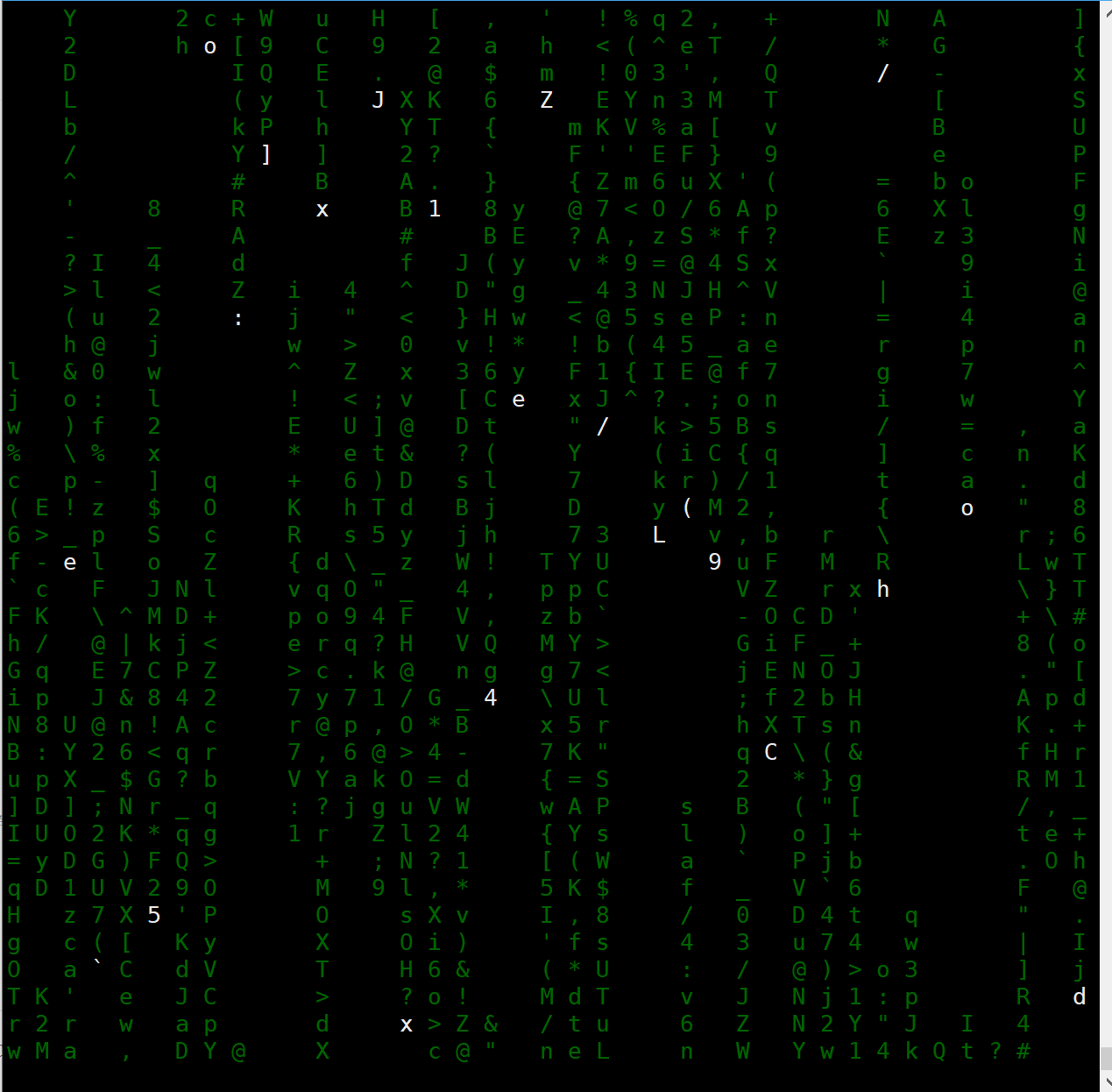
Cmatrix 是一款 Linux 环境下的炫酷屏保软件其效果类似于黑客帝国电影中的代码雨。
项目地址:https://github.com/abishekvashok/cmatrix
安装
# 安装依赖包
[root@server nginx-1.24.0 16:06:20]# yum -y install gcc make autoconf ncurses-devel

# 下载
[root@server nginx-1.24.0 16:14:25]# wget https://laoma.cloud/course-materials/softwares/stage01/cmatrix-1.2.tar.gz

# 解压
[root@server nginx-1.24.0 16:15:22]# tar -xf cmatrix-1.2.tar.gz

# 配置软件
[root@server nginx-1.24.0 16:15:41]# cd cmatrix-1.2/
[root@server cmatrix-1.2 16:15:46]# ./configure --prefix=/usr/local/cmatrix

# 编译并安装
[root@server cmatrix-1.2 16:15:53]# make && make install
使用
# 配置环境变量
[root@server cmatrix-1.2 16:16:02]# export PATH=$PATH:/usr/local/cmatrix/bin

# 执行
[root@server cmatrix-1.2 16:16:31]# cmatrix
# 效果如下:
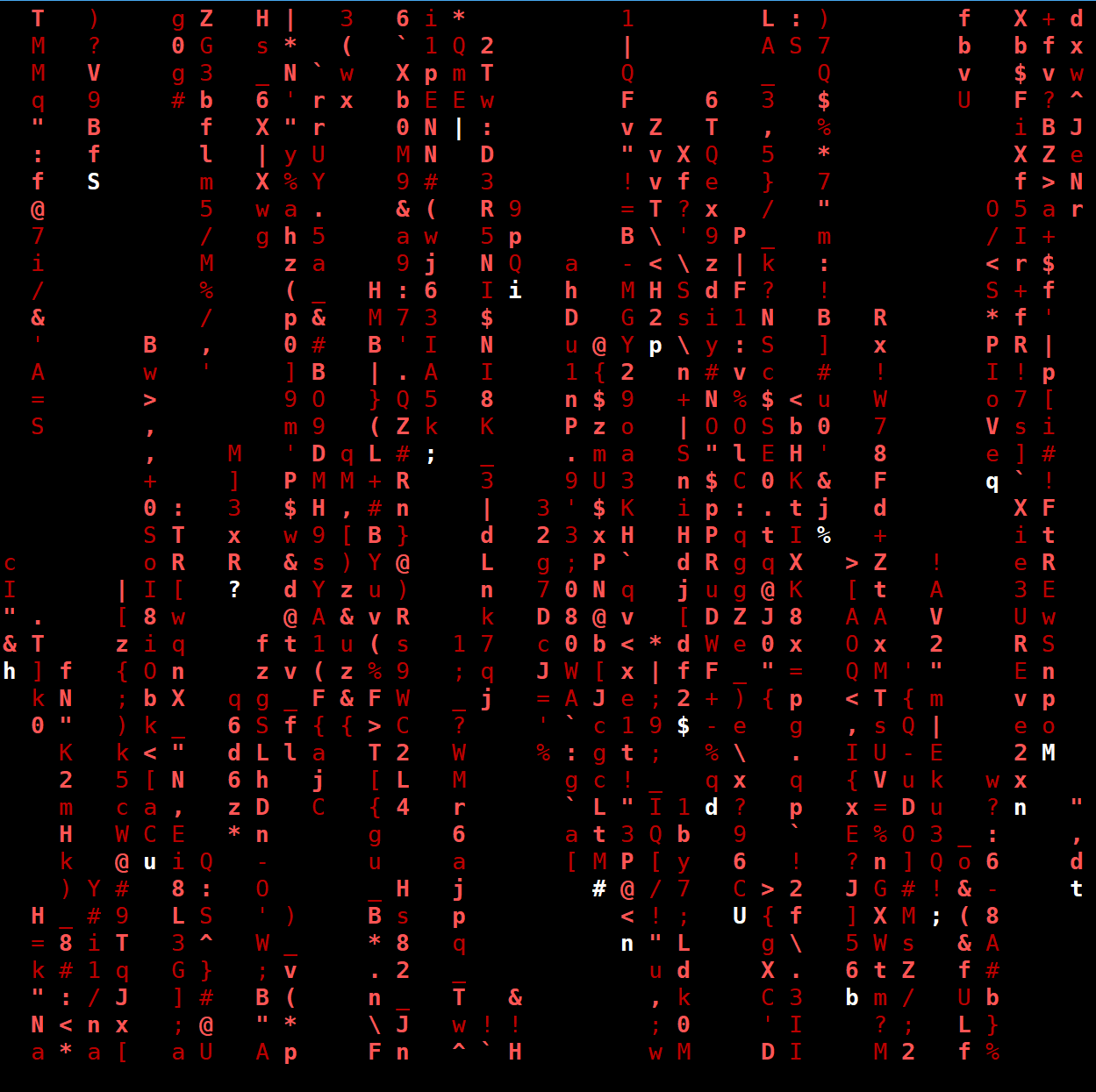
[root@server cmatrix-1.2 16:24:46]# cmatrix -b -u 3 -C red
# -b 加粗字体
# -u 滚动速度
# -C 字体颜色 绿色(green)、红色(red)、蓝色(blue)、白色(white)、黄色(yellow)、青色(cyan)、洋红色(magenta)以及黑色(black)这些颜色。
```

openEuler 是由开放原子开源基金会孵化的全场景开源操作系统项目,面向数字基础设施四大核心场景(服务器、云计算、边缘计算、嵌入式),全面支持 ARM、x86、RISC-V、loongArch、PowerPC、SW-64 等多样性计算架构
更多推荐



 15
15 0
0- 0


 已为社区贡献3条内容

所有评论(0)