Nginx反向代理入门到进阶:基础转发与路径前缀代理
文章目录
1. 反向代理基础概念
反向代理(Reverse Proxy)是指 代理服务器 接收来自客户端的请求,然后将请求转发给内部网络上的后端服务器,并将从后端服务器得到的结果返回给客户端。
2. 测试环境准备
2.1. 测试环境
- 操作系统:OpenEuler 22.03 LTS(华为云开发桌面)
- Nginx 版本:1.21.5
- 后端环境:JDK 21、SpringBoot 4.0.6
- 工具:vim 编辑器(编辑Nginx配置)、systemd 服务管理(管理Nginx)、浏览器(测试接口)
2.2. Nginx安装和运行
请参考相关文章:
1. 《OpenEuler 系统下 Nginx 安装配置与管理指南(基于 OpenEuler 22.03 LTS SP4)》
2. 《华为云开发桌面OpenEuler搭建Nginx服务器实操记录》
2.3. 启动后端测试服务
为了测试 Nginx 的反向代理功能,先启动一个简单的后端服务(SpringBoot项目),该服务会在 8080 端口提供 HTTP 服务。
2.3.1. 验证接口访问正常:http://localhost:8080
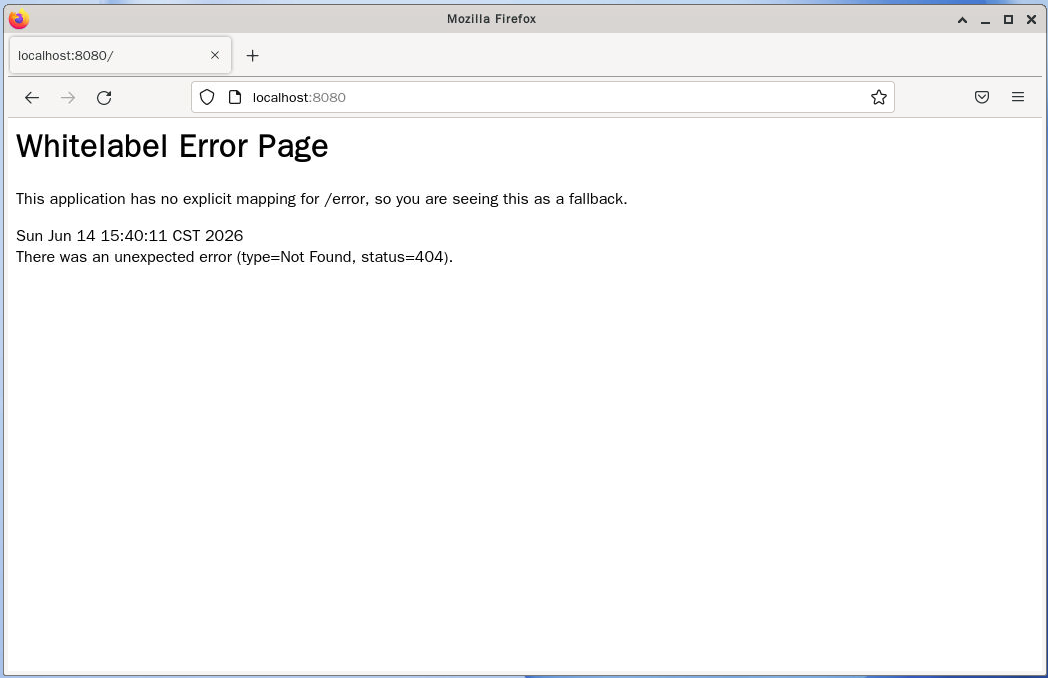
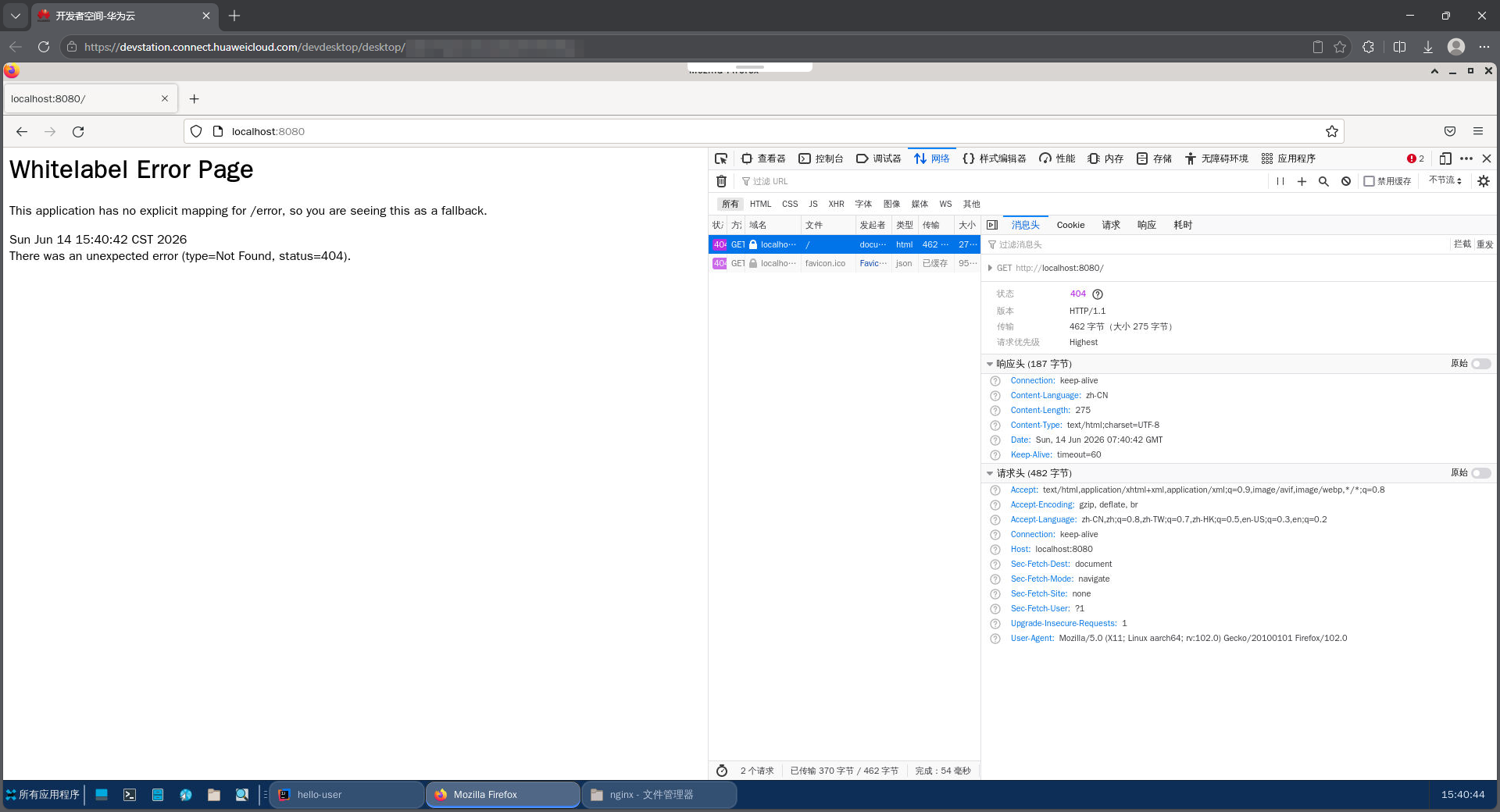
请求头:
GET / HTTP/1.1
Host: localhost:8080
User-Agent: Mozilla/5.0 (X11; Linux aarch64; rv:102.0) Gecko/20100101 Firefox/102.0
Accept: text/html,application/xhtml+xml,application/xml;q=0.9,image/avif,image/webp,*/*;q=0.8
Accept-Language: zh-CN,zh;q=0.8,zh-TW;q=0.7,zh-HK;q=0.5,en-US;q=0.3,en;q=0.2
Accept-Encoding: gzip, deflate, br
Connection: keep-alive
Upgrade-Insecure-Requests: 1
Sec-Fetch-Dest: document
Sec-Fetch-Mode: navigate
Sec-Fetch-Site: none
Sec-Fetch-User: ?1
响应头:
HTTP/1.1 404
Content-Type: text/html;charset=UTF-8
Content-Language: zh-CN
Content-Length: 275
Date: Sun, 14 Jun 2026 07:40:42 GMT
Keep-Alive: timeout=60
Connection: keep-alive
2.3.2. 验证接口访问正常:http://localhost:8080/user
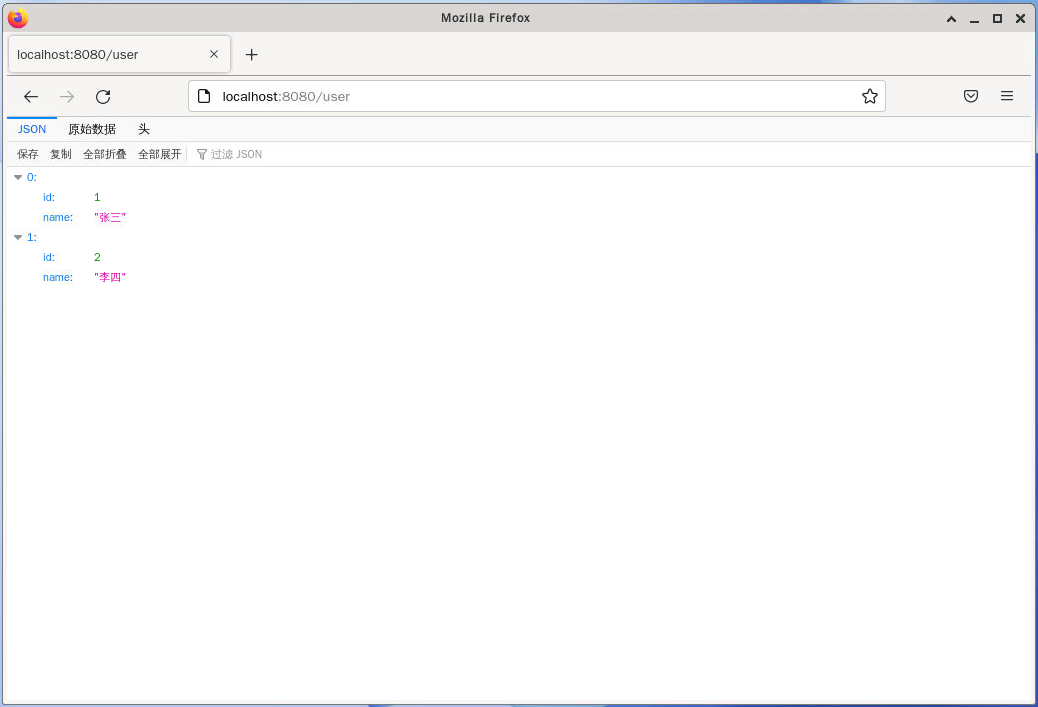
查阅详细的网络活动信息:
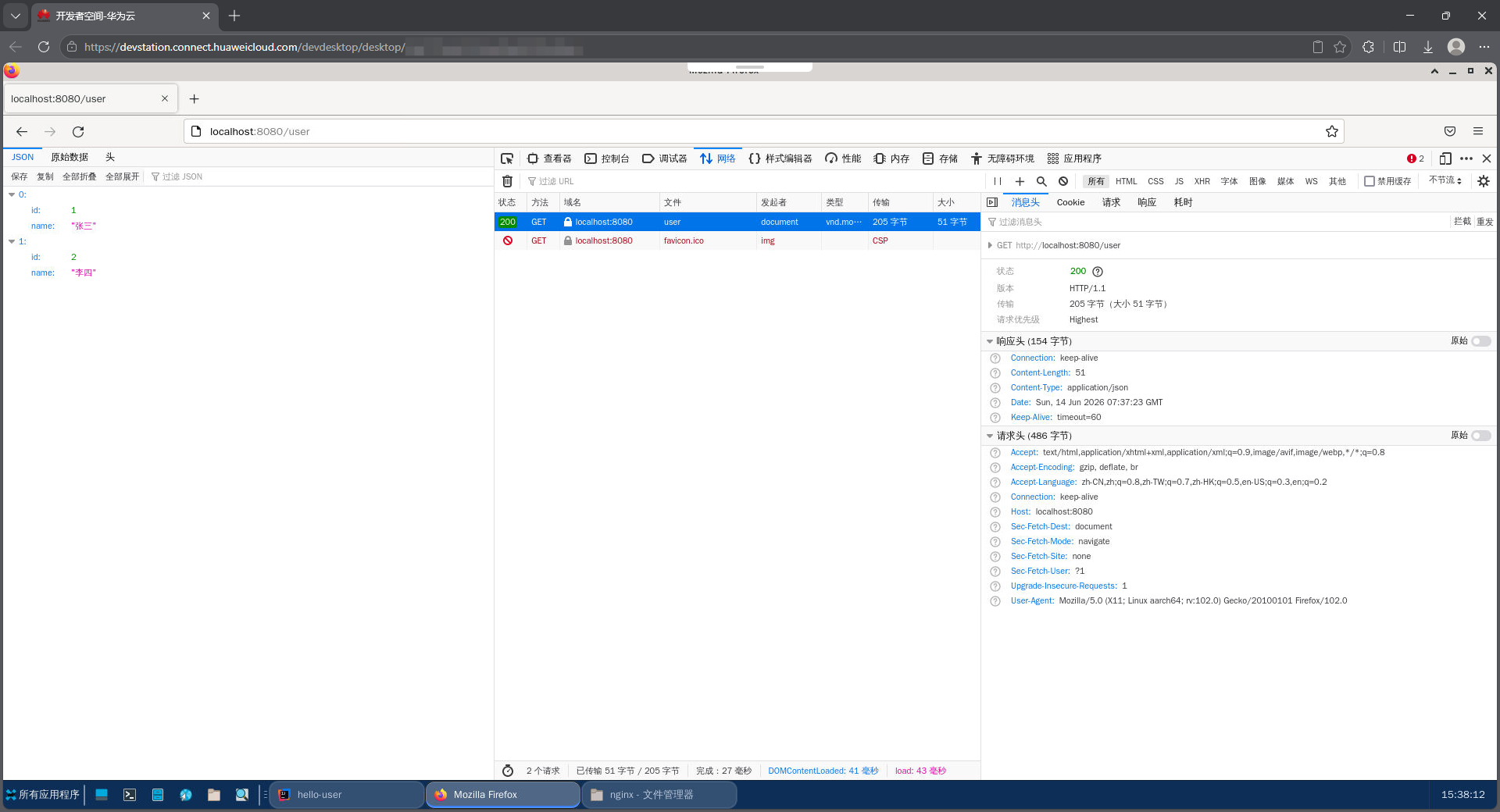
请求头:
GET /user HTTP/1.1
Host: localhost:8080
User-Agent: Mozilla/5.0 (X11; Linux aarch64; rv:102.0) Gecko/20100101 Firefox/102.0
Accept: text/html,application/xhtml+xml,application/xml;q=0.9,image/avif,image/webp,*/*;q=0.8
Accept-Language: zh-CN,zh;q=0.8,zh-TW;q=0.7,zh-HK;q=0.5,en-US;q=0.3,en;q=0.2
Accept-Encoding: gzip, deflate, br
Connection: keep-alive
Upgrade-Insecure-Requests: 1
Sec-Fetch-Dest: document
Sec-Fetch-Mode: navigate
Sec-Fetch-Site: none
Sec-Fetch-User: ?1
响应头:
HTTP/1.1 200
Content-Type: application/json
Content-Length: 51
Date: Sun, 14 Jun 2026 07:37:23 GMT
Keep-Alive: timeout=60
Connection: keep-alive
2.3.3. 接口代码及启动日志
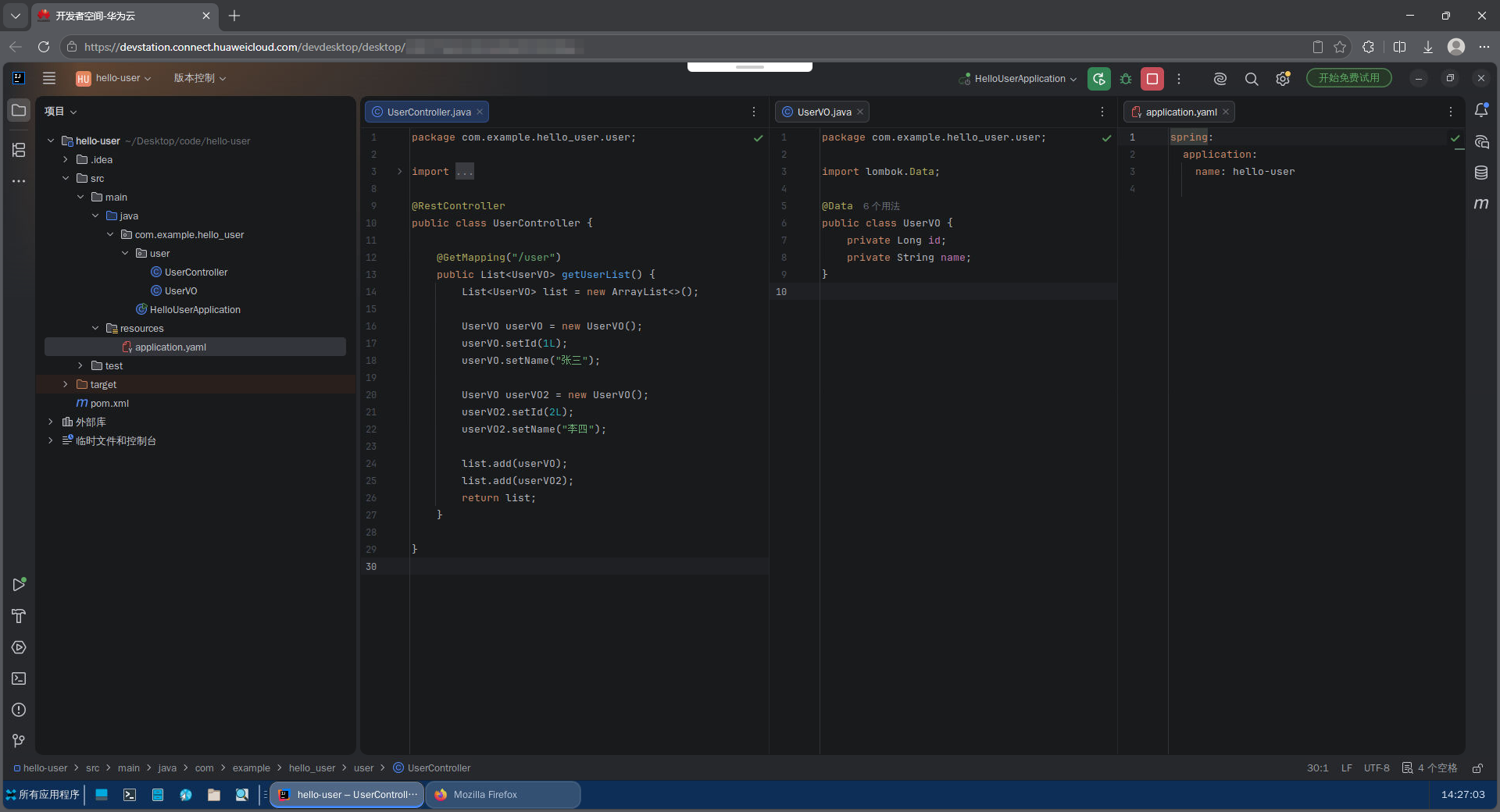
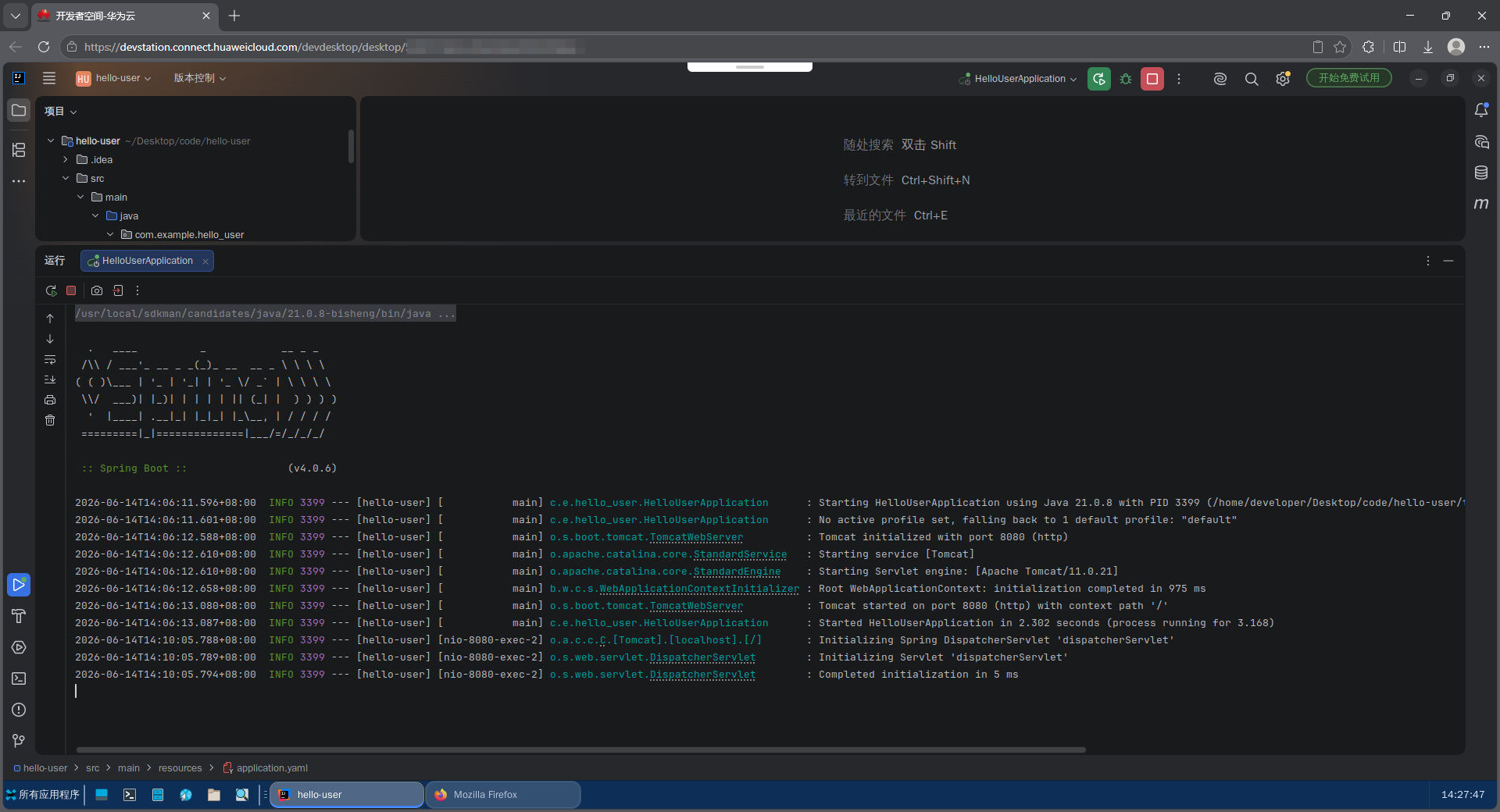
SpringBoot 项目,接口代码及启动日志:
2.3.3.1. UserController
package com.example.hello_user.user;

import org.springframework.web.bind.annotation.GetMapping;
import org.springframework.web.bind.annotation.RestController;

import java.util.ArrayList;
import java.util.List;

@RestController
public class UserController {

    @GetMapping("/user")
    public List<UserVO> getUserList() {
        List<UserVO> list = new ArrayList<>();

        UserVO userVO = new UserVO();
        userVO.setId(1L);
        userVO.setName("张三");

        UserVO userVO2 = new UserVO();
        userVO2.setId(2L);
        userVO2.setName("李四");

        list.add(userVO);
        list.add(userVO2);
        return list;
    }

}
2.3.3.2. UserVO
package com.example.hello_user.user;

import lombok.Data;

@Data
public class UserVO {
    private Long id;
    private String name;
}
2.3.3.3. 日志
  .   ____          _            __ _ _
 /\\ / ___'_ __ _ _(_)_ __  __ _ \ \ \ \
( ( )\___ | '_ | '_| | '_ \/ _` | \ \ \ \
 \\/  ___)| |_)| | | | | || (_| |  ) ) ) )
  '  |____| .__|_| |_|_| |_\__, | / / / /
 =========|_|==============|___/=/_/_/_/

 :: Spring Boot ::                (v4.0.6)

2026-06-14T14:06:11.596+08:00  INFO 3399 --- [hello-user] [           main] c.e.hello_user.HelloUserApplication      : Starting HelloUserApplication using Java 21.0.8 with PID 3399 (/home/developer/Desktop/code/hello-user/target/classes started by developer in /home/developer/Desktop/code/hello-user)
2026-06-14T14:06:11.601+08:00  INFO 3399 --- [hello-user] [           main] c.e.hello_user.HelloUserApplication      : No active profile set, falling back to 1 default profile: "default"
2026-06-14T14:06:12.588+08:00  INFO 3399 --- [hello-user] [           main] o.s.boot.tomcat.TomcatWebServer          : Tomcat initialized with port 8080 (http)
2026-06-14T14:06:12.610+08:00  INFO 3399 --- [hello-user] [           main] o.apache.catalina.core.StandardService   : Starting service [Tomcat]
2026-06-14T14:06:12.610+08:00  INFO 3399 --- [hello-user] [           main] o.apache.catalina.core.StandardEngine    : Starting Servlet engine: [Apache Tomcat/11.0.21]
2026-06-14T14:06:12.658+08:00  INFO 3399 --- [hello-user] [           main] b.w.c.s.WebApplicationContextInitializer : Root WebApplicationContext: initialization completed in 975 ms
2026-06-14T14:06:13.080+08:00  INFO 3399 --- [hello-user] [           main] o.s.boot.tomcat.TomcatWebServer          : Tomcat started on port 8080 (http) with context path '/'
2026-06-14T14:06:13.087+08:00  INFO 3399 --- [hello-user] [           main] c.e.hello_user.HelloUserApplication      : Started HelloUserApplication in 2.302 seconds (process running for 3.168)
2026-06-14T14:10:05.788+08:00  INFO 3399 --- [hello-user] [nio-8080-exec-2] o.a.c.c.C.[Tomcat].[localhost].[/]       : Initializing Spring DispatcherServlet 'dispatcherServlet'
2026-06-14T14:10:05.789+08:00  INFO 3399 --- [hello-user] [nio-8080-exec-2] o.s.web.servlet.DispatcherServlet        : Initializing Servlet 'dispatcherServlet'
2026-06-14T14:10:05.794+08:00  INFO 3399 --- [hello-user] [nio-8080-exec-2] o.s.web.servlet.DispatcherServlet        : Completed initialization in 5 ms
3. 反向代理测试
3.1. 反向代理配置方式
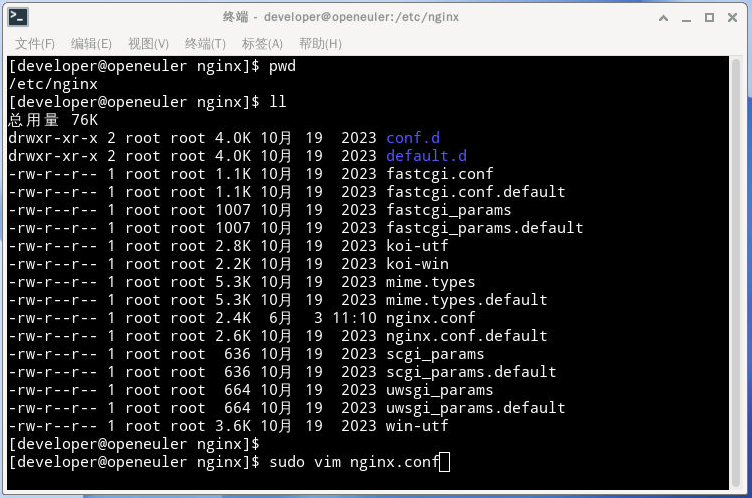
- 配置文件位置:
/etc/nginx/nginx.conf - 找到默认的
server块,添加一个location配置;通过location配置接口路由规则,使用proxy_pass将前端 API 请求转发至后端 SpringBoot 应用。
通过 vim 编辑器修改配置文件。
sudo vim nginx.conf
修改完成后,保存配置文件并退出vim编辑器。
注意:
普通用户对Nginx配置文件是只读权限,无法修改Nginx配置,需要使用sudo临时提升权限。
3.2. 默认访问效果(未配置反向代理)
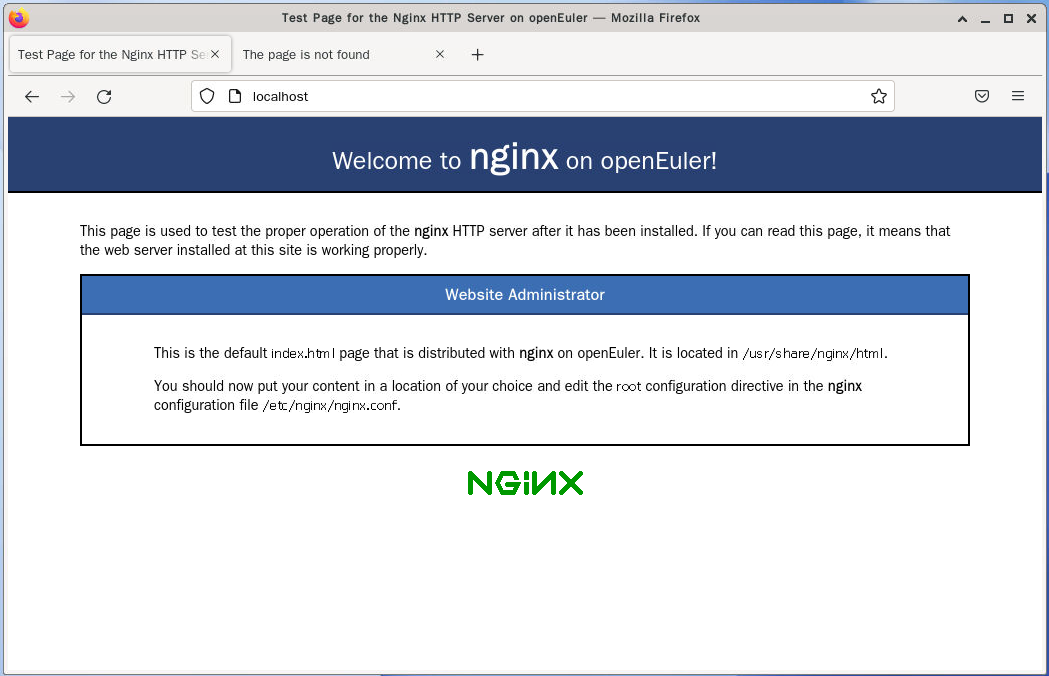
Nginx默认配置启动,查看访问效果。
打开浏览器,在地址栏输入 localhost 或者 服务器IP地址,应该能看到 Nginx 的欢迎页面。
3.2.1. 浏览器访问
3.2.1.1. 浏览器访问:http://localhost/
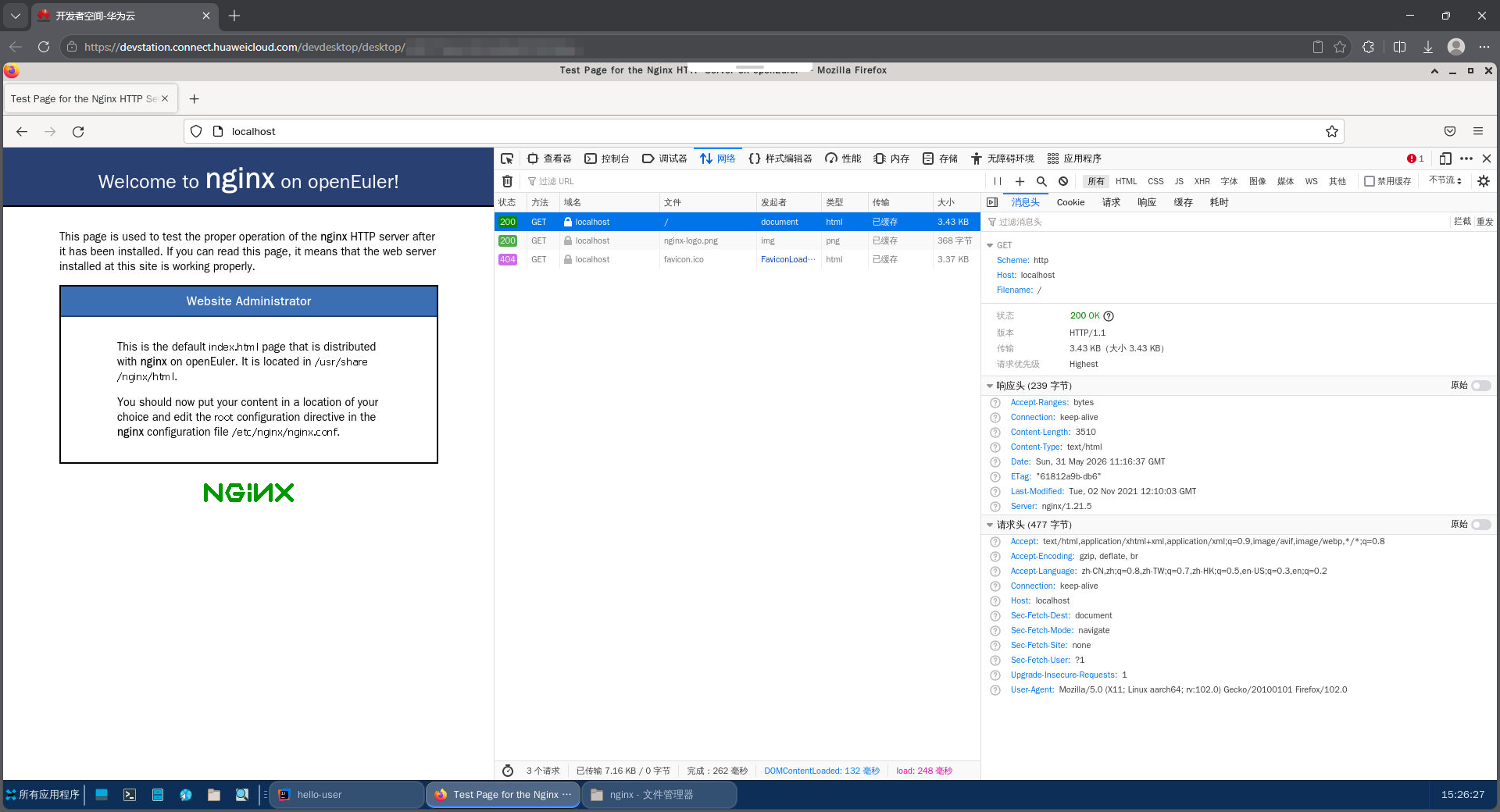
请求头:
GET / HTTP/1.1
Host: localhost
User-Agent: Mozilla/5.0 (X11; Linux aarch64; rv:102.0) Gecko/20100101 Firefox/102.0
Accept: text/html,application/xhtml+xml,application/xml;q=0.9,image/avif,image/webp,*/*;q=0.8
Accept-Language: zh-CN,zh;q=0.8,zh-TW;q=0.7,zh-HK;q=0.5,en-US;q=0.3,en;q=0.2
Accept-Encoding: gzip, deflate, br
Connection: keep-alive
Upgrade-Insecure-Requests: 1
Sec-Fetch-Dest: document
Sec-Fetch-Mode: navigate
Sec-Fetch-Site: none
Sec-Fetch-User: ?1
响应头:
HTTP/1.1 200 OK
Server: nginx/1.21.5
Date: Sun, 31 May 2026 11:16:37 GMT
Content-Type: text/html
Content-Length: 3510
Last-Modified: Tue, 02 Nov 2021 12:10:03 GMT
Connection: keep-alive
ETag: "61812a9b-db6"
Accept-Ranges: bytes
3.2.1.2. 浏览器访问:http://localhost/user
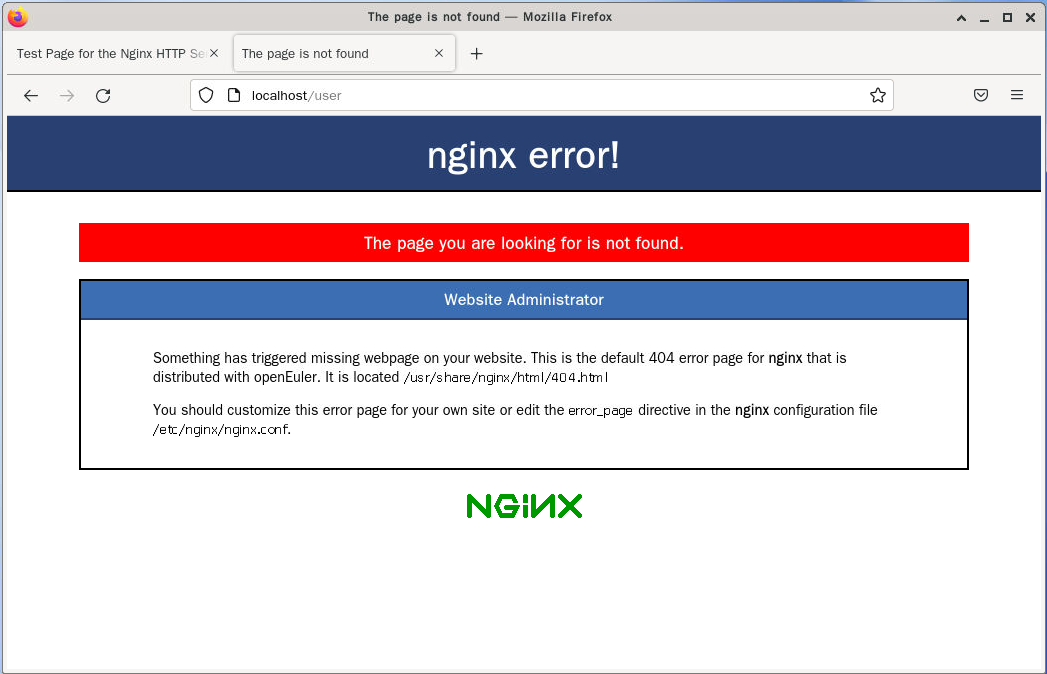
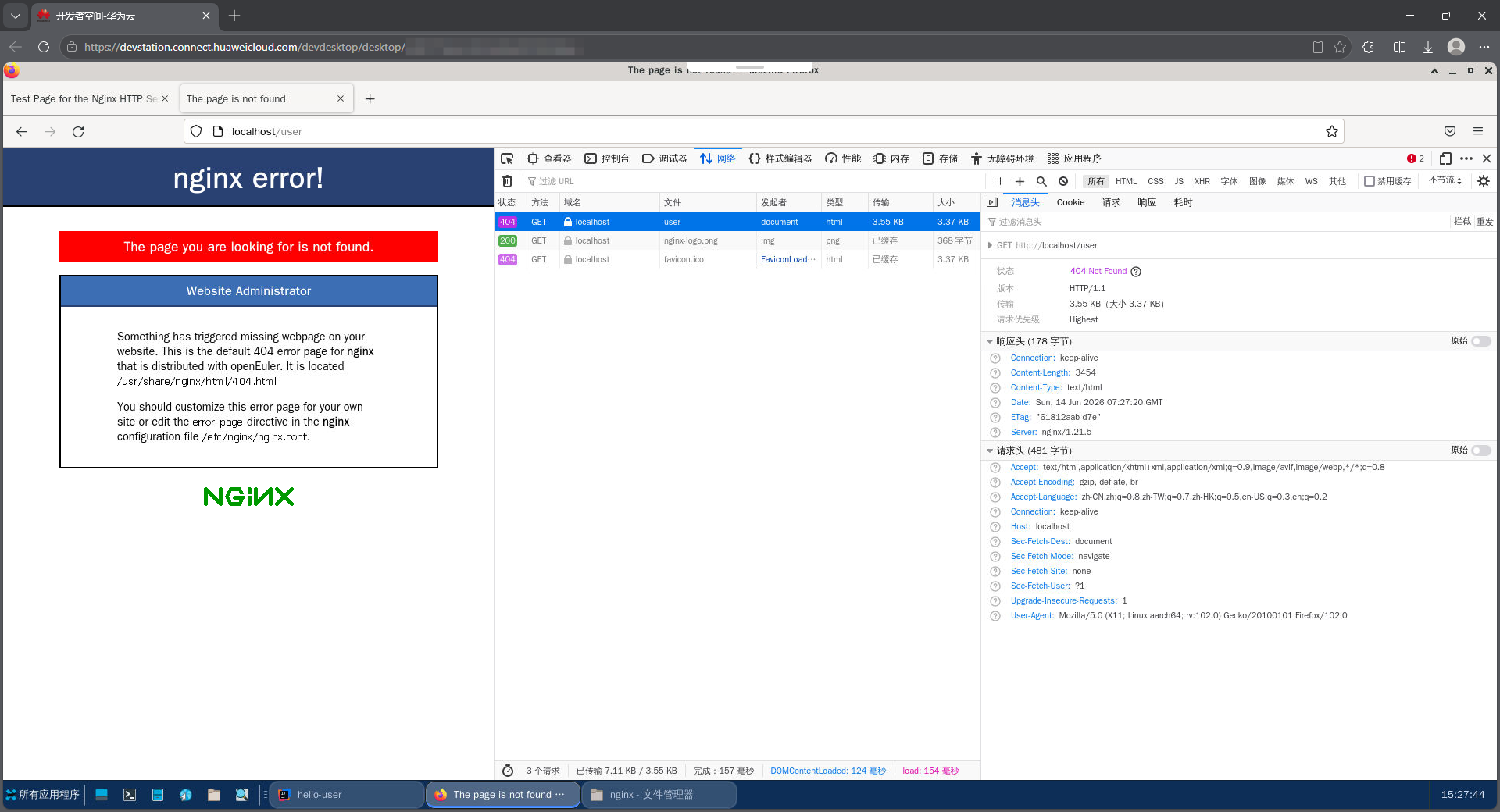
请求头:
GET /user HTTP/1.1
Host: localhost
User-Agent: Mozilla/5.0 (X11; Linux aarch64; rv:102.0) Gecko/20100101 Firefox/102.0
Accept: text/html,application/xhtml+xml,application/xml;q=0.9,image/avif,image/webp,*/*;q=0.8
Accept-Language: zh-CN,zh;q=0.8,zh-TW;q=0.7,zh-HK;q=0.5,en-US;q=0.3,en;q=0.2
Accept-Encoding: gzip, deflate, br
Connection: keep-alive
Upgrade-Insecure-Requests: 1
Sec-Fetch-Dest: document
Sec-Fetch-Mode: navigate
Sec-Fetch-Site: none
Sec-Fetch-User: ?1
响应头:
HTTP/1.1 404 Not Found
Server: nginx/1.21.5
Date: Sun, 14 Jun 2026 07:27:20 GMT
Content-Type: text/html
Content-Length: 3454
Connection: keep-alive
ETag: "61812aab-d7e"
3.2.2. 全量配置文件记录
# For more information on configuration, see:
#   * Official English Documentation: http://nginx.org/en/docs/
#   * Official Russian Documentation: http://nginx.org/ru/docs/

user nginx;
worker_processes auto;
error_log /var/log/nginx/error.log;
pid /run/nginx.pid;

# Load dynamic modules. See /usr/share/doc/nginx/README.dynamic.
include /usr/share/nginx/modules/*.conf;

events {
    worker_connections 1024;
}

http {
    log_format  main  '$remote_addr - $remote_user [$time_local] "$request" '
                      '$status $body_bytes_sent "$http_referer" '
                      '"$http_user_agent" "$http_x_forwarded_for"';

    access_log  /var/log/nginx/access.log  main;

    sendfile            on;
    tcp_nopush          on;
    tcp_nodelay         on;
    keepalive_timeout   65;
    types_hash_max_size 4096;

    include             /etc/nginx/mime.types;
    default_type        application/octet-stream;

    # Load modular configuration files from the /etc/nginx/conf.d directory.
    # See http://nginx.org/en/docs/ngx_core_module.html#include
    # for more information.
    include /etc/nginx/conf.d/*.conf;

    server {
        listen       80;
        listen       [::]:80;
        server_name  _;
        root         /usr/share/nginx/html;

        # Load configuration files for the default server block.
        include /etc/nginx/default.d/*.conf;

        error_page 404 /404.html;
            location = /40x.html {
        }

        error_page 500 502 503 504 /50x.html;
            location = /50x.html {
        }
    }

# Settings for a TLS enabled server.
#
#    server {
#        listen       443 ssl http2;
#        listen       [::]:443 ssl http2;
#        server_name  _;
#        root         /usr/share/nginx/html;
#
#        ssl_certificate "/etc/pki/nginx/server.crt";
#        ssl_certificate_key "/etc/pki/nginx/private/server.key";
#        ssl_session_cache shared:SSL:1m;
#        ssl_session_timeout  10m;
#        ssl_ciphers PROFILE=SYSTEM;
#        ssl_prefer_server_ciphers on;
#
#        # Load configuration files for the default server block.
#        include /etc/nginx/default.d/*.conf;
#
#        error_page 404 /404.html;
#            location = /40x.html {
#        }
#
#        error_page 500 502 503 504 /50x.html;
#            location = /50x.html {
#        }
#    }

}
3.3. 基础反向代理
我们先从最简单的反向代理配置开始,将 所有请求 都转发到运行在 8080 端口的后端服务。
3.3.1. 核心配置
        location / {
            proxy_pass http://localhost:8080;
        }
通过 vim 编辑器修改配置文件,修改完成后,保存配置文件并退出vim编辑器。
配置文件修改示例:
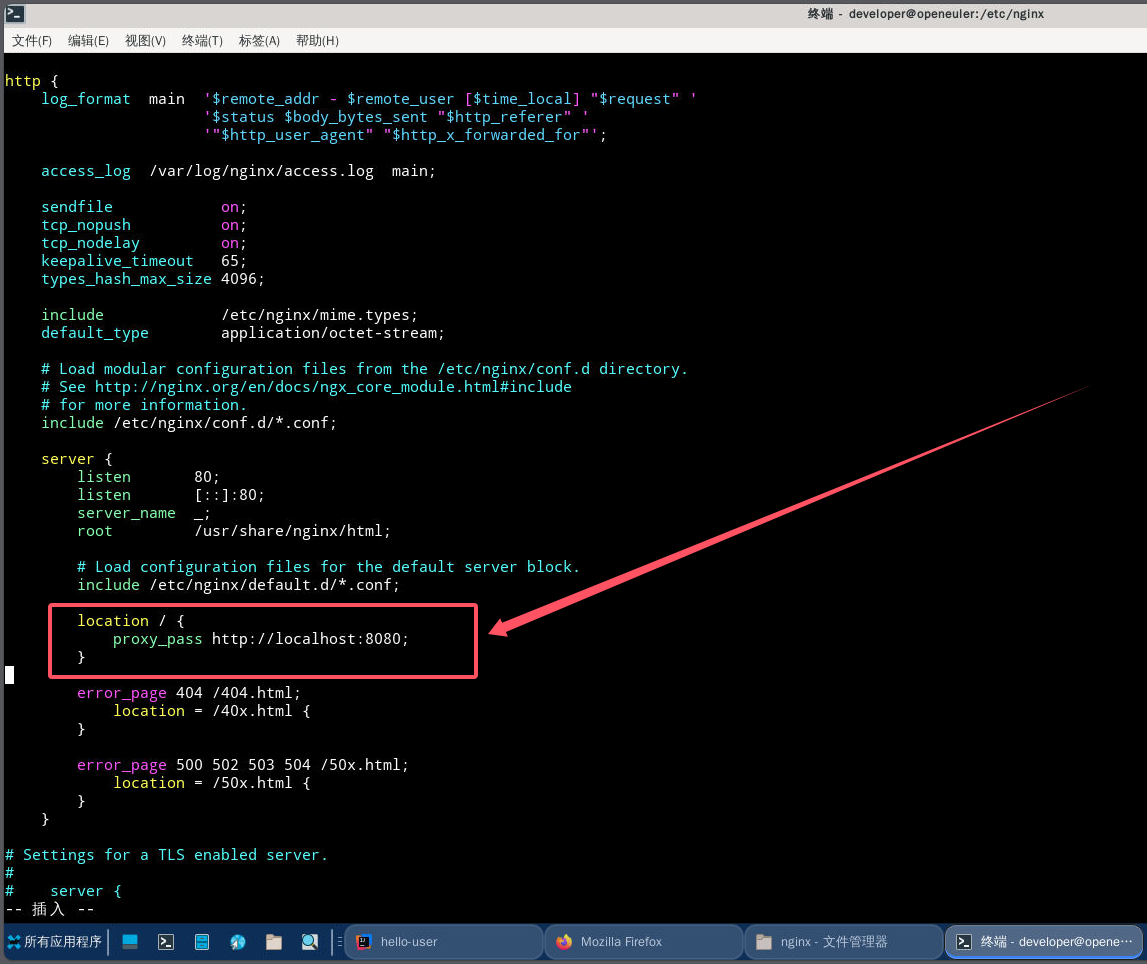
3.3.2. 配置验证与生效
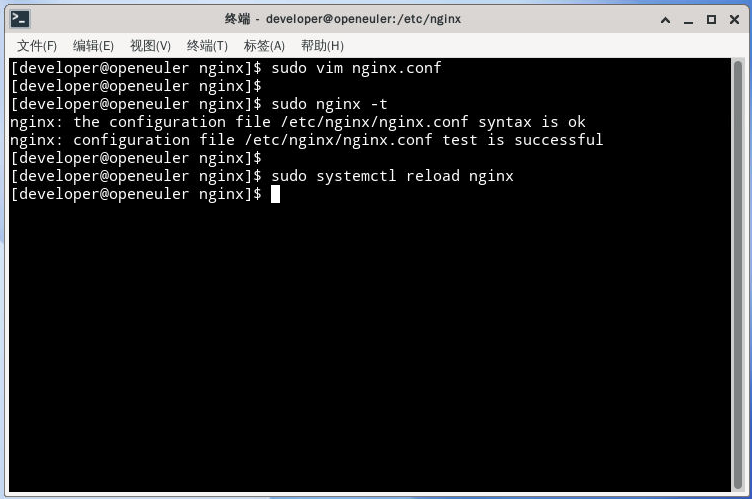
检查配置语法没问题,重新启动nginx。
[developer@openeuler nginx]$ sudo nginx -t
nginx: the configuration file /etc/nginx/nginx.conf syntax is ok
nginx: configuration file /etc/nginx/nginx.conf test is successful
[developer@openeuler nginx]$
[developer@openeuler nginx]$ sudo systemctl reload nginx
3.3.3. 测试反向代理功能
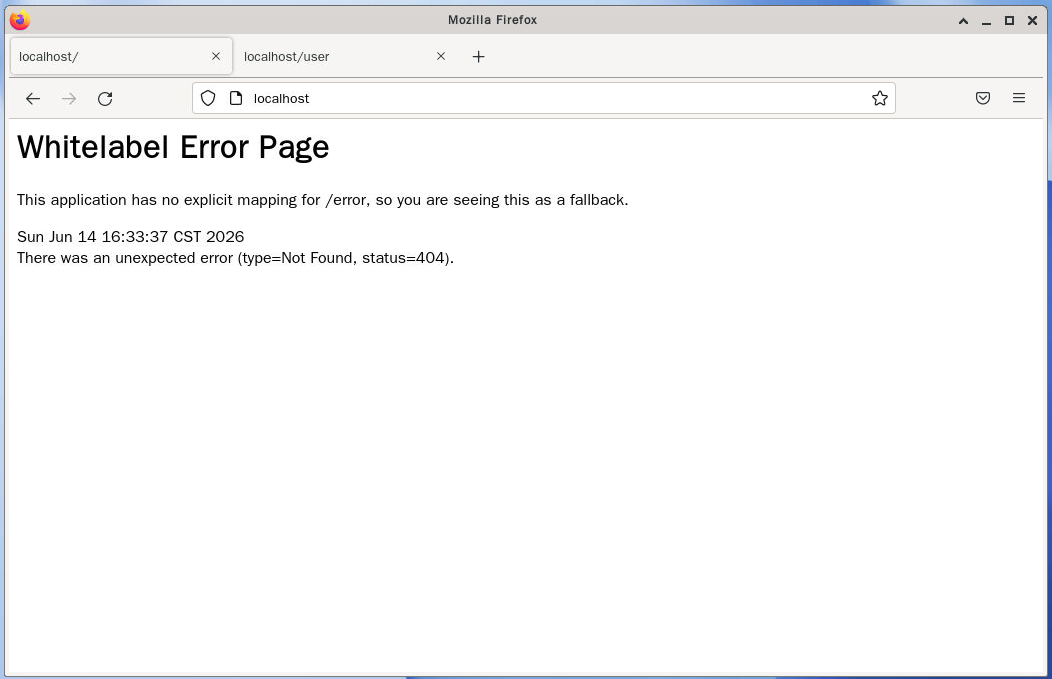
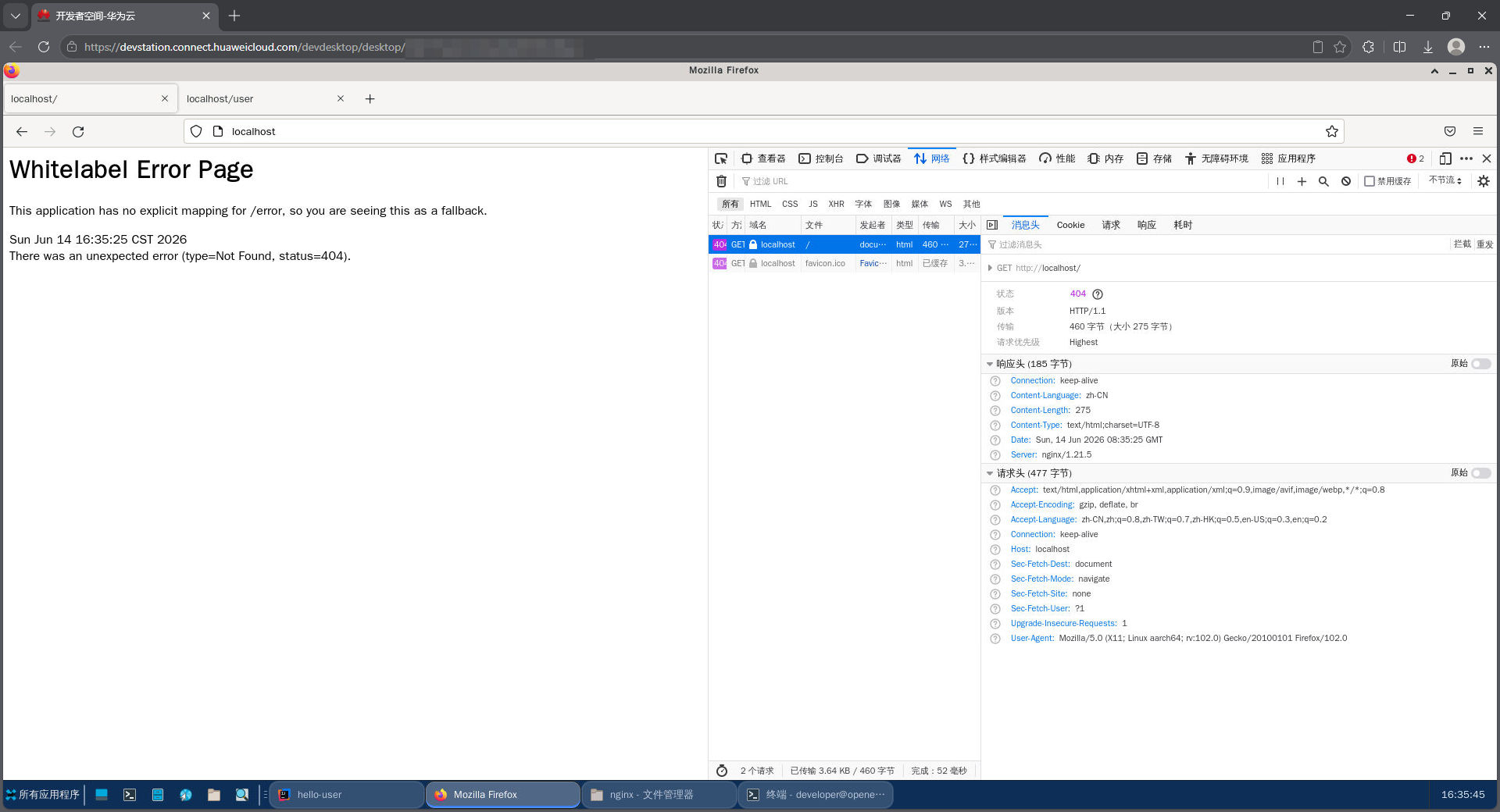
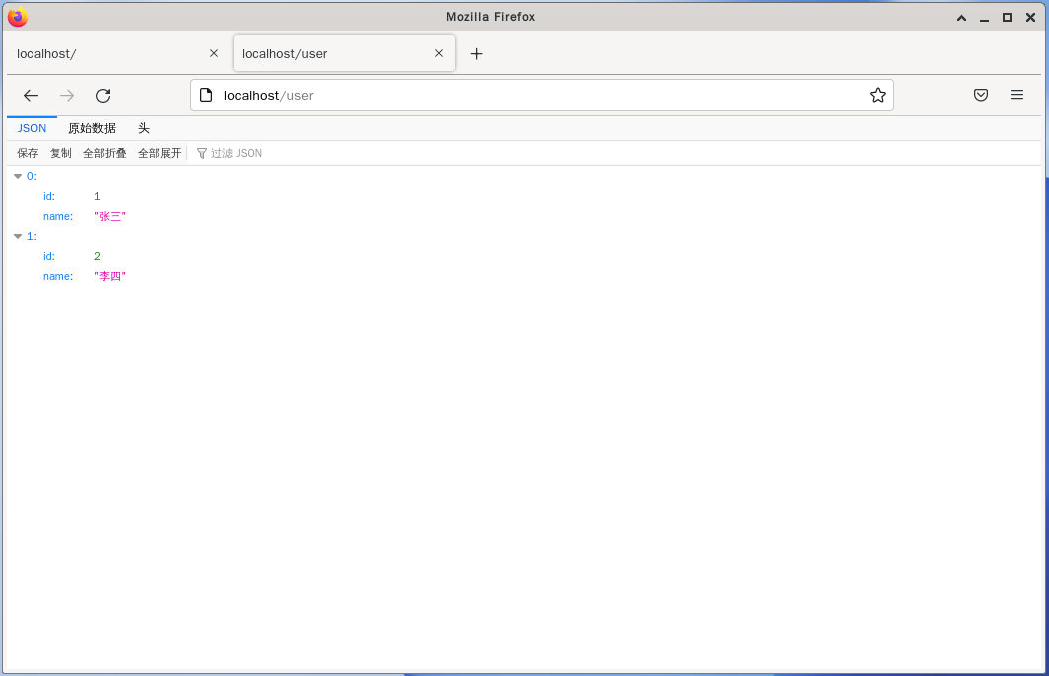
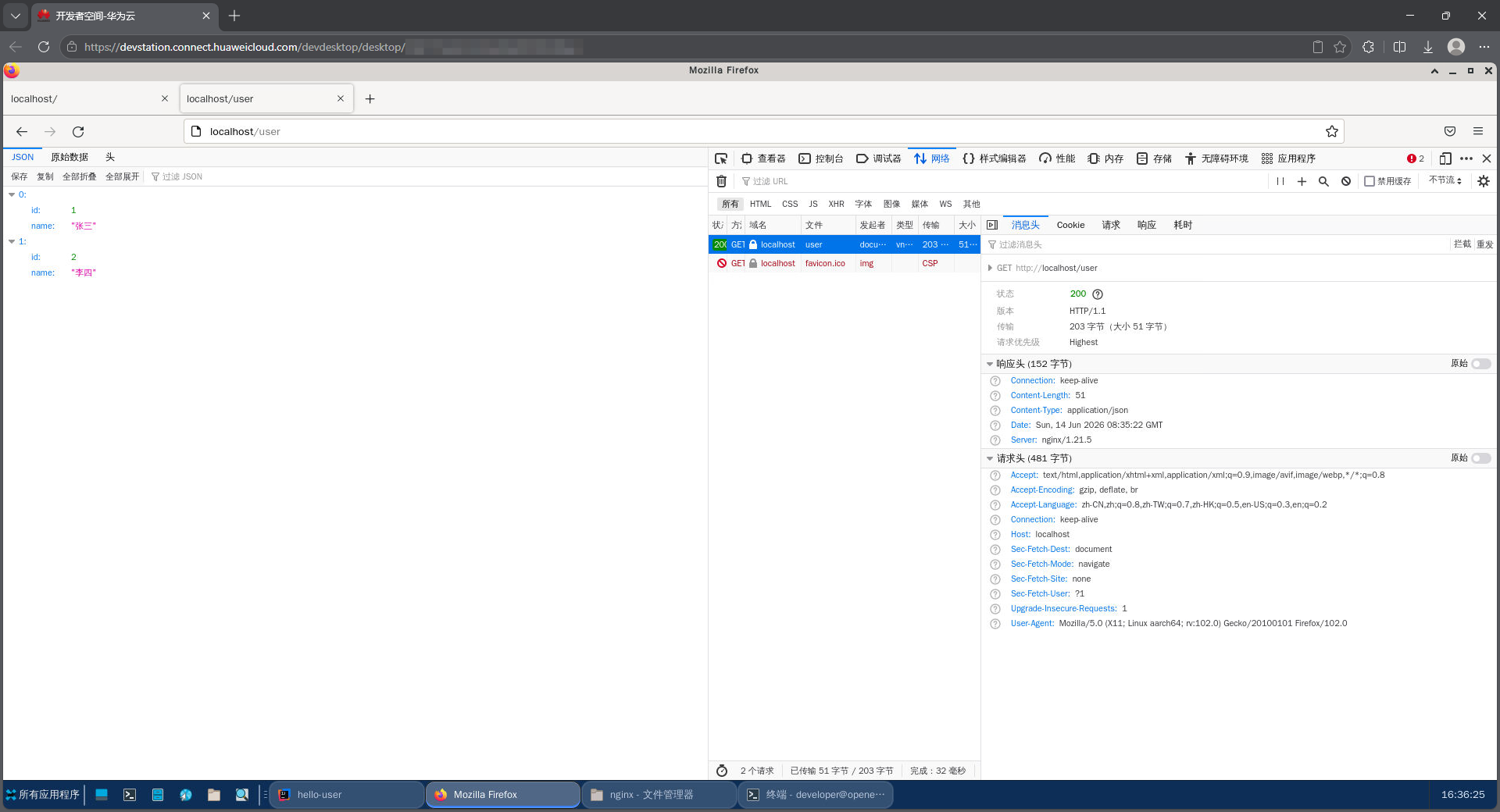
现在我们可以通过访问http://localhost/user来测试反向代理是否正常工作。我们应该看到与直接访问http://localhost:8080/user相同的页面内容。
注意到Server头显示的是nginx/1.21.5,这说明请求确实经过了Nginx的反向代理。
3.3.3.1. 浏览器访问:http://localhost/
3.3.3.2. 浏览器访问:http://localhost/user
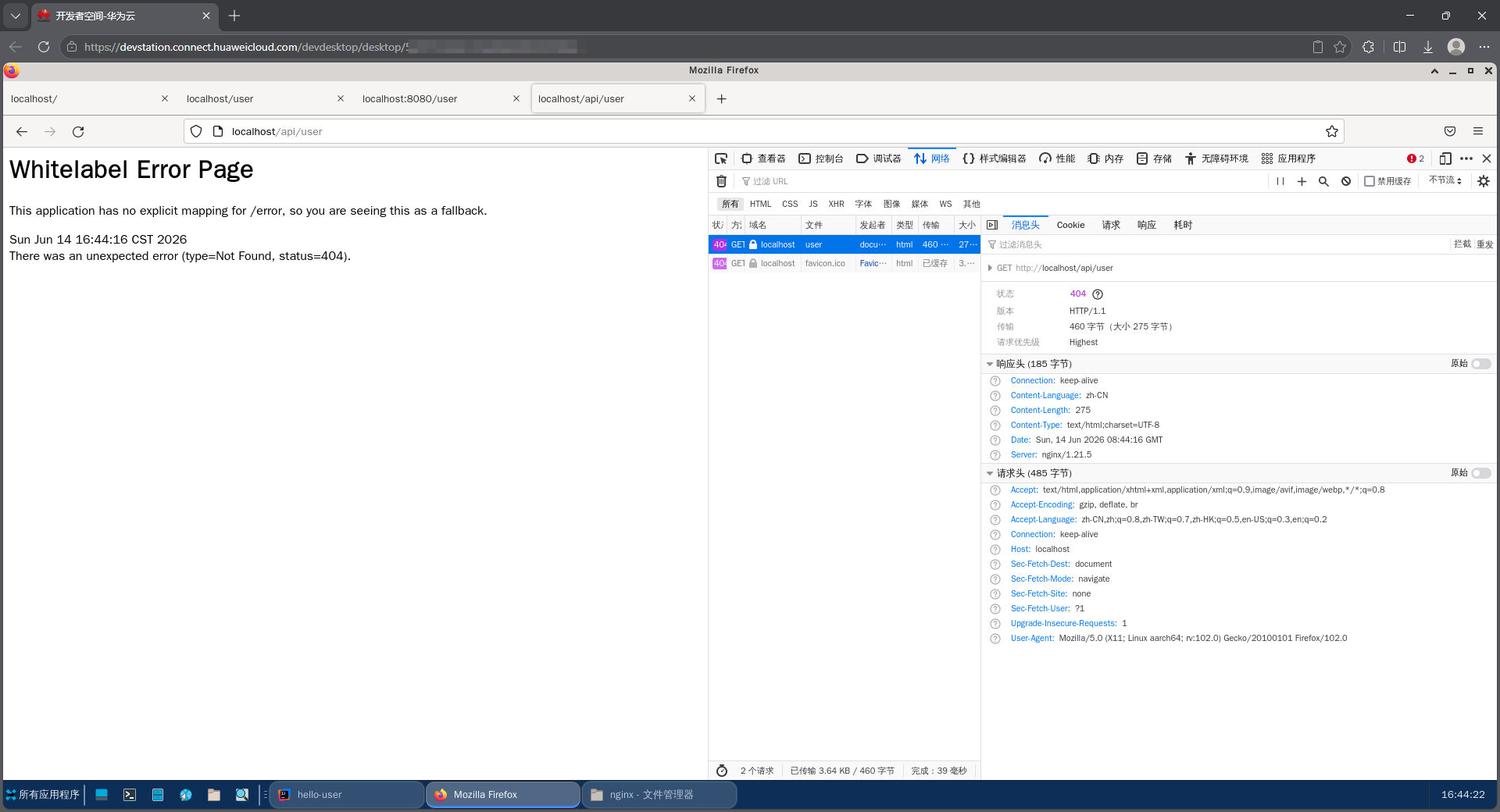
3.3.3.3. 浏览器访问:http://localhost/api/user
3.3.4. 全量配置文件记录
# For more information on configuration, see:
#   * Official English Documentation: http://nginx.org/en/docs/
#   * Official Russian Documentation: http://nginx.org/ru/docs/

user nginx;
worker_processes auto;
error_log /var/log/nginx/error.log;
pid /run/nginx.pid;

# Load dynamic modules. See /usr/share/doc/nginx/README.dynamic.
include /usr/share/nginx/modules/*.conf;

events {
    worker_connections 1024;
}

http {
    log_format  main  '$remote_addr - $remote_user [$time_local] "$request" '
                      '$status $body_bytes_sent "$http_referer" '
                      '"$http_user_agent" "$http_x_forwarded_for"';

    access_log  /var/log/nginx/access.log  main;

    sendfile            on;
    tcp_nopush          on;
    tcp_nodelay         on;
    keepalive_timeout   65;
    types_hash_max_size 4096;

    include             /etc/nginx/mime.types;
    default_type        application/octet-stream;

    # Load modular configuration files from the /etc/nginx/conf.d directory.
    # See http://nginx.org/en/docs/ngx_core_module.html#include
    # for more information.
    include /etc/nginx/conf.d/*.conf;

    server {
        listen       80;
        listen       [::]:80;
        server_name  _;
        root         /usr/share/nginx/html;

        # Load configuration files for the default server block.
        include /etc/nginx/default.d/*.conf;

        location / {
            proxy_pass http://localhost:8080;
        }

        error_page 404 /404.html;
            location = /40x.html {
        }

        error_page 500 502 503 504 /50x.html;
            location = /50x.html {
        }
    }

# Settings for a TLS enabled server.
#
#    server {
#        listen       443 ssl http2;
#        listen       [::]:443 ssl http2;
#        server_name  _;
#        root         /usr/share/nginx/html;
#
#        ssl_certificate "/etc/pki/nginx/server.crt";
#        ssl_certificate_key "/etc/pki/nginx/private/server.key";
#        ssl_session_cache shared:SSL:1m;
#        ssl_session_timeout  10m;
#        ssl_ciphers PROFILE=SYSTEM;
#        ssl_prefer_server_ciphers on;
#
#        # Load configuration files for the default server block.
#        include /etc/nginx/default.d/*.conf;
#
#        error_page 404 /404.html;
#            location = /40x.html {
#        }
#
#        error_page 500 502 503 504 /50x.html;
#            location = /50x.html {
#        }
#    }

}
3.4. 进阶反向代理:基于路径的反向代理
在实际应用中,我们经常需要根据不同的请求路径将请求转发到不同的后端服务。
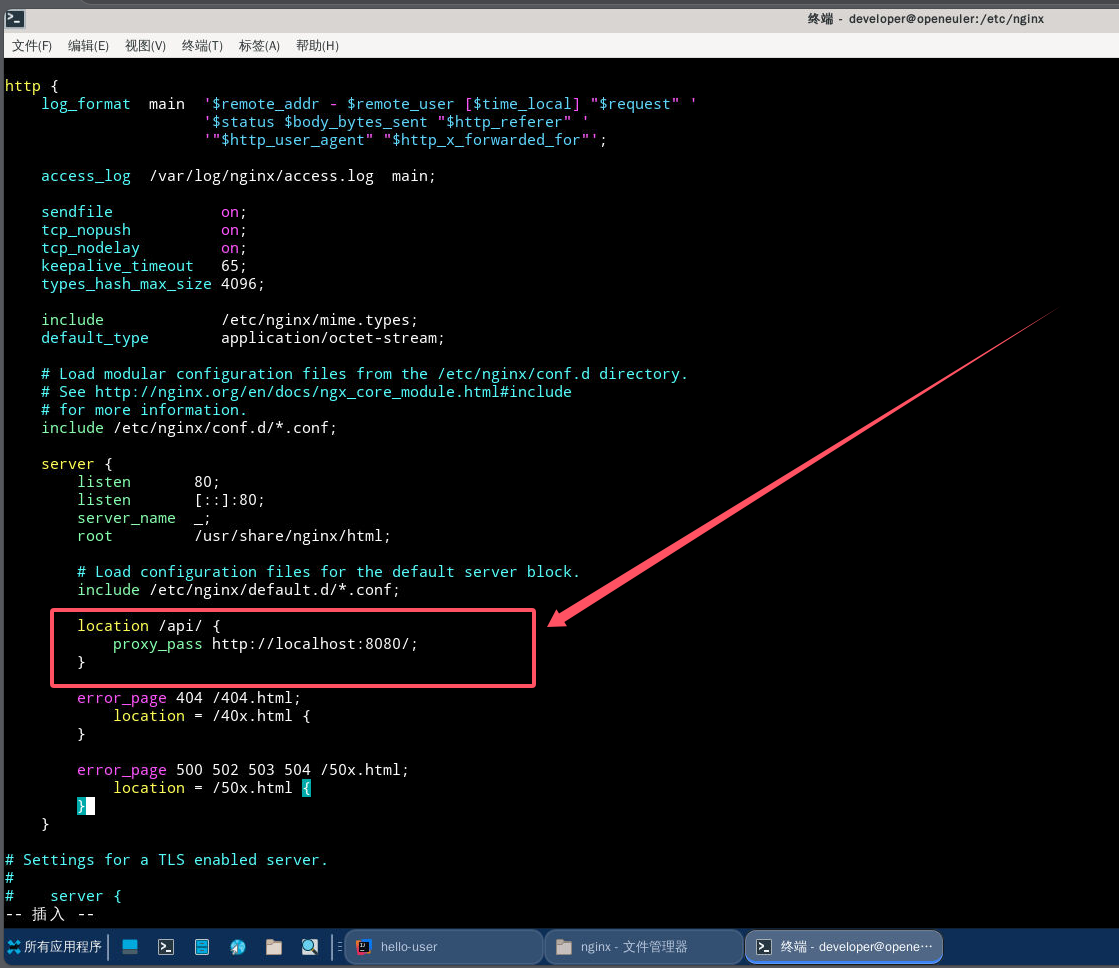
本例中,Nginx 将 /api 路径前缀的请求转发到指定服务(本示例中为本地 8080 端口),并且去掉 /api 路径前缀。
3.4.1. 核心配置
        location /api/ {
            proxy_pass http://localhost:8080/;
        }
通过 vim 编辑器修改配置文件,修改完成后,保存配置文件并退出vim编辑器。
配置文件修改示例:
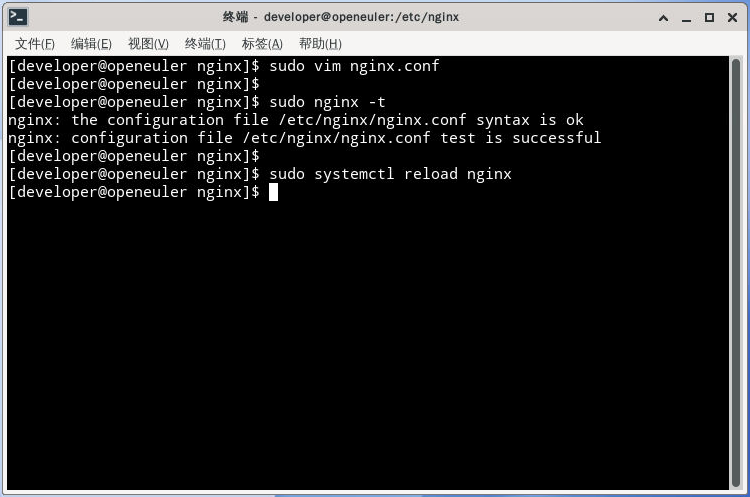
3.4.2. 配置验证与生效
检查配置语法没问题,重新启动nginx。
3.4.3. 测试反向代理功能
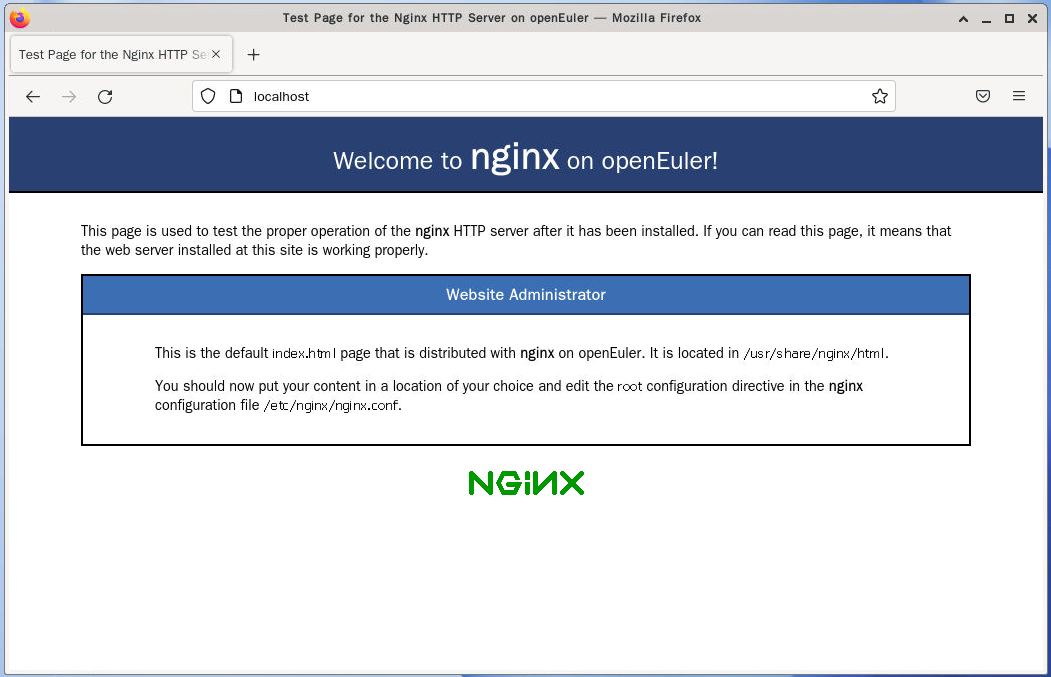
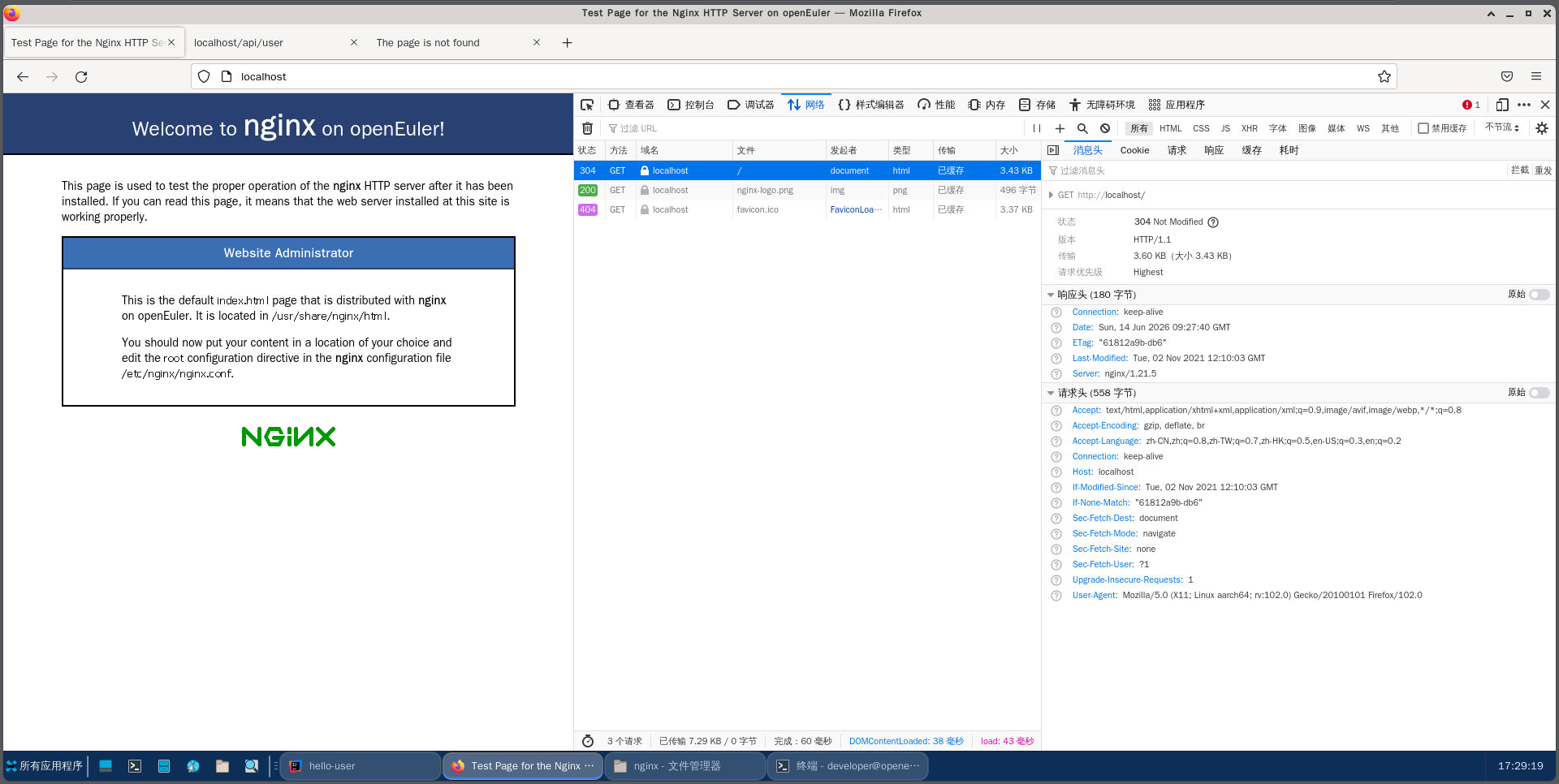
3.4.3.1. 浏览器访问:http://localhost/
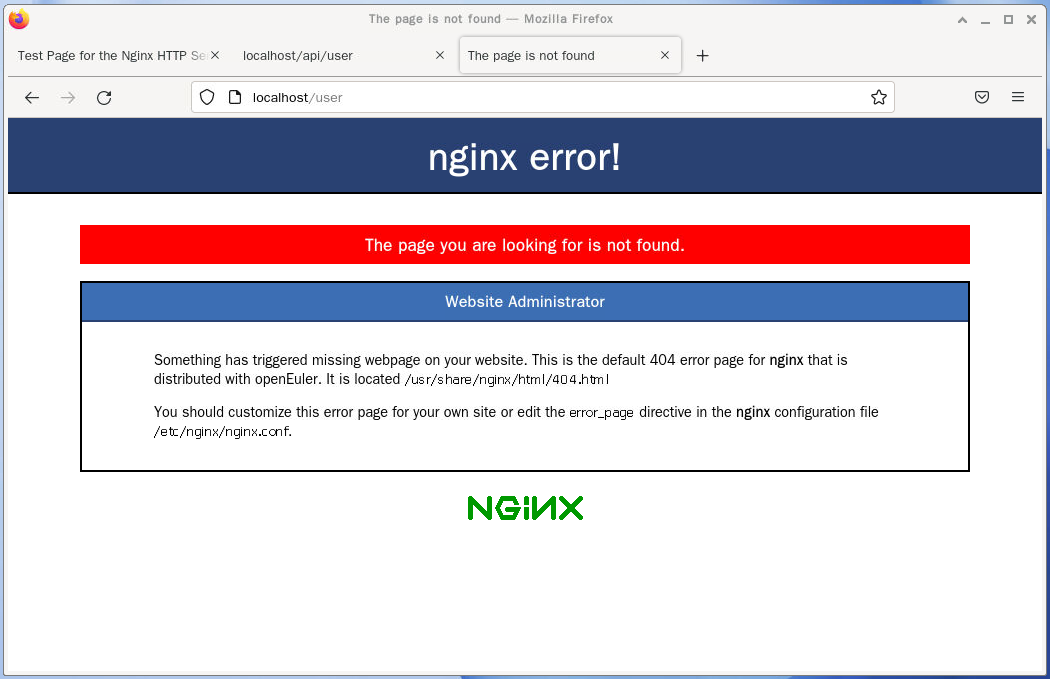
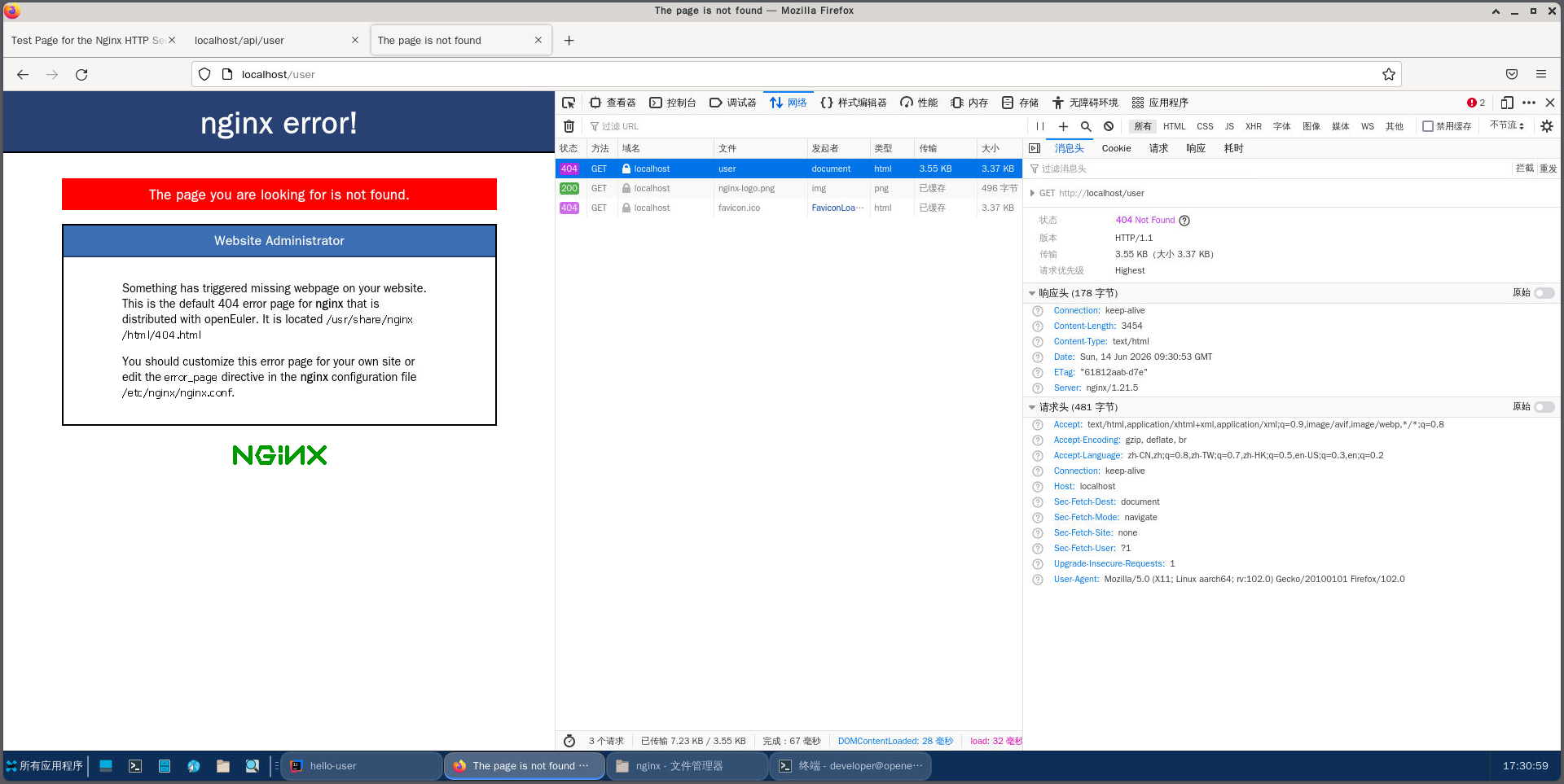
3.4.3.2. 浏览器访问:http://localhost/user
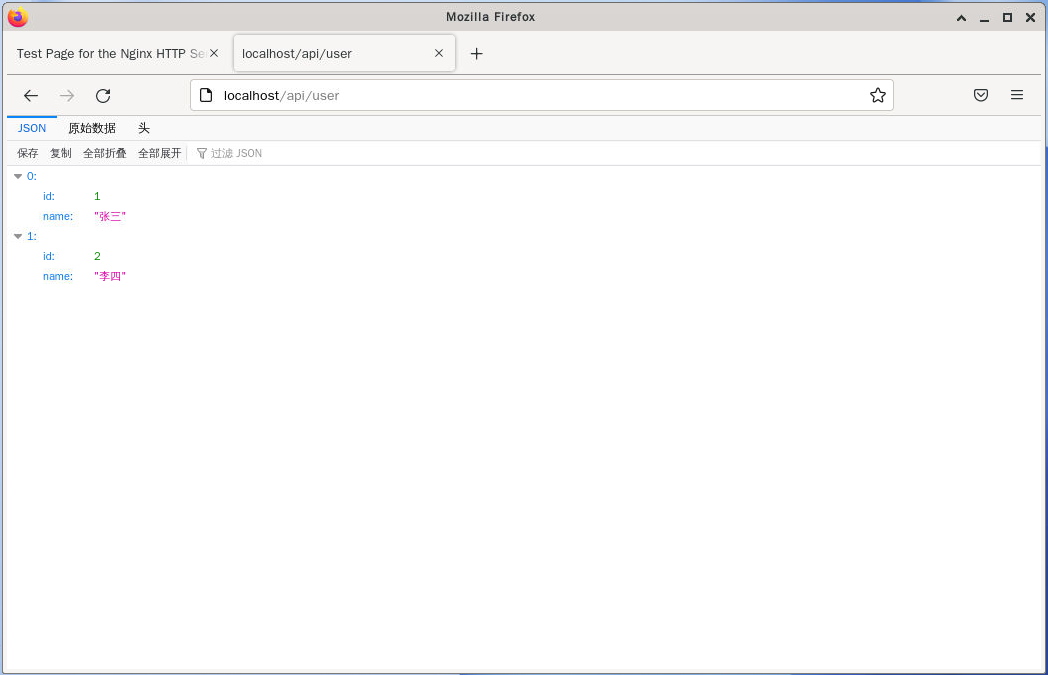
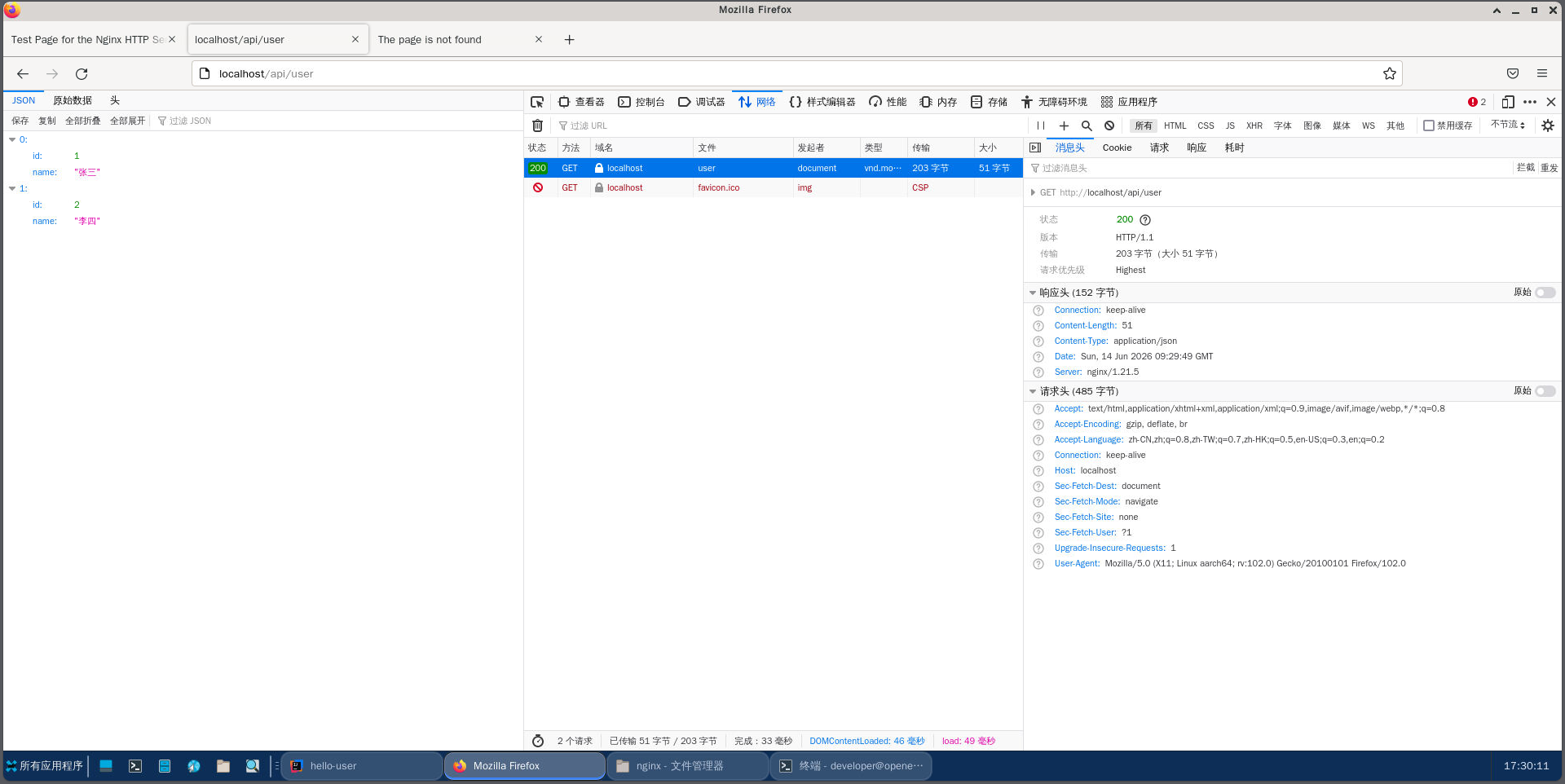
3.4.3.3. 浏览器访问:http://localhost/api/user
3.4.4. 注意事项:proxy_pass末尾的斜杠
在使用基于路径的反向代理时,proxy_pass指令末尾的斜杠非常重要,它会影响Nginx对请求URI的处理方式:
- 如果
proxy_pass末尾 有斜杠,Nginx会将location匹配到的部分从请求URI中去掉,然后将剩余部分附加到proxy_pass指定的URL后面 - 如果
proxy_pass末尾 没有斜杠,Nginx会将完整的请求URI附加到proxy_pass指定的URL后面
例如,对于上面的配置:
- 当请求
http://localhost/api/user时,Nginx会将请求转发到http://localhost:8080/user - 如果我们去掉
proxy_pass末尾的斜杠,Nginx会将请求转发到http://localhost:8080/api/user
3.4.5. 全量配置文件记录(去掉 /api 路径前缀)
# For more information on configuration, see:
#   * Official English Documentation: http://nginx.org/en/docs/
#   * Official Russian Documentation: http://nginx.org/ru/docs/

user nginx;
worker_processes auto;
error_log /var/log/nginx/error.log;
pid /run/nginx.pid;

# Load dynamic modules. See /usr/share/doc/nginx/README.dynamic.
include /usr/share/nginx/modules/*.conf;

events {
    worker_connections 1024;
}

http {
    log_format  main  '$remote_addr - $remote_user [$time_local] "$request" '
                      '$status $body_bytes_sent "$http_referer" '
                      '"$http_user_agent" "$http_x_forwarded_for"';

    access_log  /var/log/nginx/access.log  main;

    sendfile            on;
    tcp_nopush          on;
    tcp_nodelay         on;
    keepalive_timeout   65;
    types_hash_max_size 4096;

    include             /etc/nginx/mime.types;
    default_type        application/octet-stream;

    # Load modular configuration files from the /etc/nginx/conf.d directory.
    # See http://nginx.org/en/docs/ngx_core_module.html#include
    # for more information.
    include /etc/nginx/conf.d/*.conf;

    server {
        listen       80;
        listen       [::]:80;
        server_name  _;
        root         /usr/share/nginx/html;

        # Load configuration files for the default server block.
        include /etc/nginx/default.d/*.conf;

        location /api/ {
            proxy_pass http://localhost:8080/;
        }

        error_page 404 /404.html;
            location = /40x.html {
        }

        error_page 500 502 503 504 /50x.html;
            location = /50x.html {
        }
    }

# Settings for a TLS enabled server.
#
#    server {
#        listen       443 ssl http2;
#        listen       [::]:443 ssl http2;
#        server_name  _;
#        root         /usr/share/nginx/html;
#
#        ssl_certificate "/etc/pki/nginx/server.crt";
#        ssl_certificate_key "/etc/pki/nginx/private/server.key";
#        ssl_session_cache shared:SSL:1m;
#        ssl_session_timeout  10m;
#        ssl_ciphers PROFILE=SYSTEM;
#        ssl_prefer_server_ciphers on;
#
#        # Load configuration files for the default server block.
#        include /etc/nginx/default.d/*.conf;
#
#        error_page 404 /404.html;
#            location = /40x.html {
#        }
#
#        error_page 500 502 503 504 /50x.html;
#            location = /50x.html {
#        }
#    }

}

openEuler 是由开放原子开源基金会孵化的全场景开源操作系统项目,面向数字基础设施四大核心场景(服务器、云计算、边缘计算、嵌入式),全面支持 ARM、x86、RISC-V、loongArch、PowerPC、SW-64 等多样性计算架构
更多推荐

 3
3 0
0- 0


 已为社区贡献5条内容

所有评论(0)