第十二:Pytest的skip、skipif跳过用例
·
一.前言
1.pytest.mark.skip可以标记(标签)无法在某些平台上运行的测试功能,或者希望运行失败的测试功能

2.希望满足某些条件才执行的某些测试用例,否则Pytest会"跳过"运行该测试用例

3.实际场景:跳过非Windows平台上的仅运行Windows测试,或者跳过依赖于当前不可用的外部资源(数据库)的测试
二.@pytest.mark.skip自定义标签(标记)
1."跳过"执行测试用例,有可选参数reason;且跳过的原因,会在执行结果中打印
2.test_003.py
import pytest

@pytest.fixture(autouse=True)
def login():
    print("====登录====")

def test_case01():
    print("我是测试用例11111")

@pytest.mark.skip(reason="不执行该用例!!因为没写好!!")
def test_case02():
    print("我是测试用例22222")

class Test1:

    def test_1(self):
        print("%% 我是类测试用例1111 %%")

    @pytest.mark.skip(reason="不想执行")
    def test_2(self):
        print("%% 我是类测试用例2222 %%")

@pytest.mark.skip(reason="类也可以跳过不执行")
class TestSkip:
    def test_1(self):
        print("%% 不会执行 %%")
3.main.py
import pytest

pytest.main(["test_003.py","-vs"])
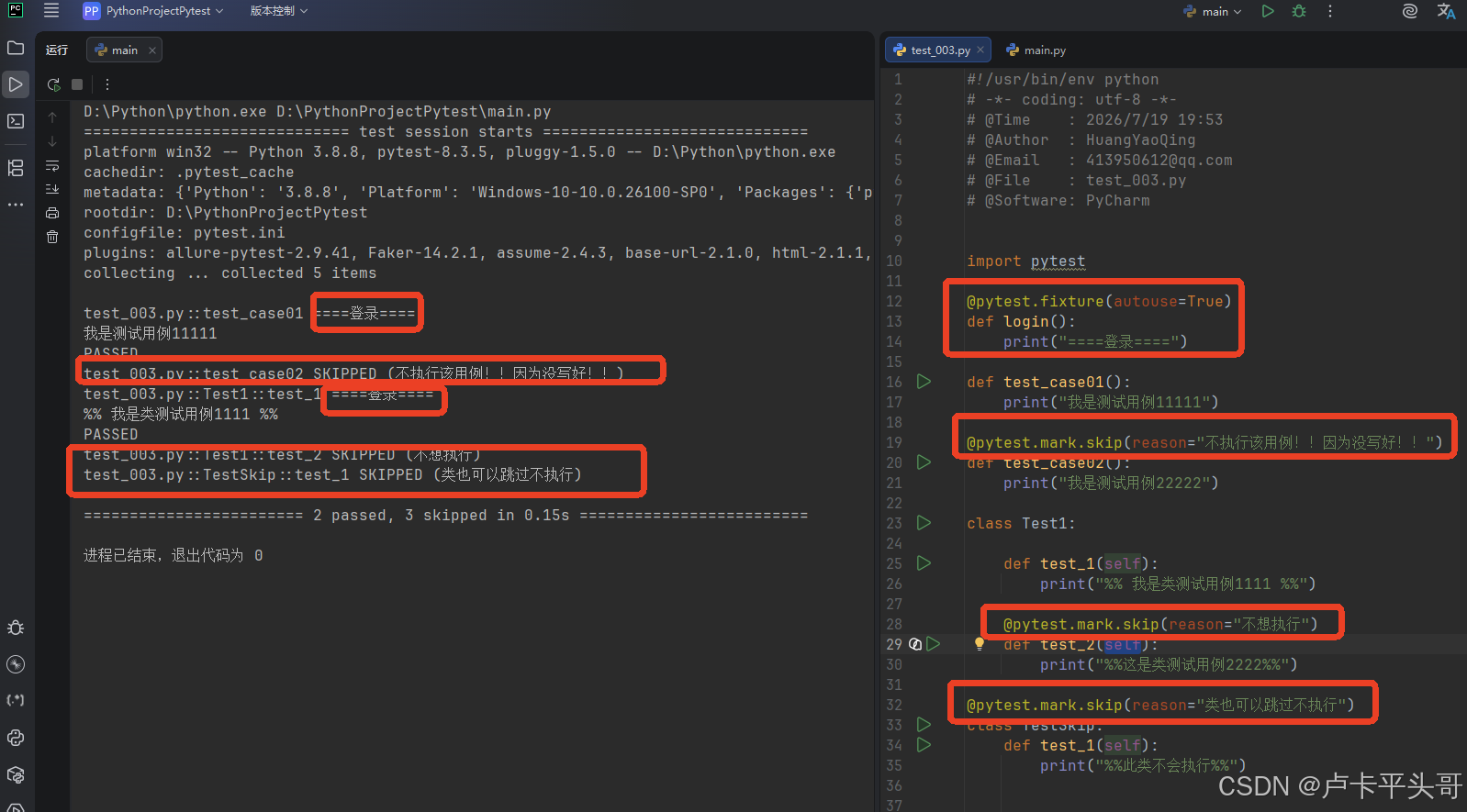
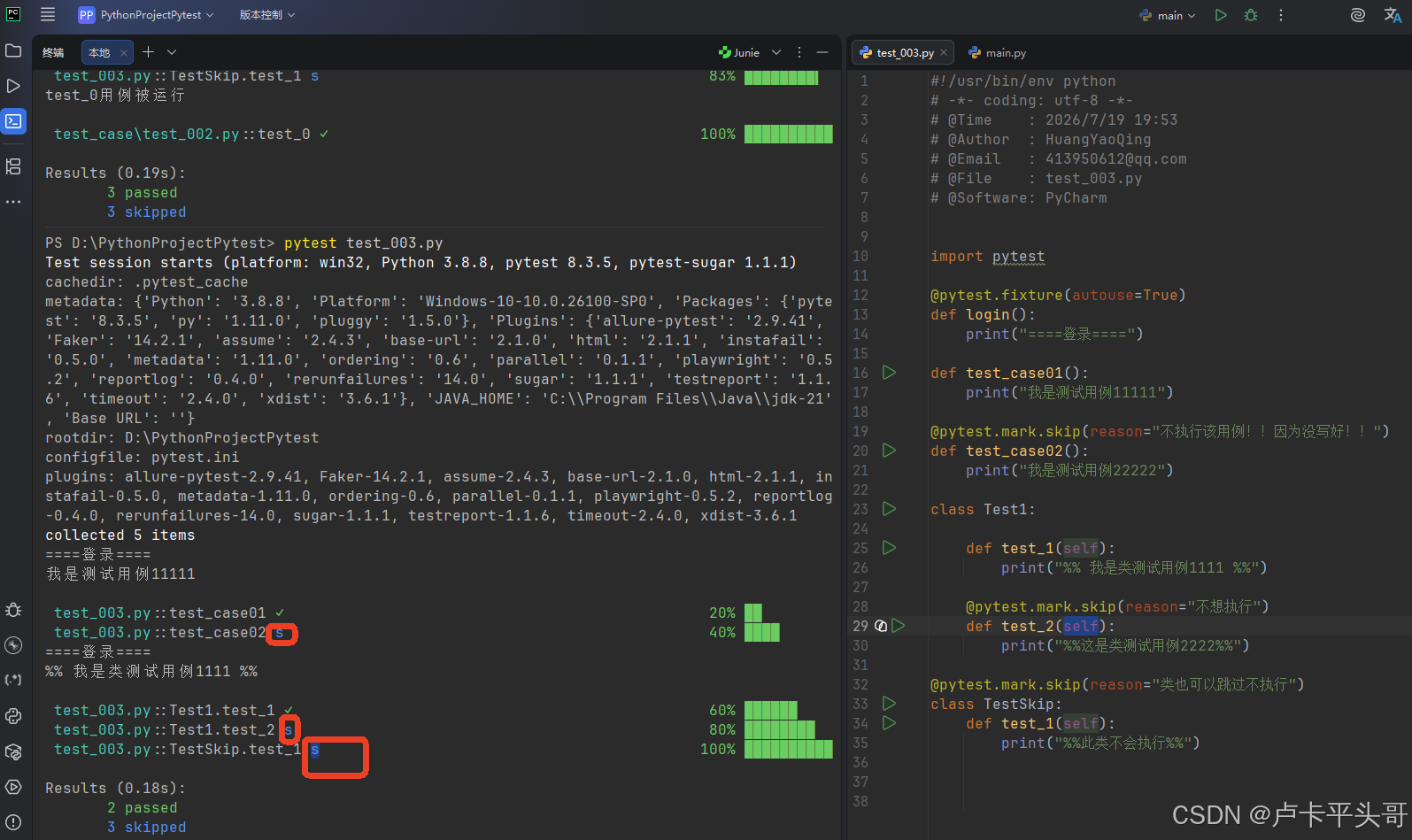
4.说明
4.1.@pytest.mark.skip可以加在"函数上,类上,类方法上"

4.2.如果加在"类"上面,"类"里面的"所有测试用例都不会执行"

4.3.以上案例是针对"整个测试用例方法"跳过执行,如果想"在测试用例执行期间跳过不继续往下执行呢"?
三.pytest.skip()函数基础使用
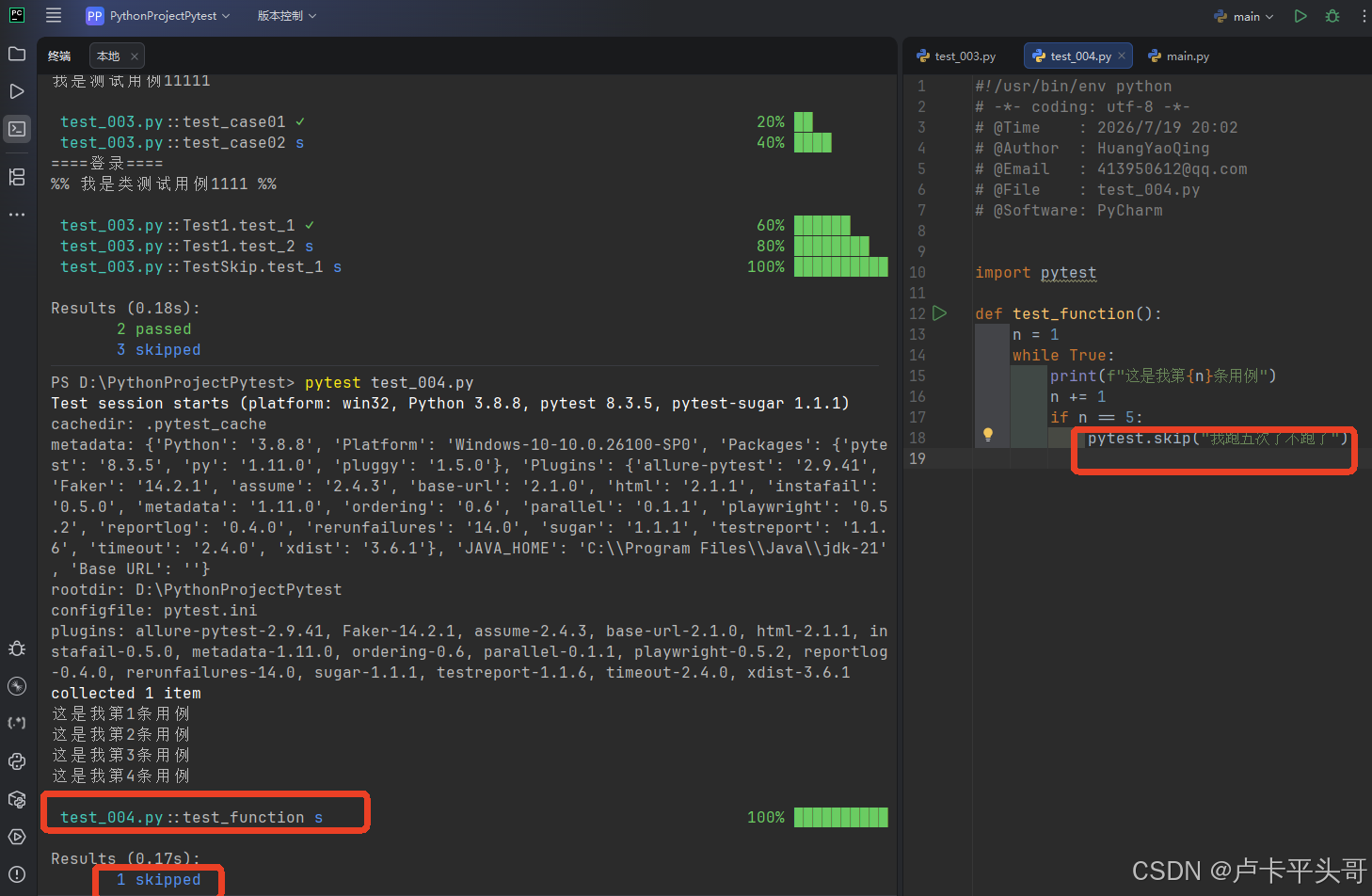
1.pytest.skip()函数作用:在"测试用例执行期间"强制跳过"不再执行剩余内容"

1.1.类似在Python的循环里面,满足某些条件则break跳出循环
1.2.test_004.py
def test_function():
    n = 1
    while True:
        print(f"这是我第{n}条用例")
        n += 1
        if n == 5:
            pytest.skip("我跑五次了不跑了")
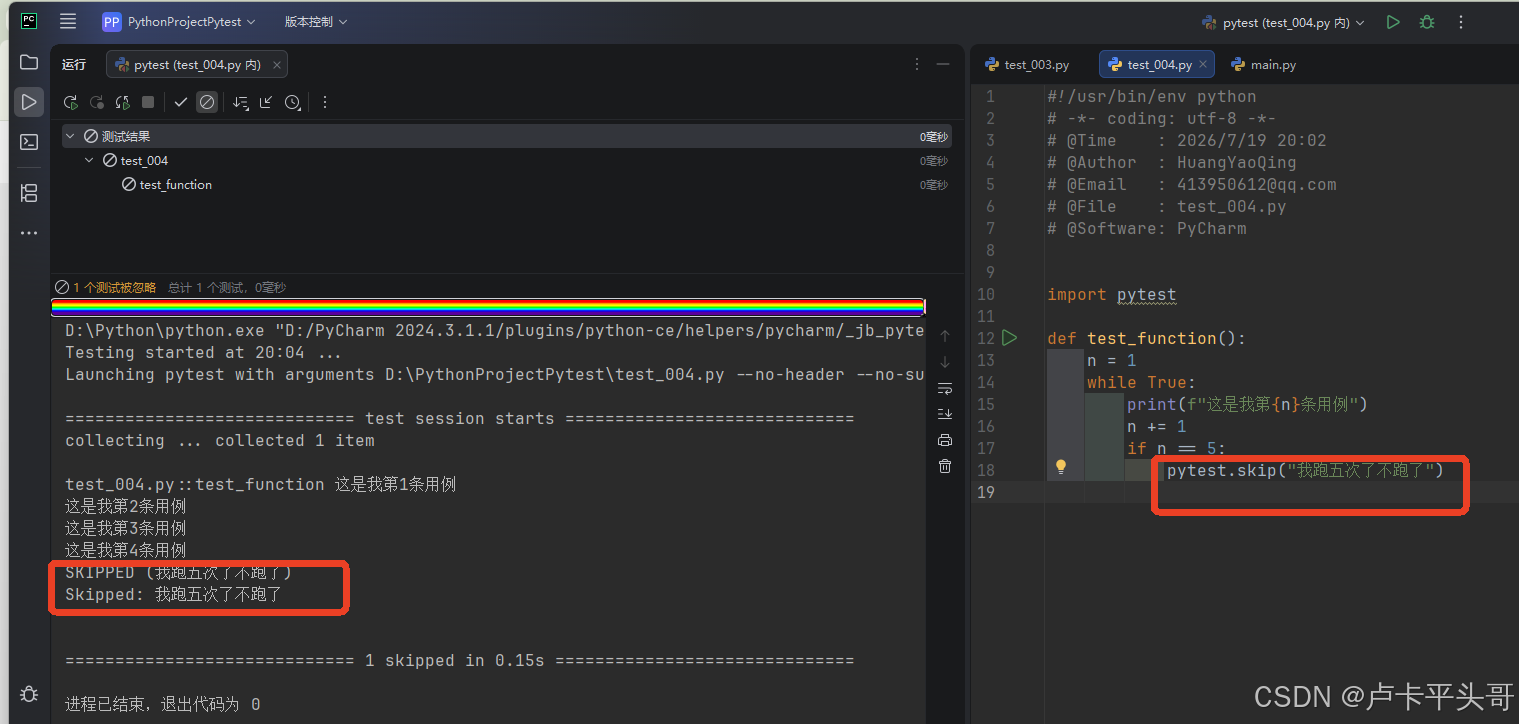
1.3.main.py
import pytest

pytest.main(["test_004.py","-vs"])
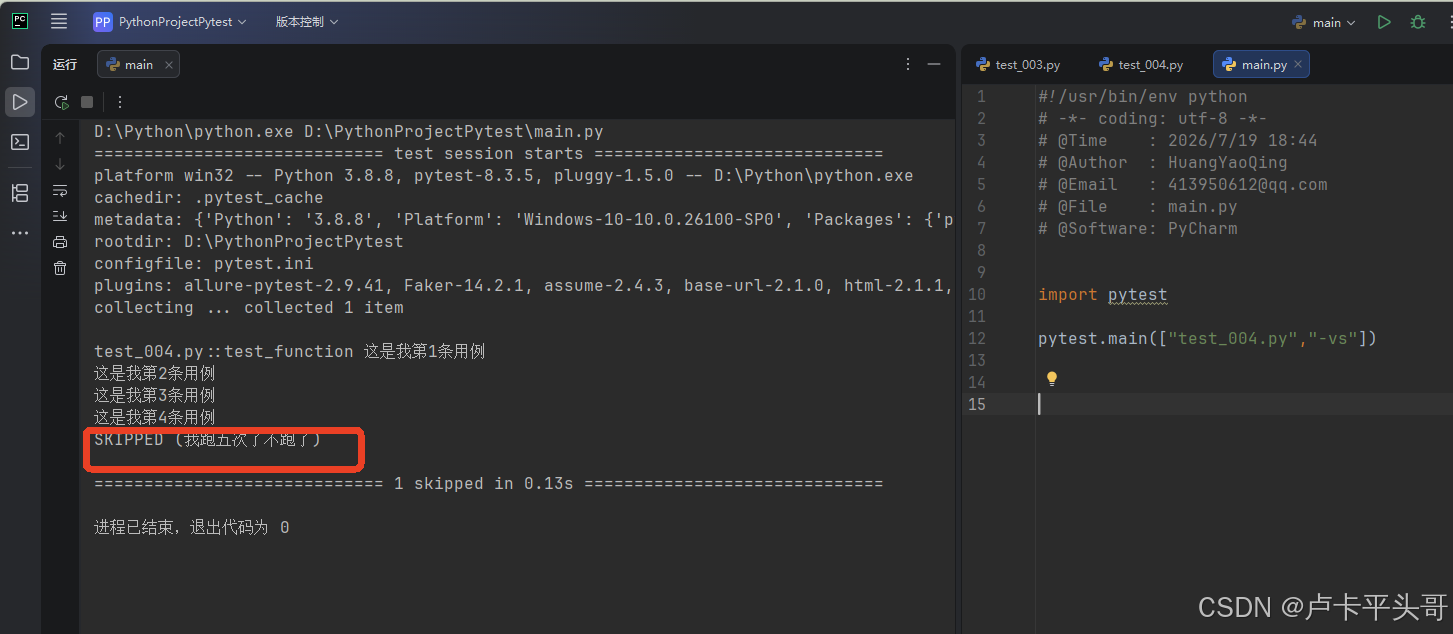
四.pytest.skip(msg=“”,allow_module_level=False)函数参数使用
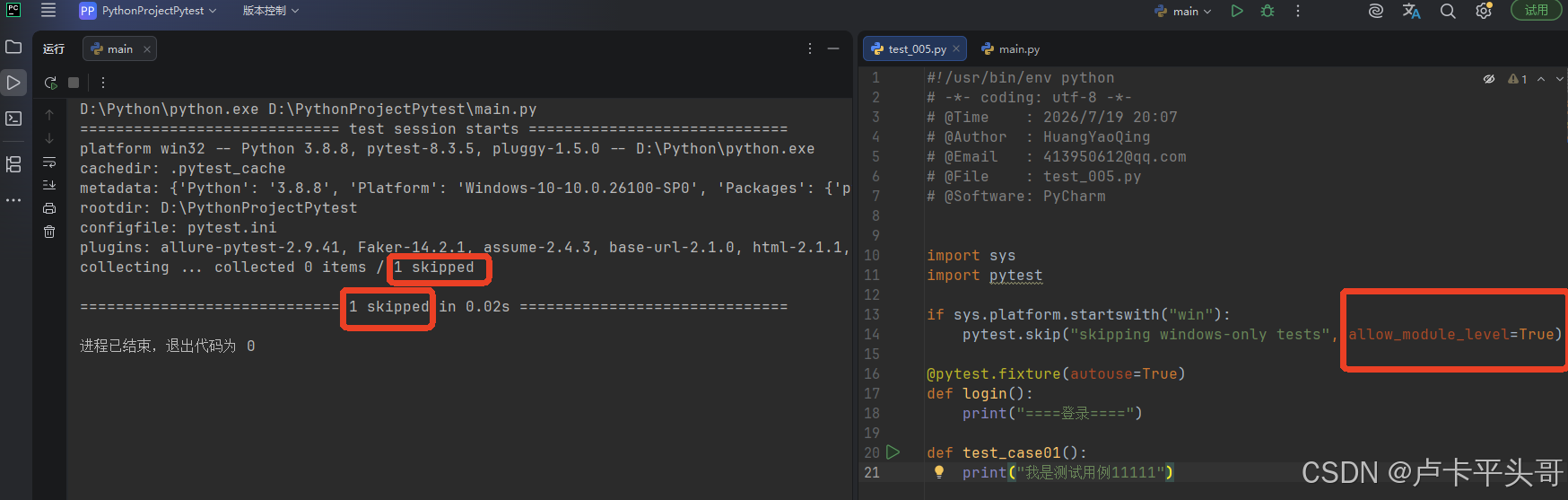
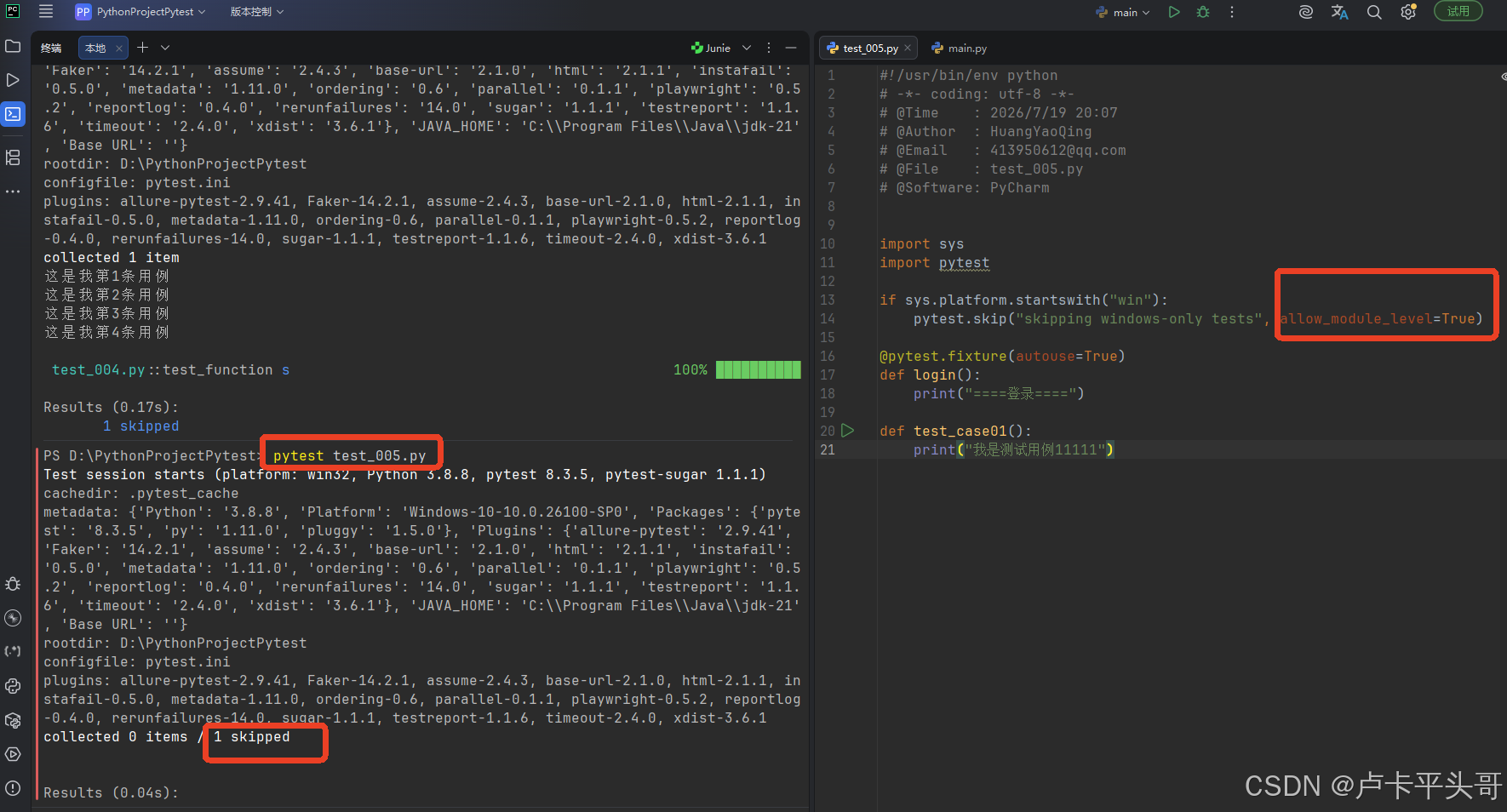
1.当allow_module_level=True时,可以设置在"模块级别"跳过整个模块
2.test_005.py
import sys
import pytest

if sys.platform.startswith("win"):
    pytest.skip("skipping windows-only tests", allow_module_level=True)

@pytest.fixture(autouse=True)
def login():
    print("====登录====")

def test_case01():
    print("我是测试用例11111")
3.main.py
import pytest

pytest.main(["test_005.py","-vs"])
五.@pytest.mark.skipif(condition, reason=“”)函数使用
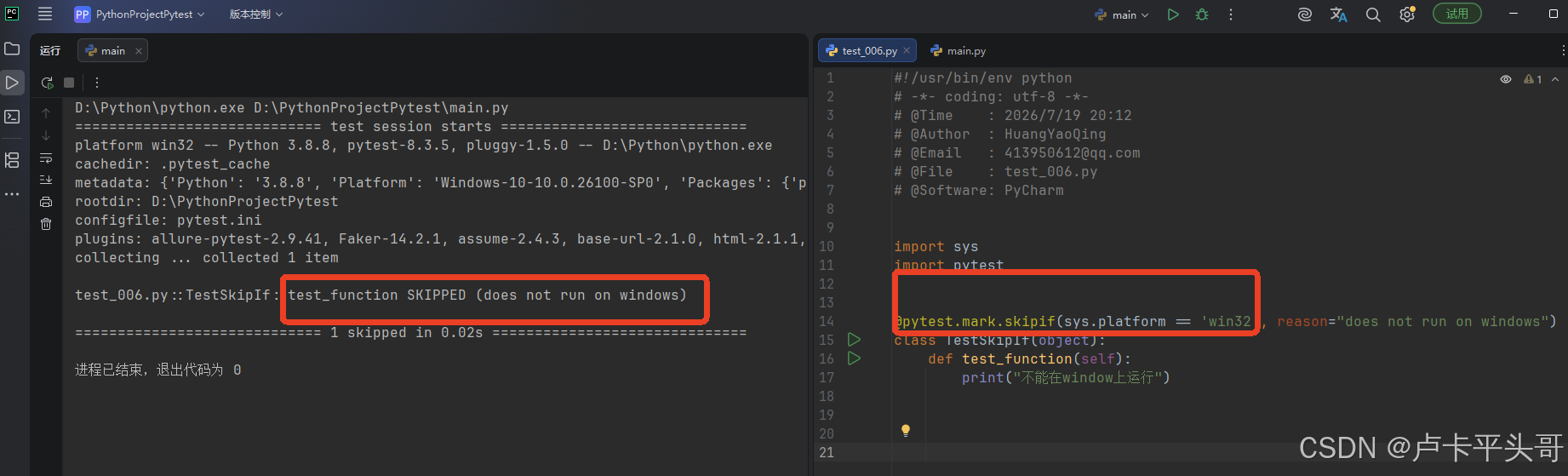
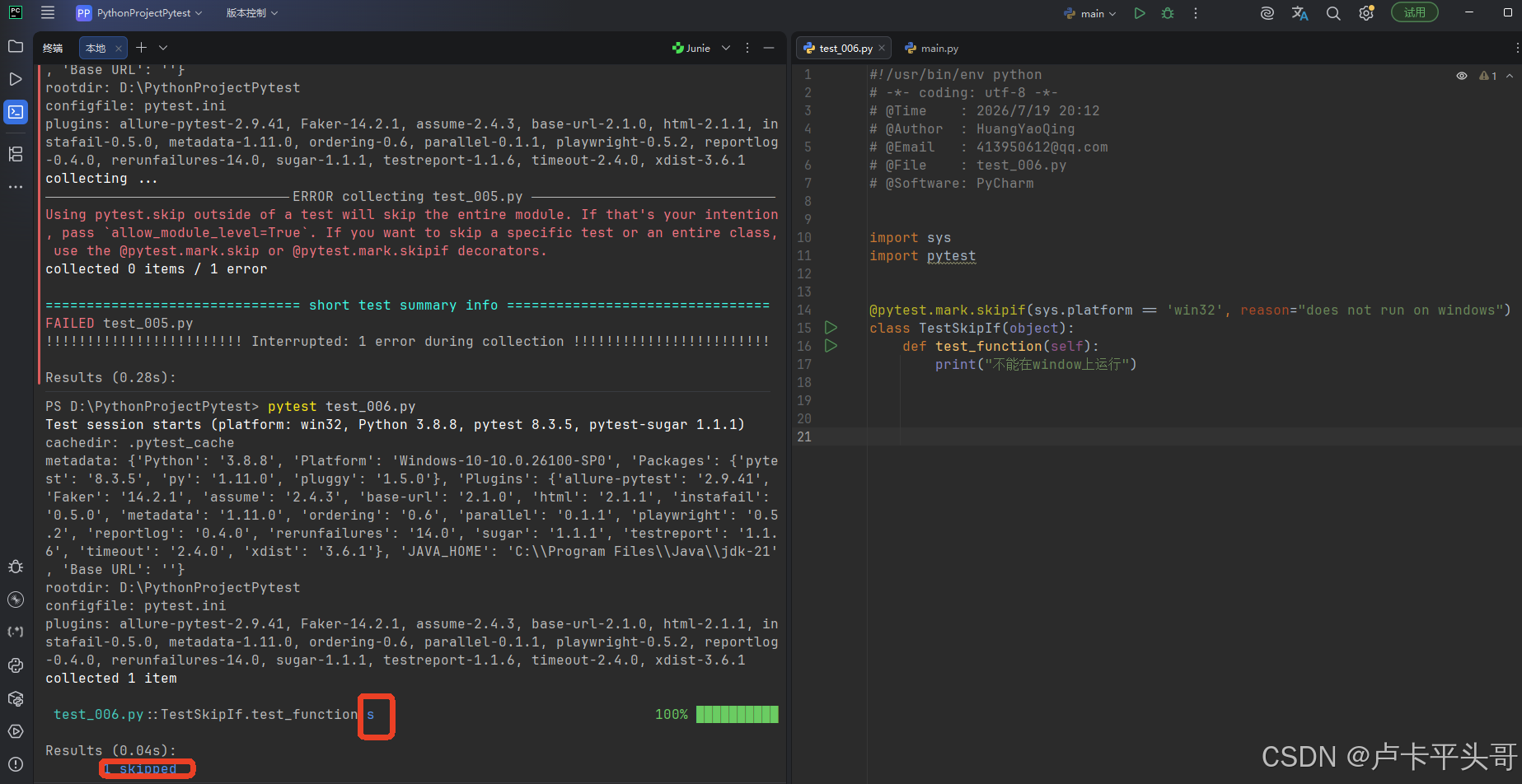
1.pytest.mark.skipif作用:希望"有条件地跳过"某些测试用例

1.1.注意:"condition需要返回True才会跳过"
2.test_006.py
import sys
import pytest

@pytest.mark.skipif(sys.platform == 'win32', reason="does not run on windows")
class TestSkipIf(object):
    def test_function(self):
        print("不能在window上运行")
3.main.py
import pytest

pytest.main(["test_006.py","-vs"])
六.跳过标签(标记)-赋值成变量去调用
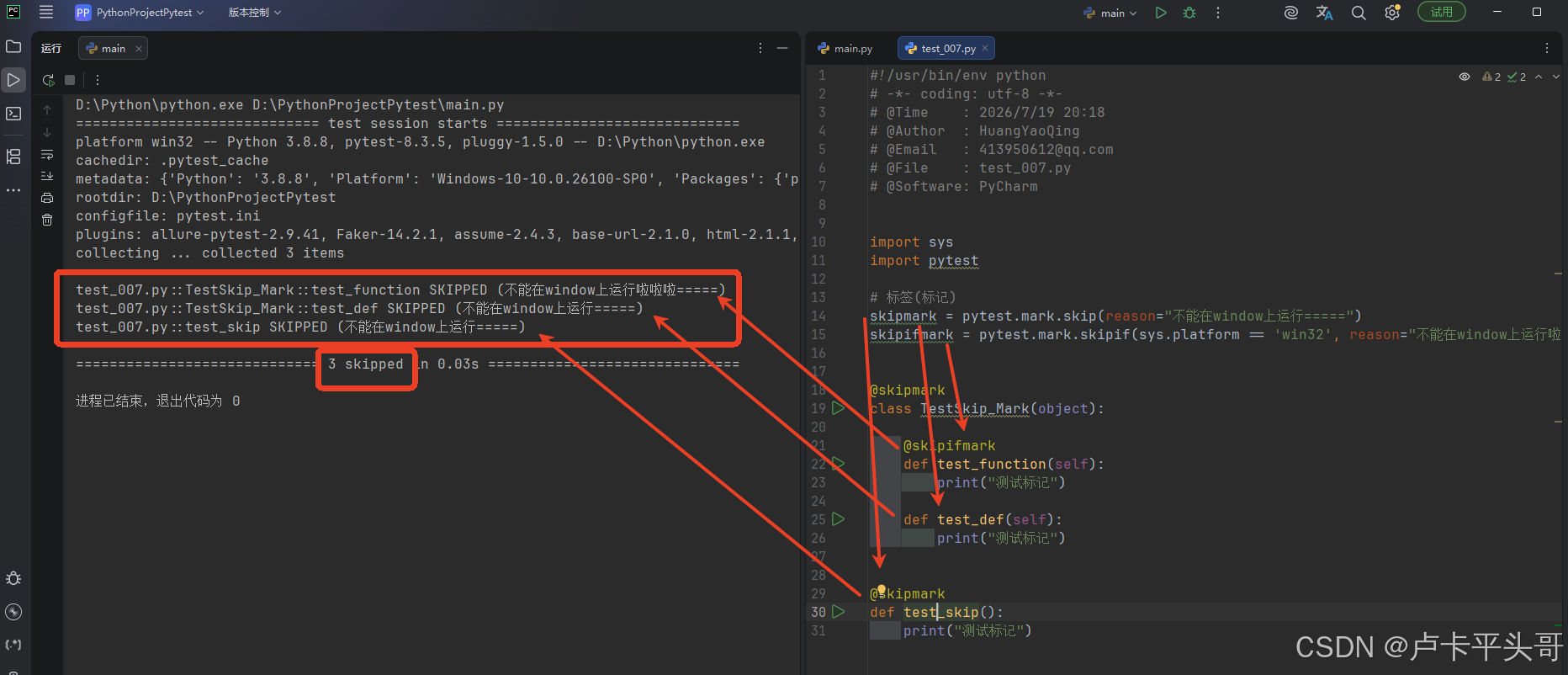
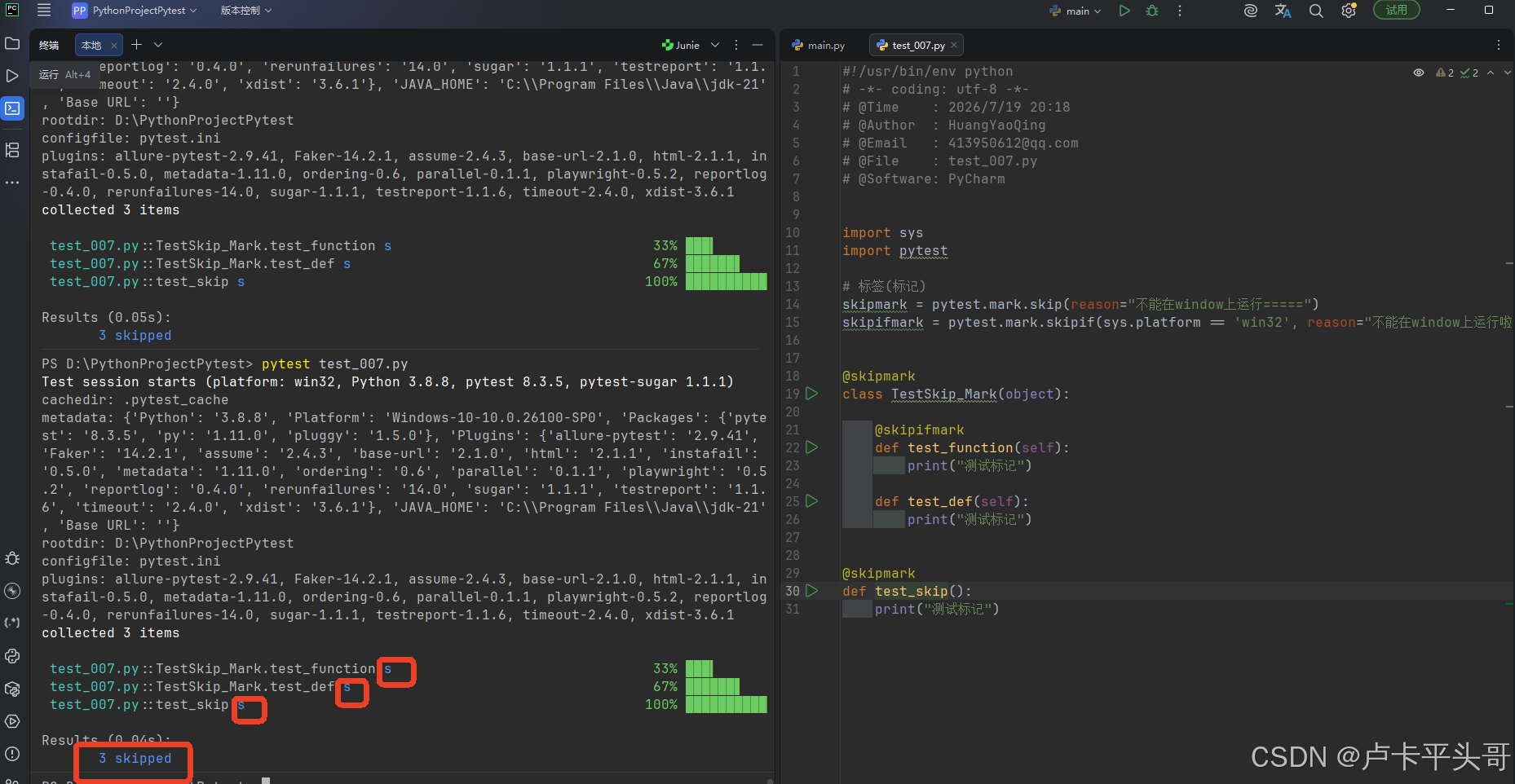
1.可以将"pytest.mark.skip和pytest.mark.skipif"赋值给一个标记"变量"

2.在"不同模块"之间"共享"这个标记"变量"

3.若有"多个模块"的测试用例需要用到相同的"skip或skipif" ,可以用一个"单独的文件"去管理这些通用标记,然后适用于整个测试用例集
4.test_007.py
# 标签(标记)
skipmark = pytest.mark.skip(reason="不能在window上运行=====")
skipifmark = pytest.mark.skipif(sys.platform == 'win32', reason="不能在window上运行啦啦啦=====")

@skipmark
class TestSkip_Mark(object):

    @skipifmark
    def test_function(self):
        print("测试标记")

    def test_def(self):
        print("测试标记")

@skipmark
def test_skip():
    print("测试标记")
5.main.py
import pytest

pytest.main(["test_007.py","-vs"])
七.pytest.importorskip( modname: str, minversion: Optional[str] = None, reason: Optional[str] = None )函数使用
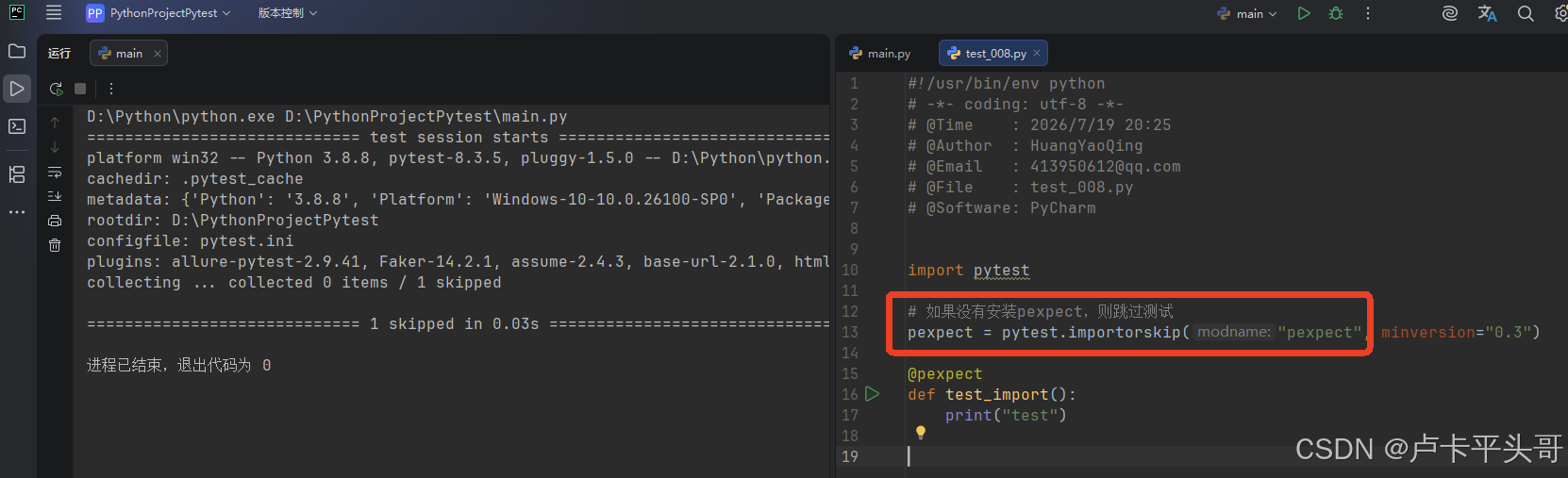
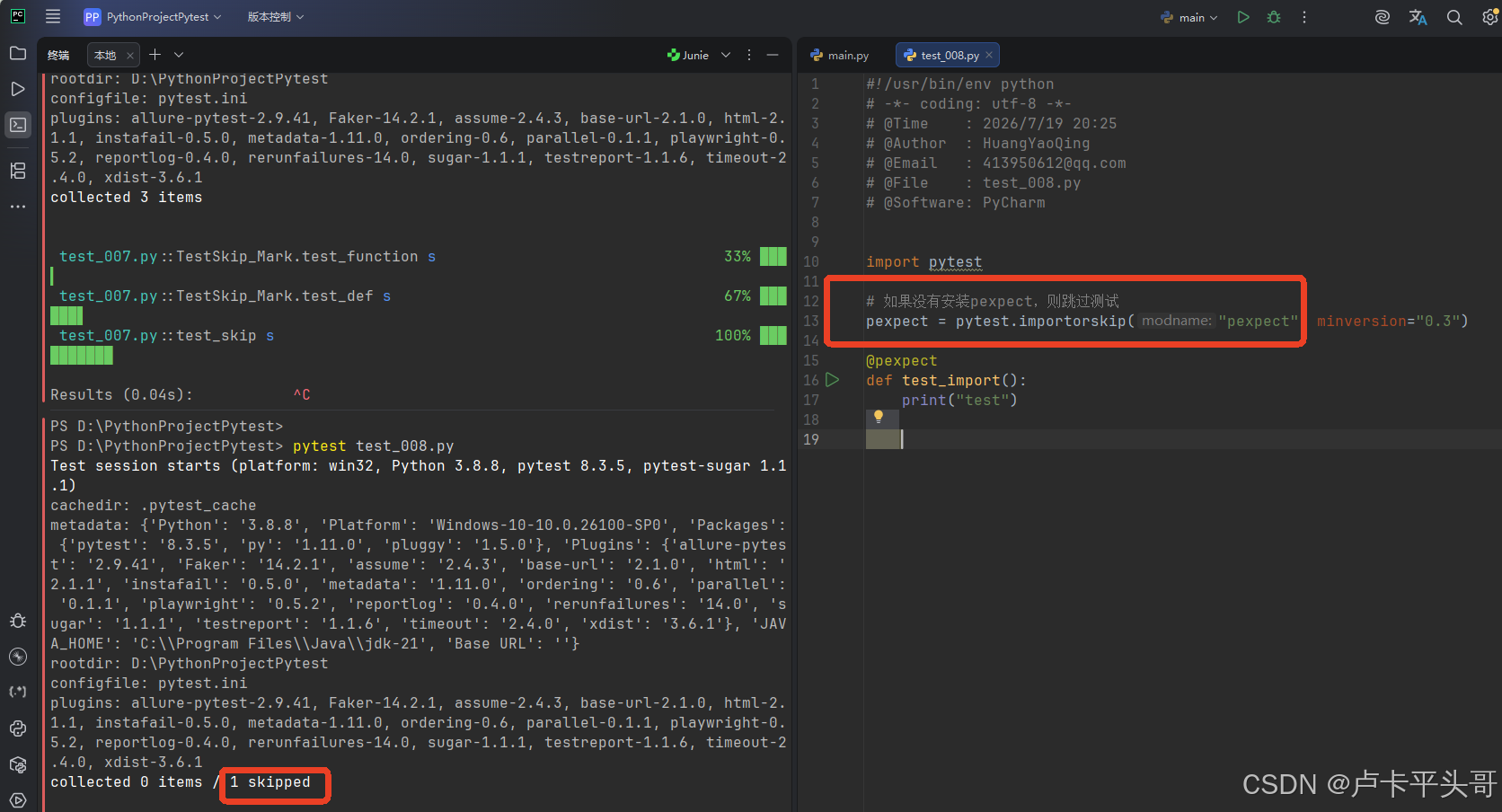
1.pytest.importorskip作用:如果"缺少"某些导入,则"跳过模块"中的所有测试
2.参数列表
2.1.modname:模块名

2.2.minversion:版本号

2.3.reason:跳过原因,默认不给也行
3.test_008.py
pexpect = pytest.importorskip("pexpect", minversion="0.3")

@pexpect
def test_import():
    print("test")
4.main.py
import pytest

pytest.main(["test_008.py","-vs"])
4.1.执行结果一:如果找不到module
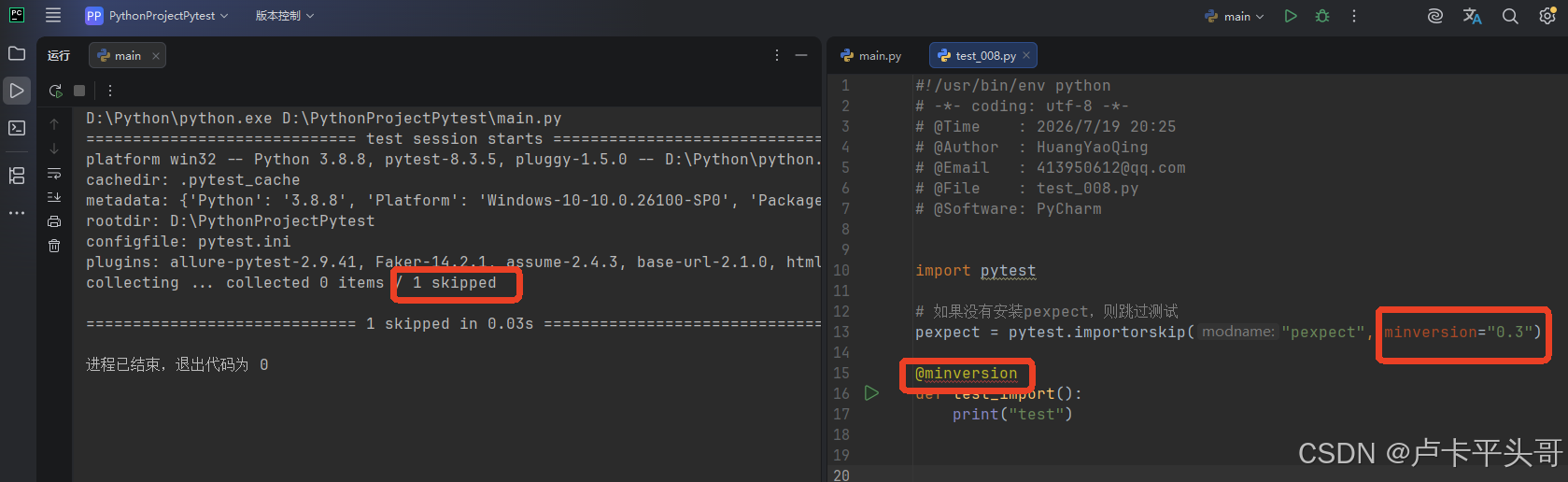
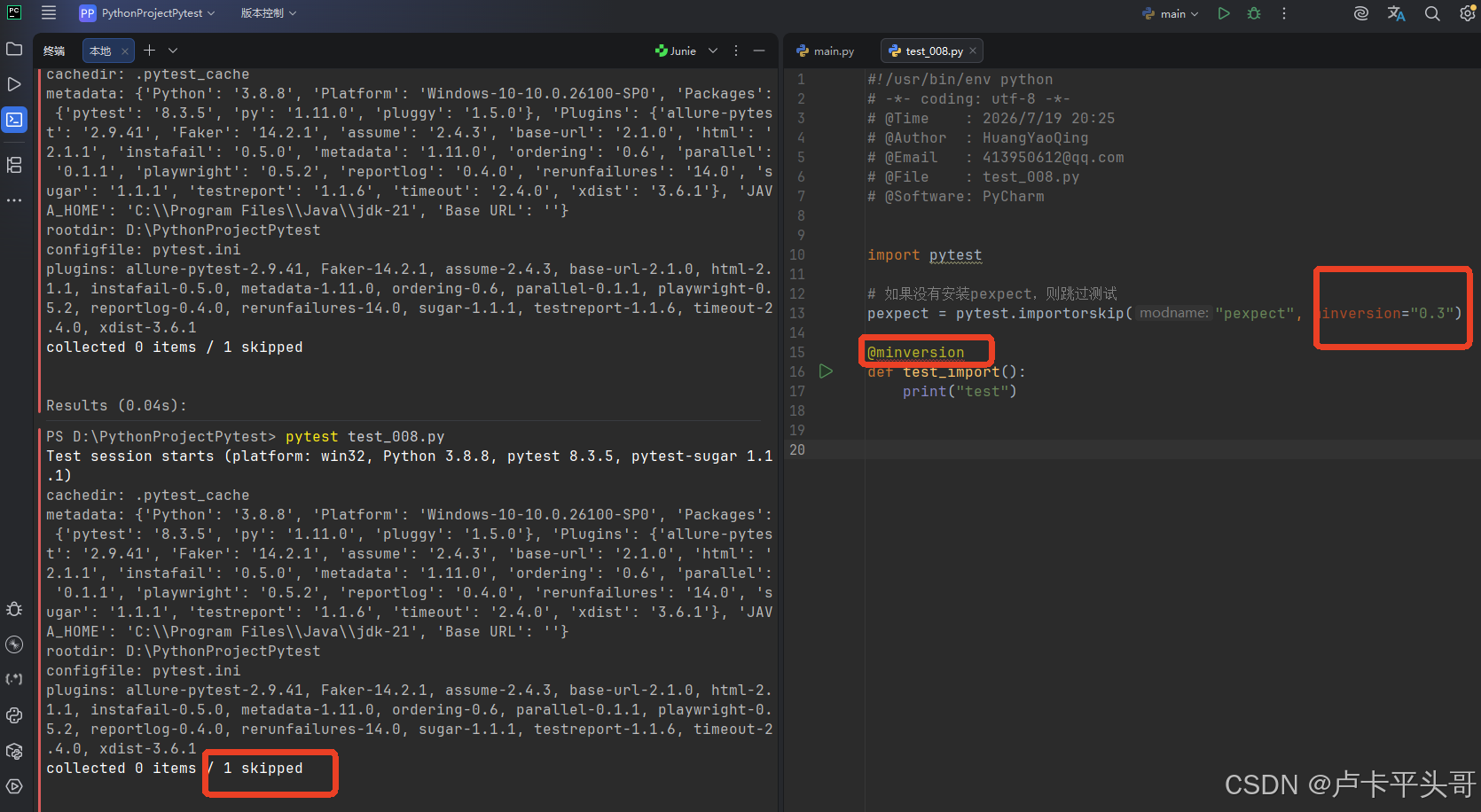
4.2.执行结果二:如果版本对应不上
import pytest

# 如果没有安装pexpect,则跳过测试
pexpect = pytest.importorskip("pexpect", minversion="0.3")

@minversion
def test_import():
    print("test")

openEuler 是由开放原子开源基金会孵化的全场景开源操作系统项目,面向数字基础设施四大核心场景(服务器、云计算、边缘计算、嵌入式),全面支持 ARM、x86、RISC-V、loongArch、PowerPC、SW-64 等多样性计算架构
更多推荐

 0
0 0
0- 0


 已为社区贡献2条内容

所有评论(0)