zephyr1--开发环境搭建
1 zephyr介绍
Zephyr是Linux Foundation(Linux基金会)主导的开源RTOS(实时操作系统)。感觉像是类Liunx系统。主页:Zephyr Project
下面是和FreeRTOS的对比。
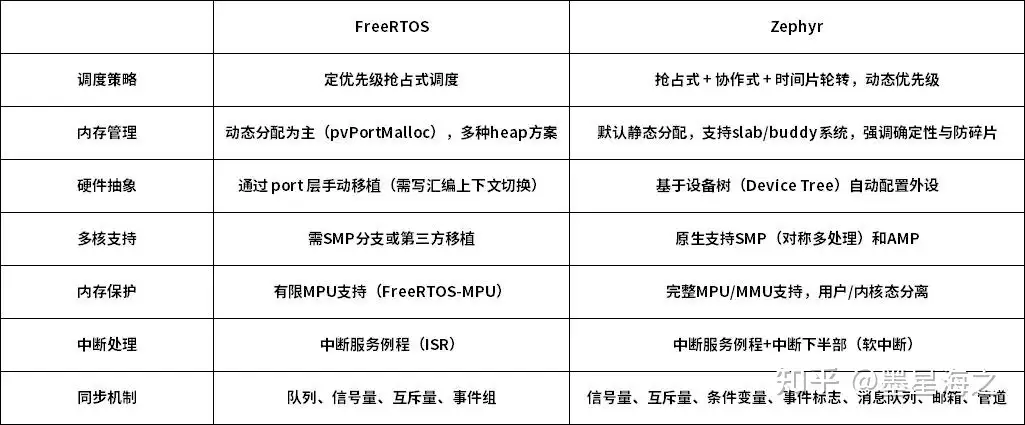
最重要的一点:FreeRTOS更像一个调度器,而Zephyr提供了驱动、网络栈、文件系统、Shell 等完整框架。
Zephyr的安装是真的坑,刚开始弄折腾个两三天都很正常。难点1是各个仓匹配很麻烦,盲目安装最新版本可能还有坑。2 很多库是github下载,速度感人也容易断。
2 环境安装
Zephyr也搞了自己很多组件,大概类比如下:
| 组件 | 类似于 |
|---|---|
| west | repo |
| CMake | Android.bp |
| Kconfig | menuconfig |
| DTS | Linux DTS |
| Ninja | ninja |
所以这些都要单独安装。
所以要首先安装依赖工具。
sudo apt update
sudo apt install -y \
git \
cmake \
ninja-build \
gperf \
ccache \
dfu-util \
device-tree-compiler \
wget \
python3-pip \
python3-venv
ARM工具链:
sudo apt install gcc-arm-none-eabi
安装West,这个是基于python的一套东西,和repo真的差不多。
pip install west
之后就可以用过west下载Zephyr了。
3 West安装
这里安装的其实就是Zephyr框架,和各个平台HAL,库,工具等。这里本质上就是git操作各个仓,和repo差不多。
west init
west update
#这一步要下载几个GB...
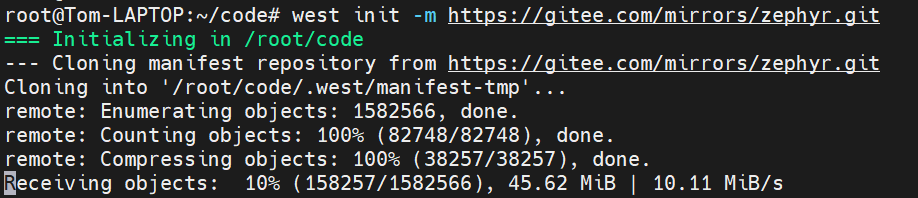
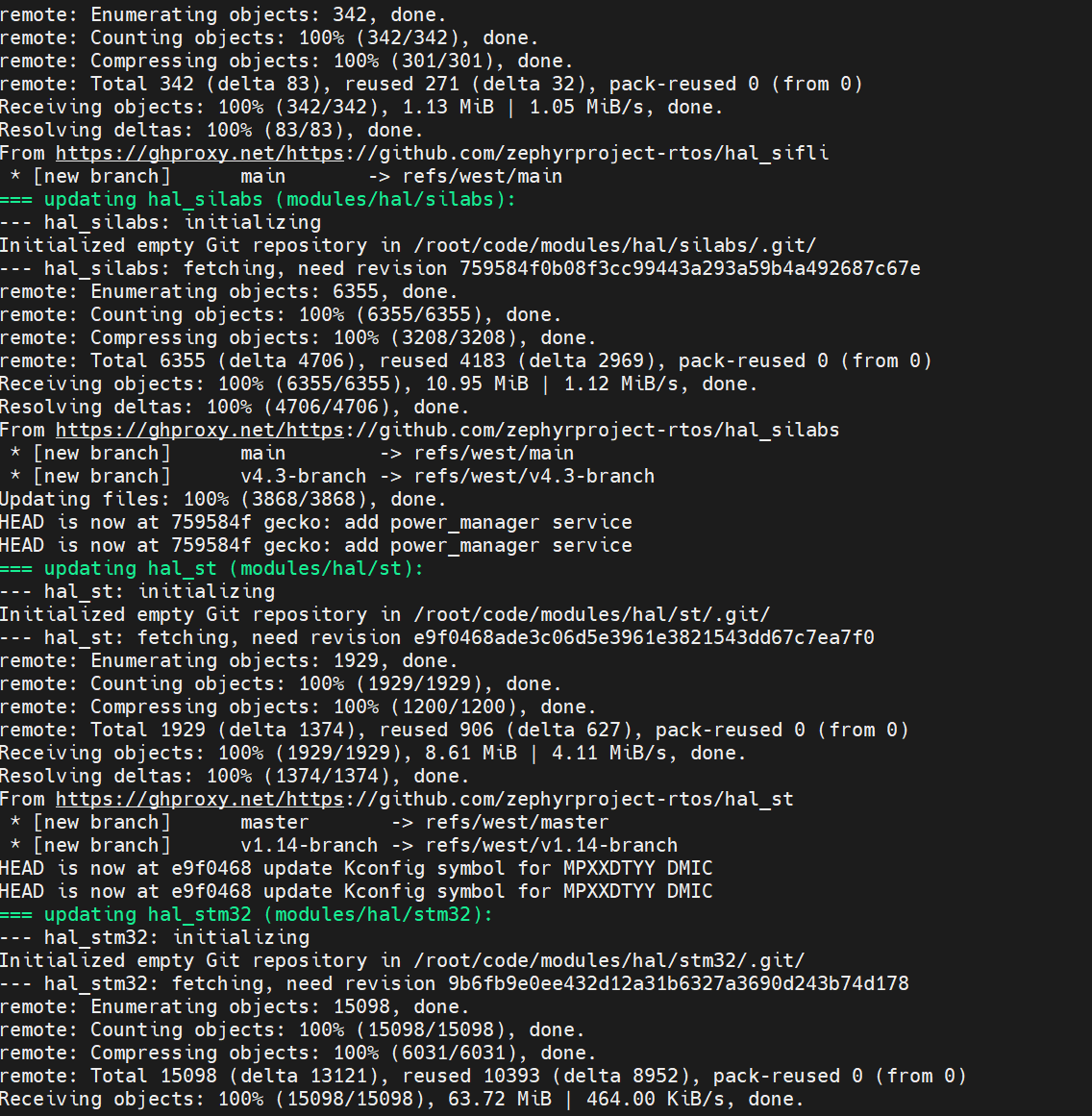
对于init,这里一定要换成国内镜像,https://gitee.com/mirrors/zephyr.git,速度一下起飞。
对于update,可以先执行git config --global --unset url."https://ghproxy.com/https://github.com/".insteadOf,然后west update --fetch-depth=1这样执行浅拷贝。基本速度有300KB左右,比前几天在公司硬下载30K左右的速度快很多。
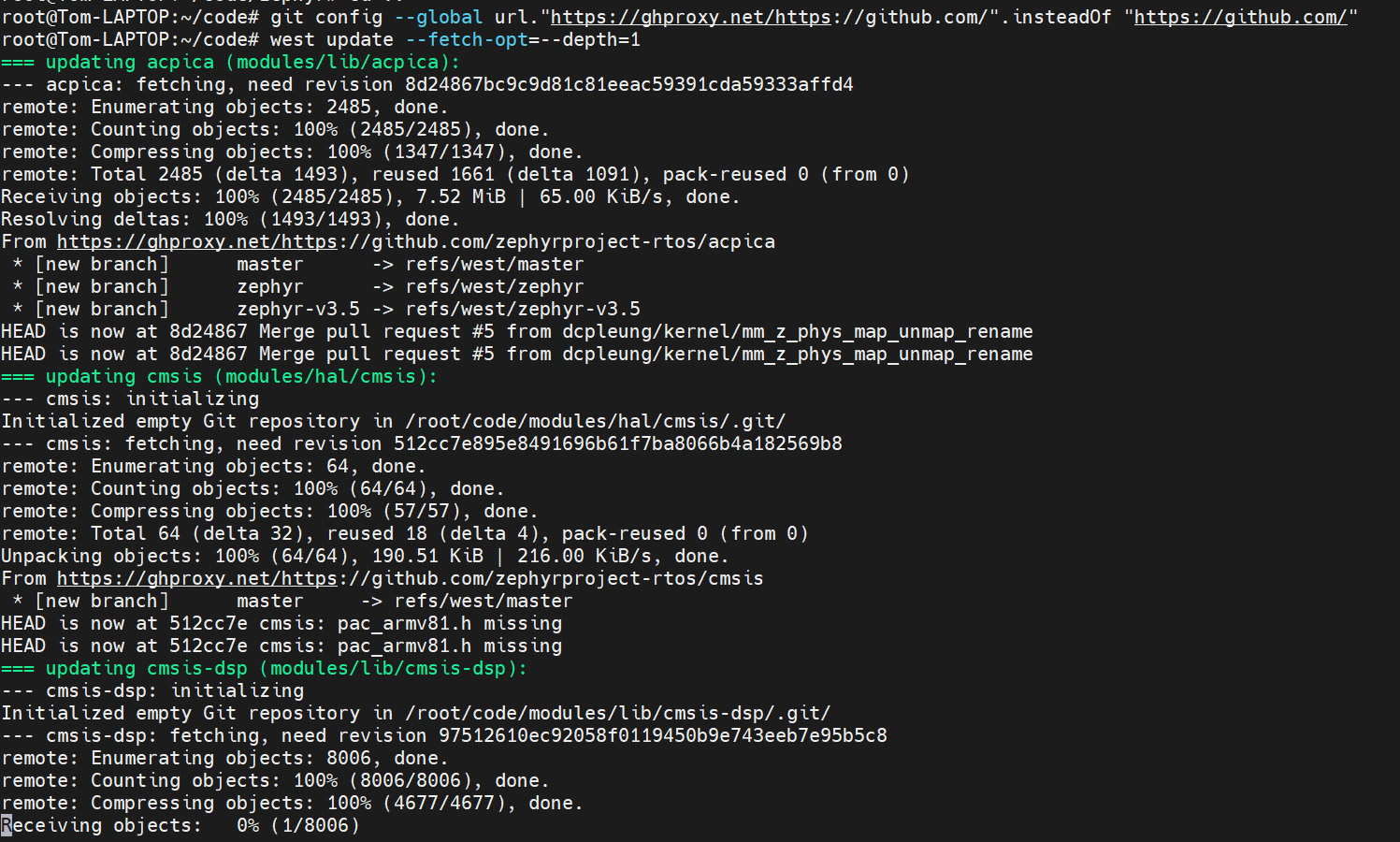
有一些像在飞。。
之后目录结构就会变成
zephyr/
├── modules/
├── tools/
├── bootloader/
├── zephyr/
之后安装依赖
cd zephyr
west zephyr-export
west packages pip --install或者pip install -r scripts/requirements.txt
4 安装SDK
这个SDK其实就是包含了各个平台的编译连接工具。如果zephyr的SDK没有正确安装,开始构建的时候,也是会报错。
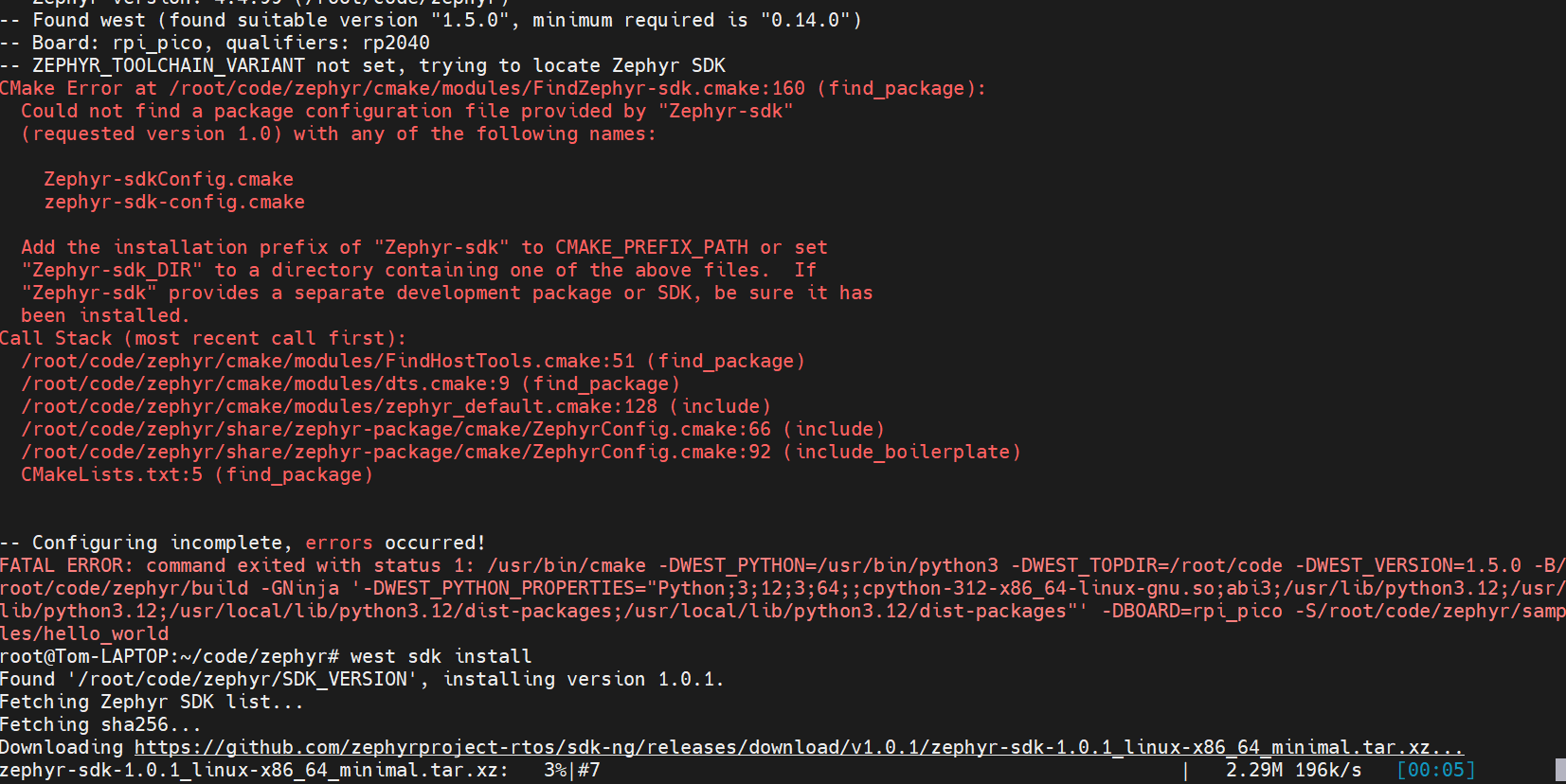
这个安装也是坑爹,依次会下十几个编译环境。整体耗时不逊于之前的update。
找了一个替代办法,直接下载minimal sdk,亲测可用。
wget https://github.com/zephyrproject-rtos/sdk-ng/releases/download/v0.16.8/zephyr-sdk-0.16.8_linux-x86_64_minimal.tar.xz
这个可以直接下载,而且可以按需安装,不用全部装。
如果是树莓派pico,就进入sdk执行。
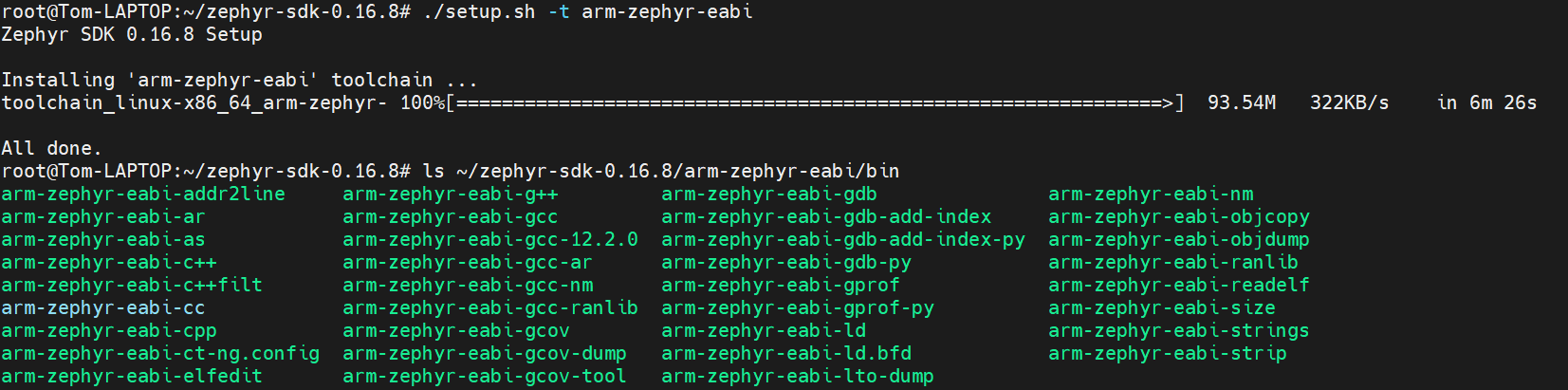
./setup.sh -t arm-zephyr-eabi
这样就可以只装一个,节省空间也节约时间了。
5 HelloWorld
直接在/zephyr的文件夹中执行:
west build -b rpi_pico samples/basic/blinky
编译的Log如下:
root@Tom-LAPTOP:~/code/zephyr# west build -p always -b rpi_pico samples/basic/blinky
-- west build: making build dir /root/code/zephyr/build pristine
-- west build: generating a build system
Loading Zephyr default modules (Zephyr base).
-- Application: /root/code/zephyr/samples/basic/blinky
-- CMake version: 3.28.3
-- Found Python3: /usr/bin/python3 (found suitable version "3.12.3", minimum required is "3.10") found components: Interpreter
-- Cache files will be written to: /root/.cache/zephyr
-- Zephyr version: 4.1.0 (/root/code/zephyr)
-- Found west (found suitable version "1.5.0", minimum required is "0.14.0")
-- Board: rpi_pico, qualifiers: rp2040
-- Found host-tools: zephyr 0.16.8 (/root/zephyr-sdk-0.16.8)
-- Found toolchain: zephyr 0.16.8 (/root/zephyr-sdk-0.16.8)
-- Found Dtc: /usr/bin/dtc (found suitable version "1.7.0", minimum required is "1.4.6")
-- Found BOARD.dts: /root/code/zephyr/boards/raspberrypi/rpi_pico/rpi_pico.dts
-- Generated zephyr.dts: /root/code/zephyr/build/zephyr/zephyr.dts
-- Generated pickled edt: /root/code/zephyr/build/zephyr/edt.pickle
-- Generated devicetree_generated.h: /root/code/zephyr/build/zephyr/include/generated/zephyr/devicetree_generated.h
-- Including generated dts.cmake file: /root/code/zephyr/build/zephyr/dts.cmake
Parsing /root/code/zephyr/Kconfig
Loaded configuration '/root/code/zephyr/boards/raspberrypi/rpi_pico/rpi_pico_defconfig'
Merged configuration '/root/code/zephyr/samples/basic/blinky/prj.conf'
Configuration saved to '/root/code/zephyr/build/zephyr/.config'
Kconfig header saved to '/root/code/zephyr/build/zephyr/include/generated/zephyr/autoconf.h'
-- Found GnuLd: /root/zephyr-sdk-0.16.8/arm-zephyr-eabi/arm-zephyr-eabi/bin/ld.bfd (found version "2.38")
-- The C compiler identification is GNU 12.2.0
-- The CXX compiler identification is GNU 12.2.0
-- The ASM compiler identification is GNU
-- Found assembler: /root/zephyr-sdk-0.16.8/arm-zephyr-eabi/bin/arm-zephyr-eabi-gcc
-- Using ccache: /usr/bin/ccache
-- Configuring done (26.7s)
-- Generating done (0.1s)
-- Build files have been written to: /root/code/zephyr/build
-- west build: building application
[1/143] Preparing syscall dependency handling

[6/143] Generating include/generated/zephyr/version.h
-- Zephyr version: 4.1.0 (/root/code/zephyr), build: v4.1.0
[122/143] Performing configure step for 'second_stage_bootloader'
-- The C compiler identification is GNU 12.2.0
-- The CXX compiler identification is GNU 12.2.0
-- Detecting C compiler ABI info
-- Detecting C compiler ABI info - done
-- Check for working C compiler: /root/zephyr-sdk-0.16.8/arm-zephyr-eabi/bin/arm-zephyr-eabi-gcc - skipped
-- Detecting C compile features
-- Detecting C compile features - done
-- Detecting CXX compiler ABI info
-- Detecting CXX compiler ABI info - done
-- Check for working CXX compiler: /root/zephyr-sdk-0.16.8/arm-zephyr-eabi/bin/arm-zephyr-eabi-c++ - skipped
-- Detecting CXX compile features
-- Detecting CXX compile features - done
-- The ASM compiler identification is GNU
-- Found assembler: /root/zephyr-sdk-0.16.8/arm-zephyr-eabi/bin/arm-zephyr-eabi-gcc
-- Configuring done (5.5s)
-- Generating done (0.0s)
-- Build files have been written to: /root/code/zephyr/build/bootloader
[123/143] Performing build step for 'second_stage_bootloader'
[1/2] Building ASM object CMakeFiles/boot_stage2.dir/root/code/modules/hal/rpi_pico/src/rp2040/boot_stage2/boot2_w25q080.S.obj
[2/2] Linking ASM executable boot_stage2
[143/143] Linking C executable zephyr/zephyr.elf
Memory region         Used Size  Region Size  %age Used
      BOOT_FLASH:         256 B        256 B    100.00%
           FLASH:       15780 B    2096896 B      0.75%
             RAM:        3968 B       264 KB      1.47%
        IDT_LIST:          0 GB        32 KB      0.00%
Generating files from /root/code/zephyr/build/zephyr/zephyr.elf for board: rpi_pico
Converted to uf2, output size: 32256, start address: 0x10000000
Wrote 32256 bytes to zephyr.uf2
之后就生成
build/
└── zephyr/
├── zephyr.elf
├── zephyr.bin
├── zephyr.hex
└── zephyr.uf2
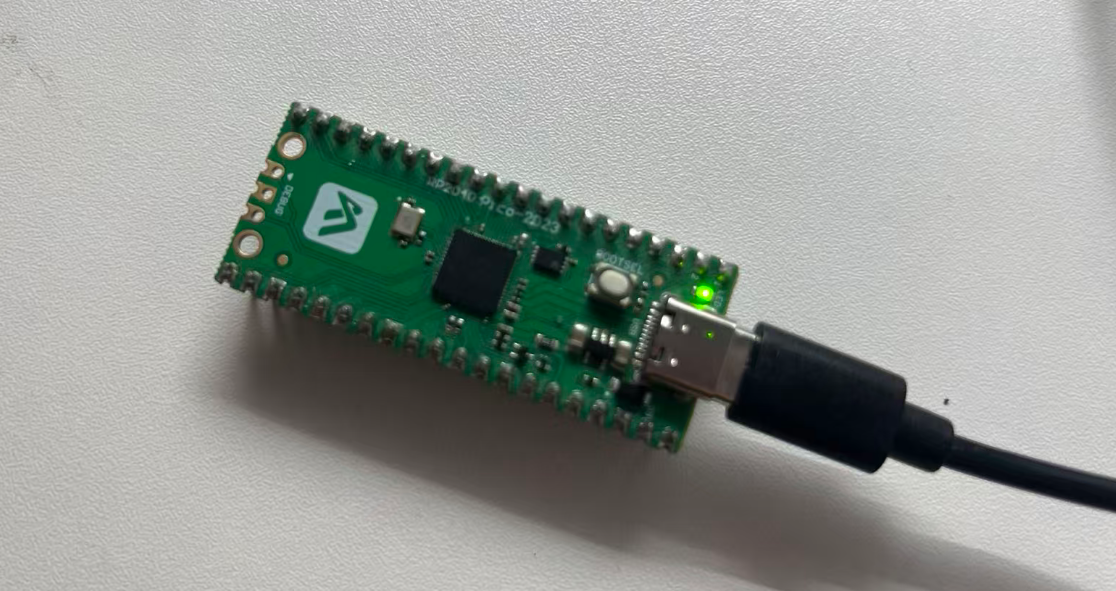
直接把zephyr.uf2拖进去,就能用了。

openEuler 是由开放原子开源基金会孵化的全场景开源操作系统项目,面向数字基础设施四大核心场景(服务器、云计算、边缘计算、嵌入式),全面支持 ARM、x86、RISC-V、loongArch、PowerPC、SW-64 等多样性计算架构
更多推荐


 0
0 0
0- 0


 已为社区贡献5条内容

所有评论(0)