应用层协议HTTP
·
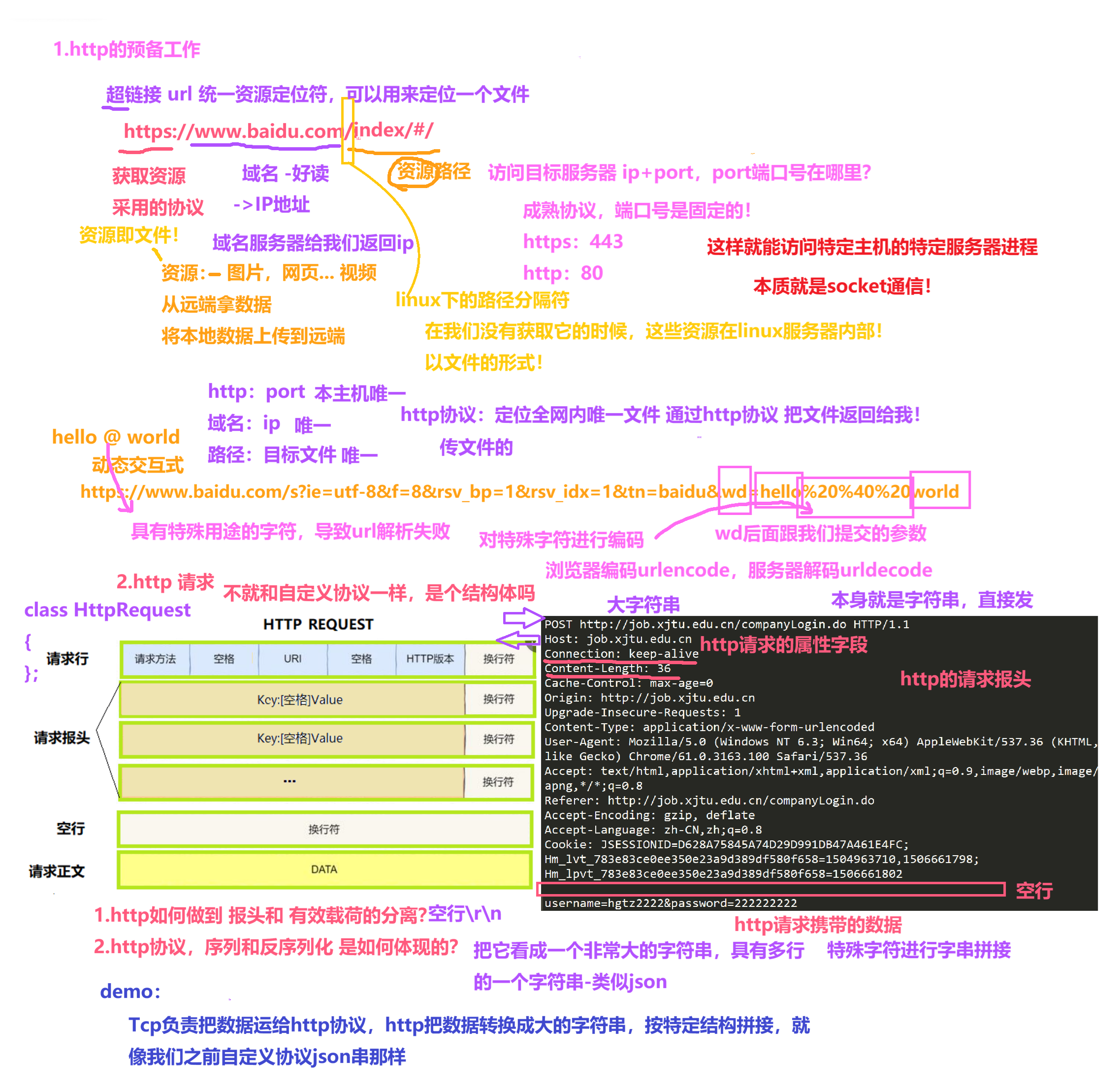
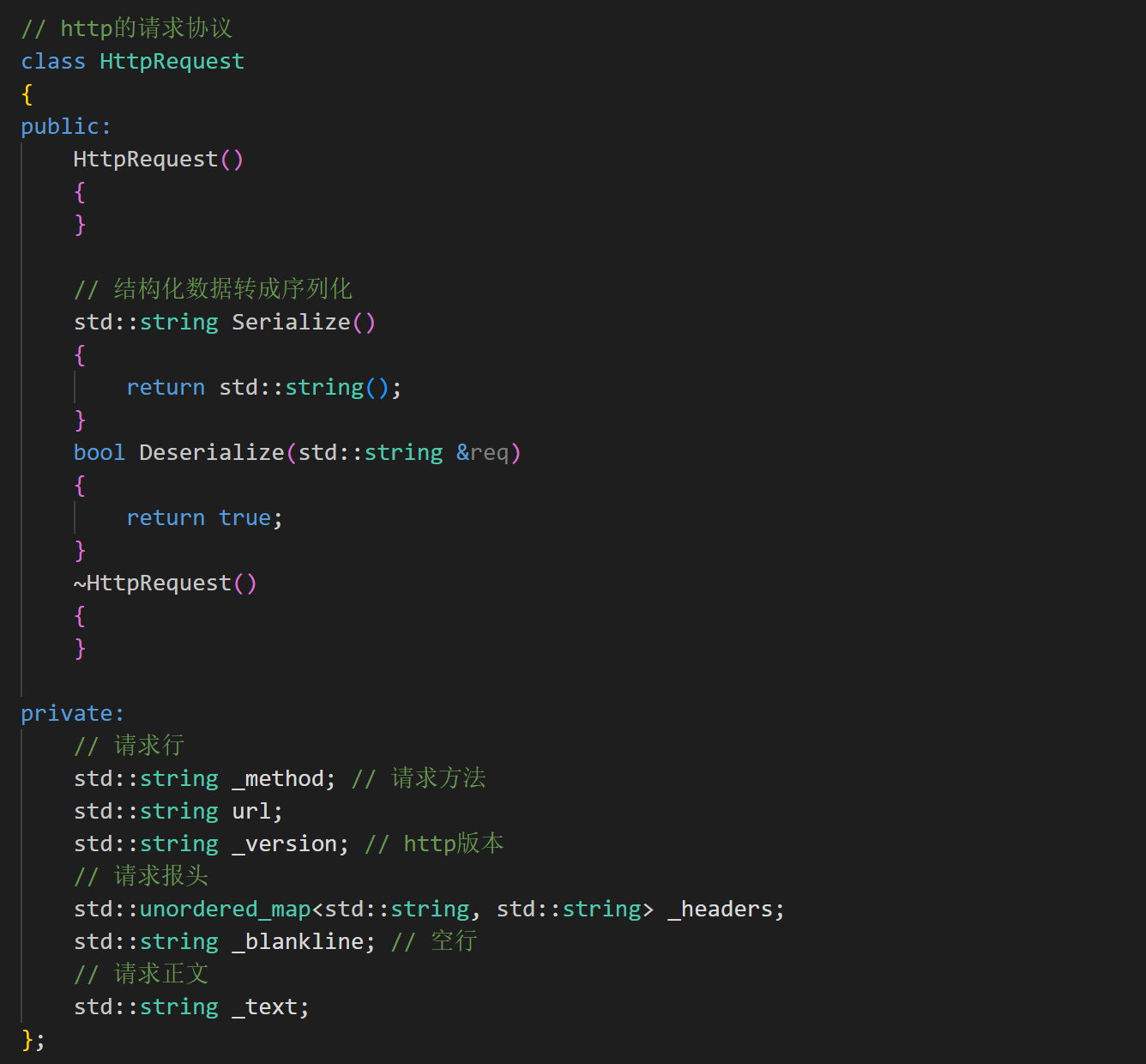
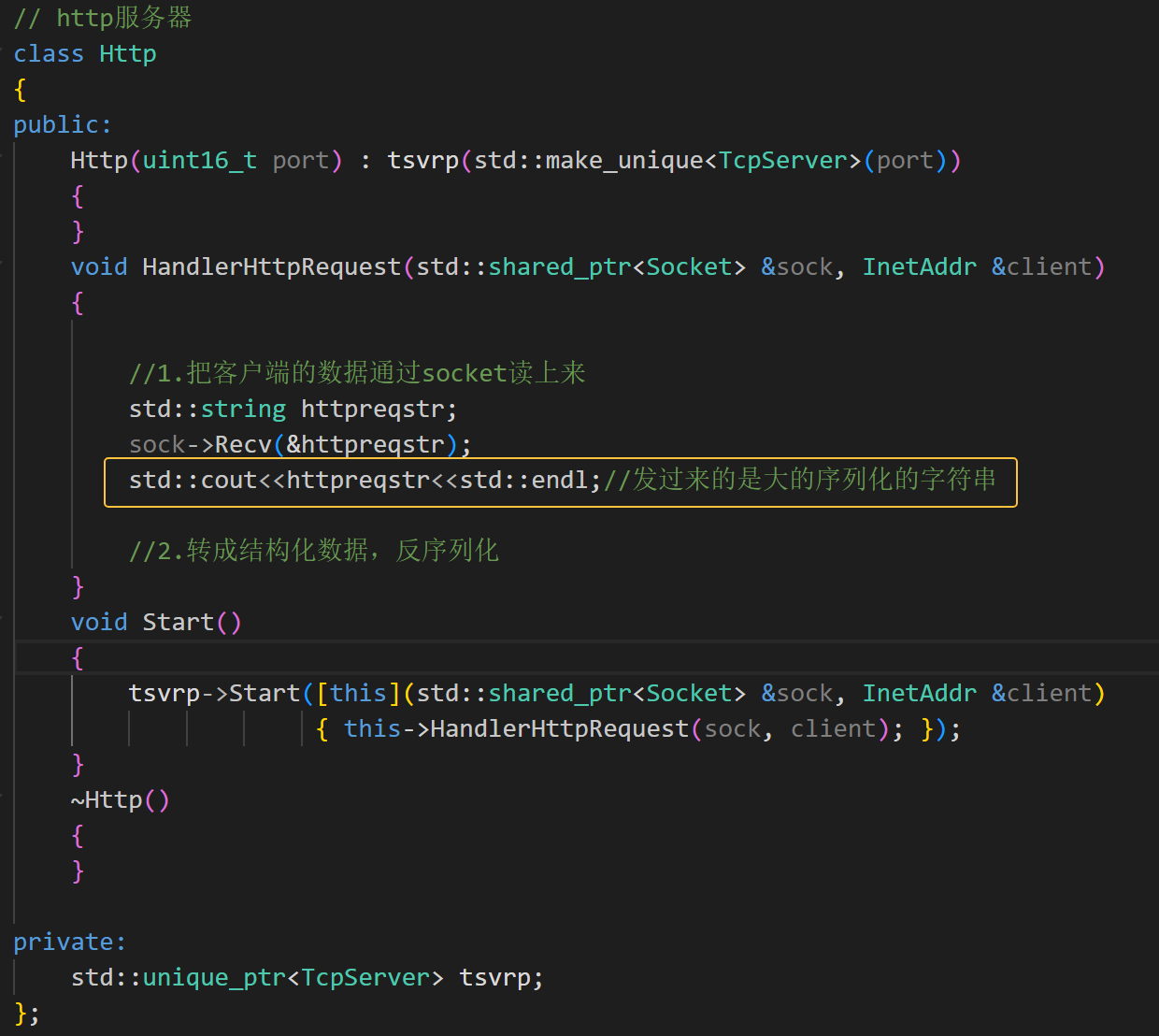
此时服务器就能看浏览器发来的请求-序列化的长字符串

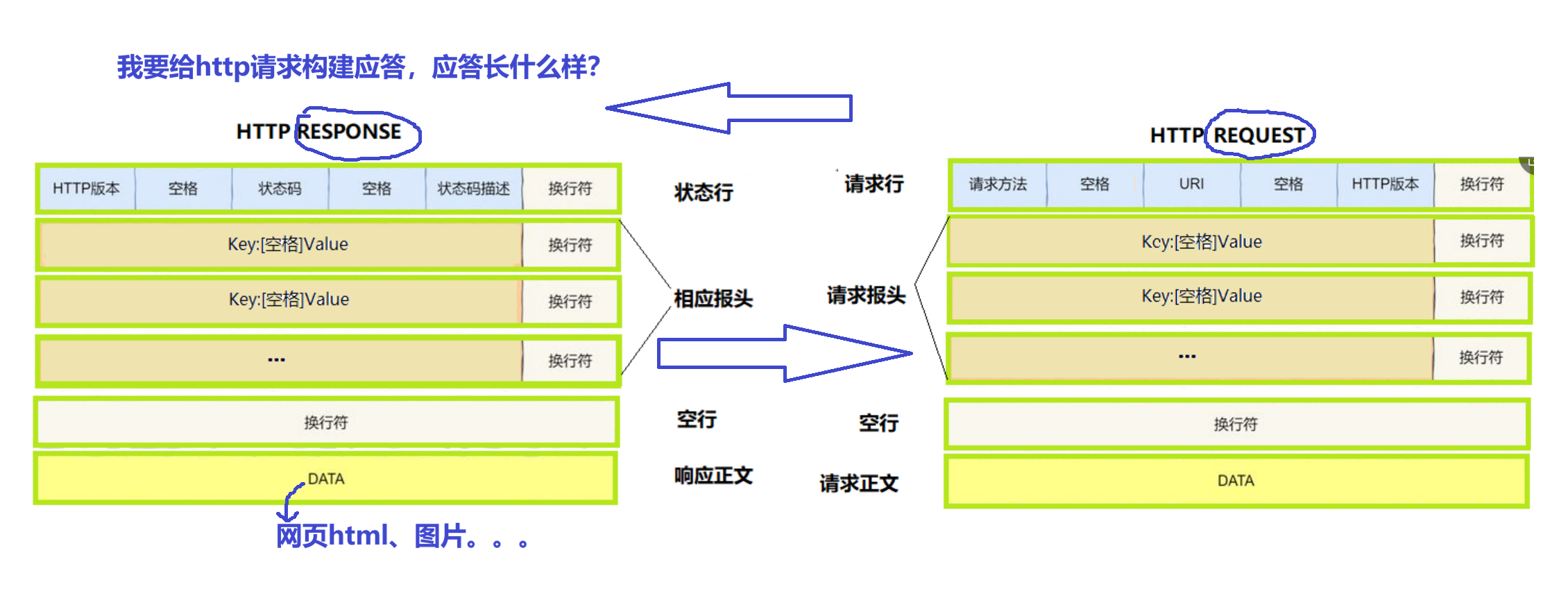

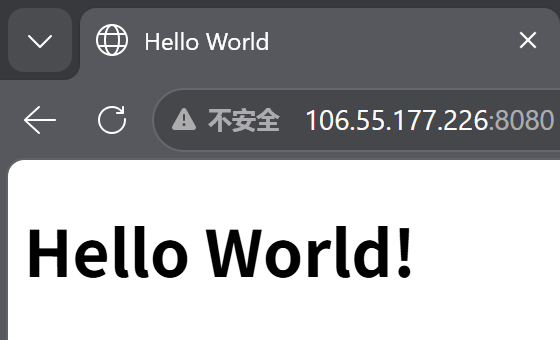
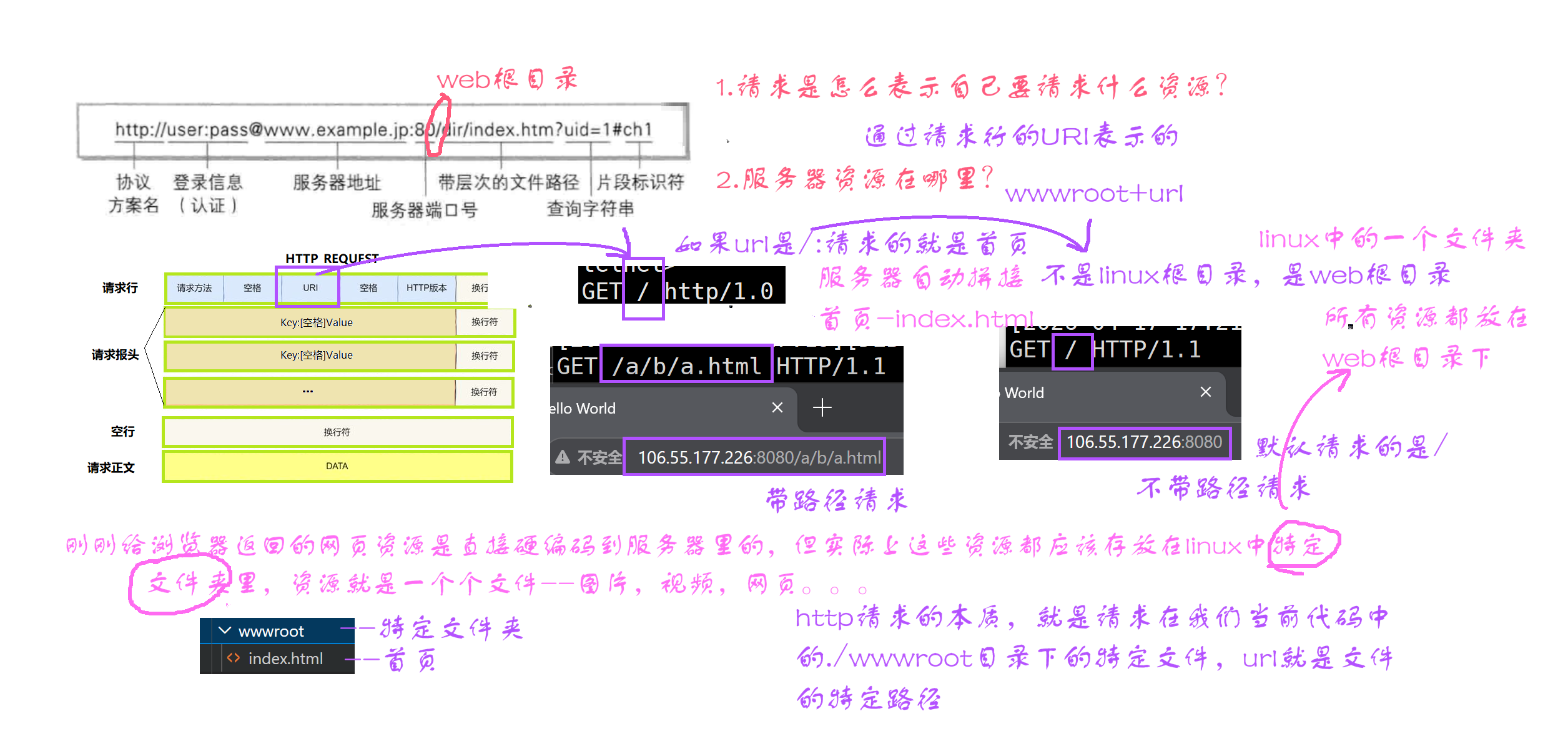
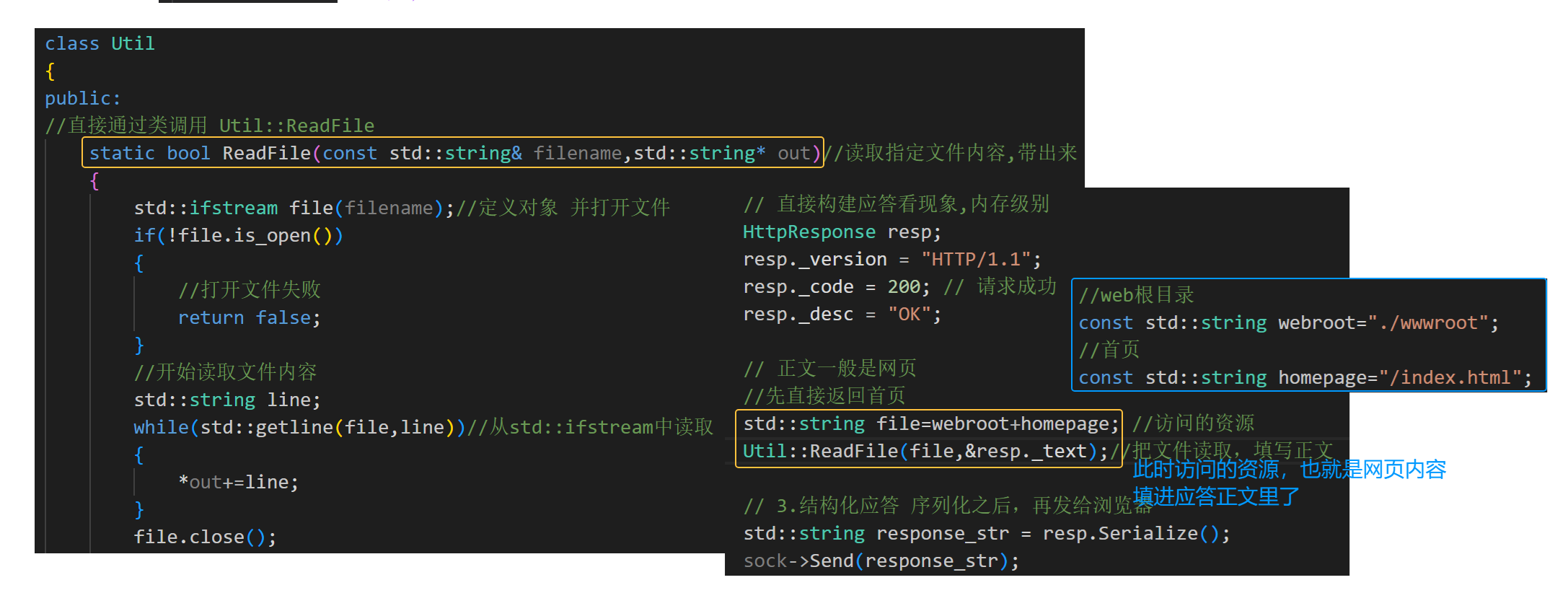
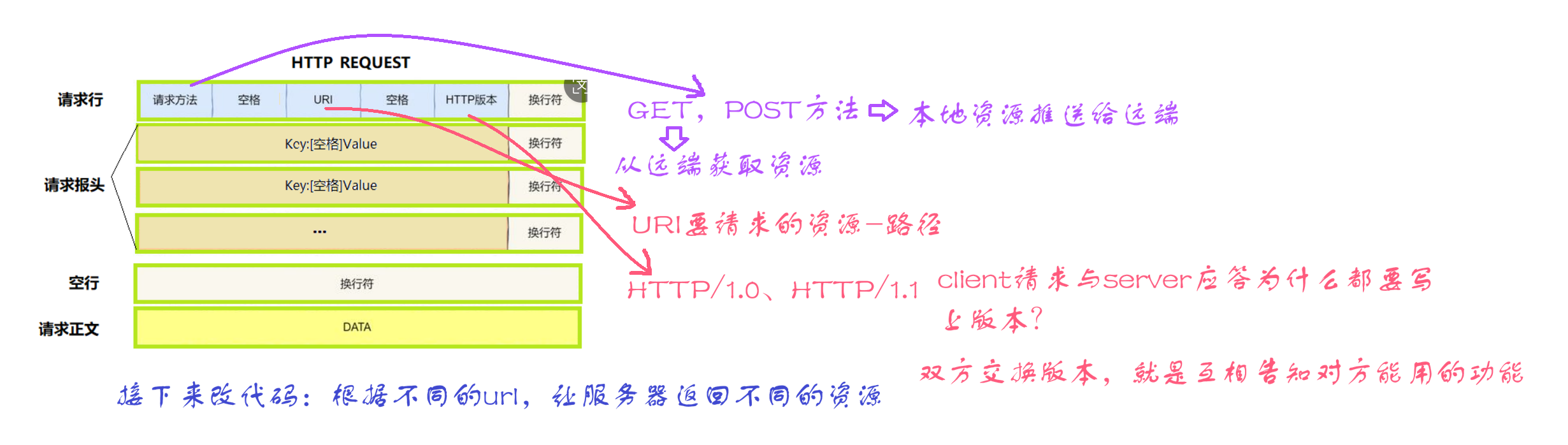
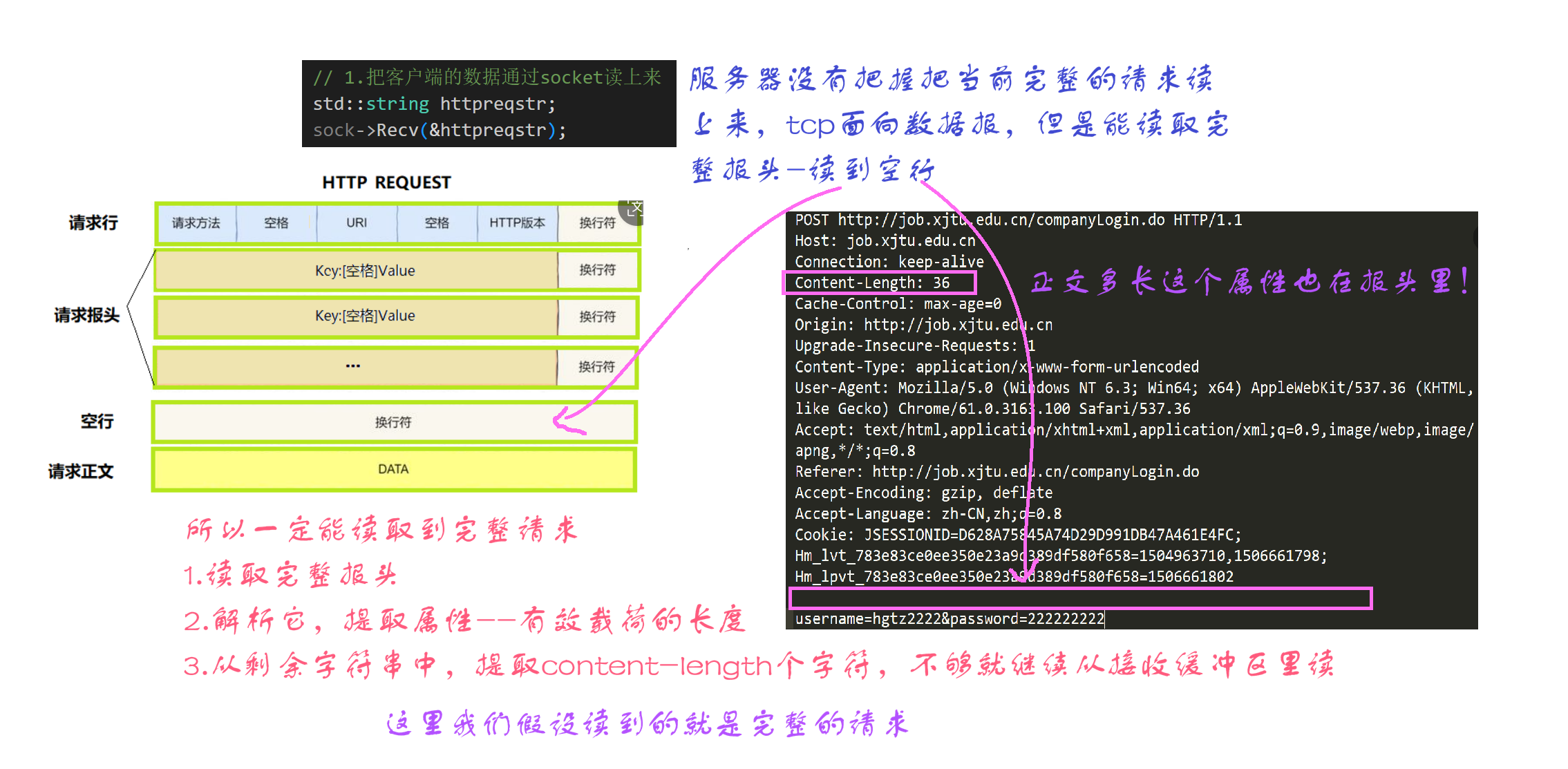
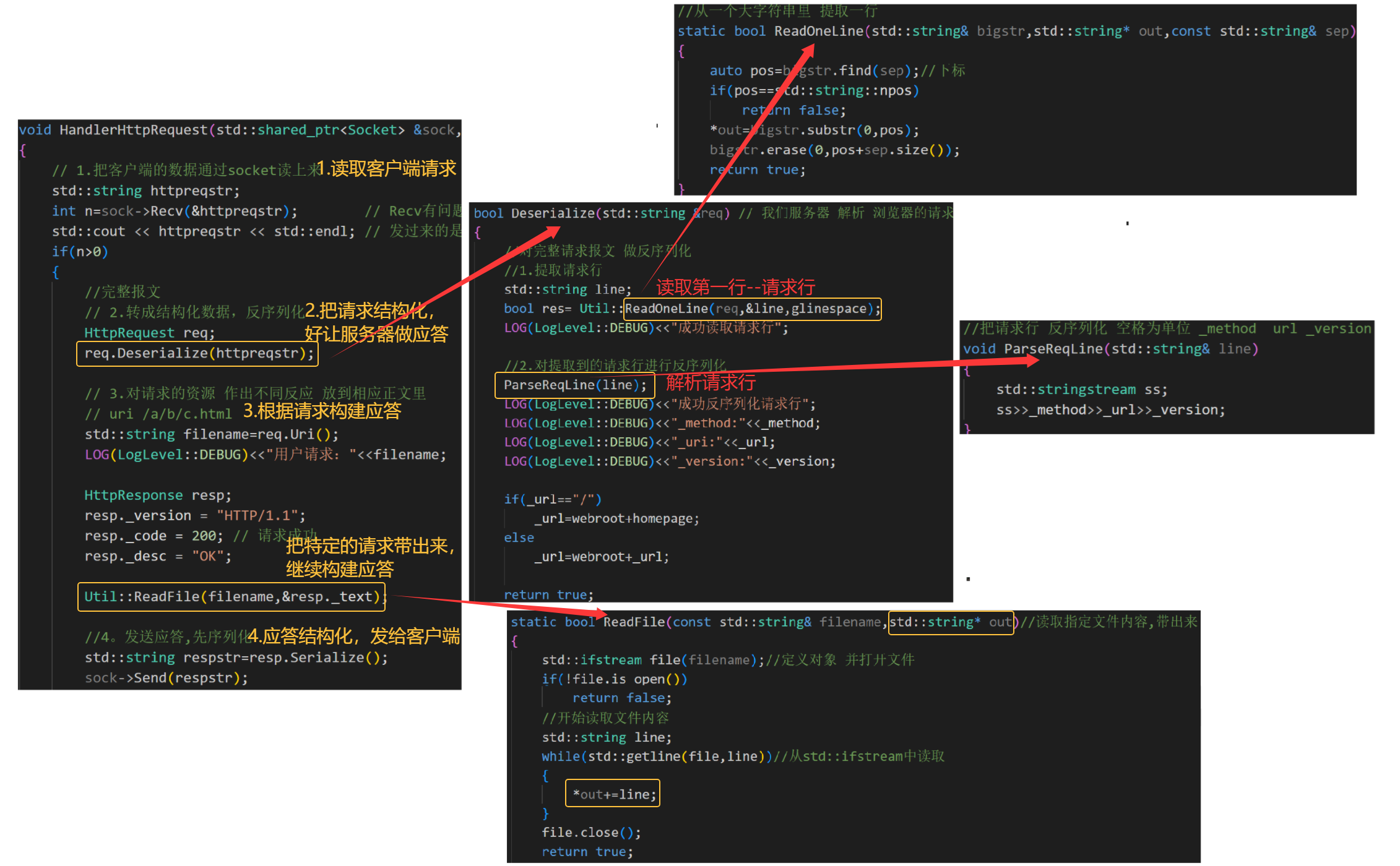
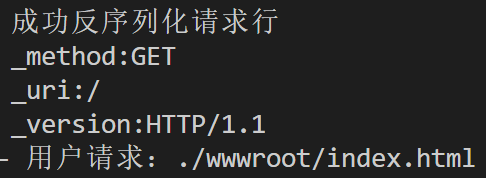 利用a标签可以进行跳转,浏览器二次发起请求,请求的资源,都是http请求的uri表示的
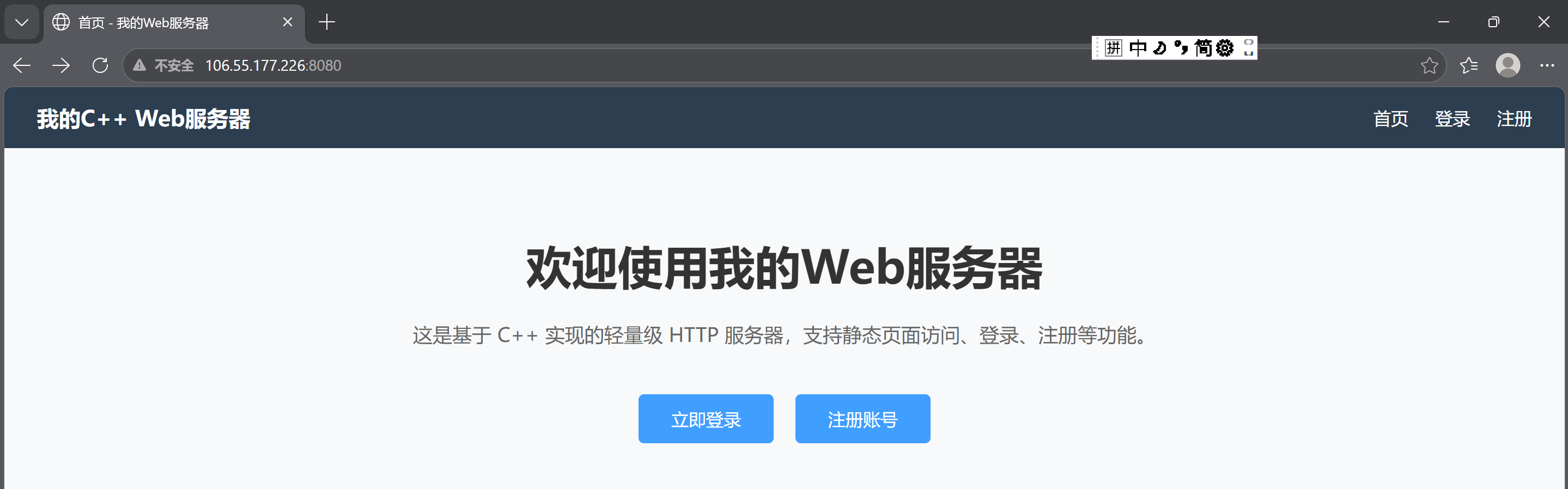
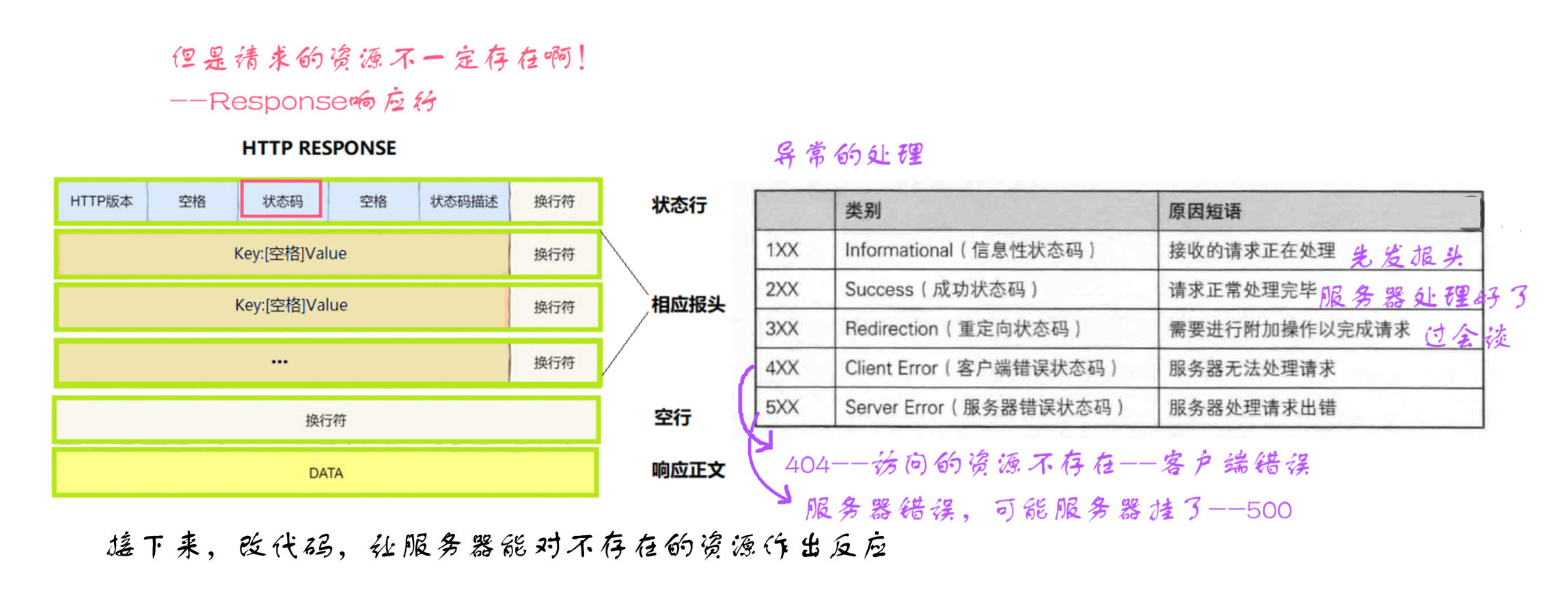
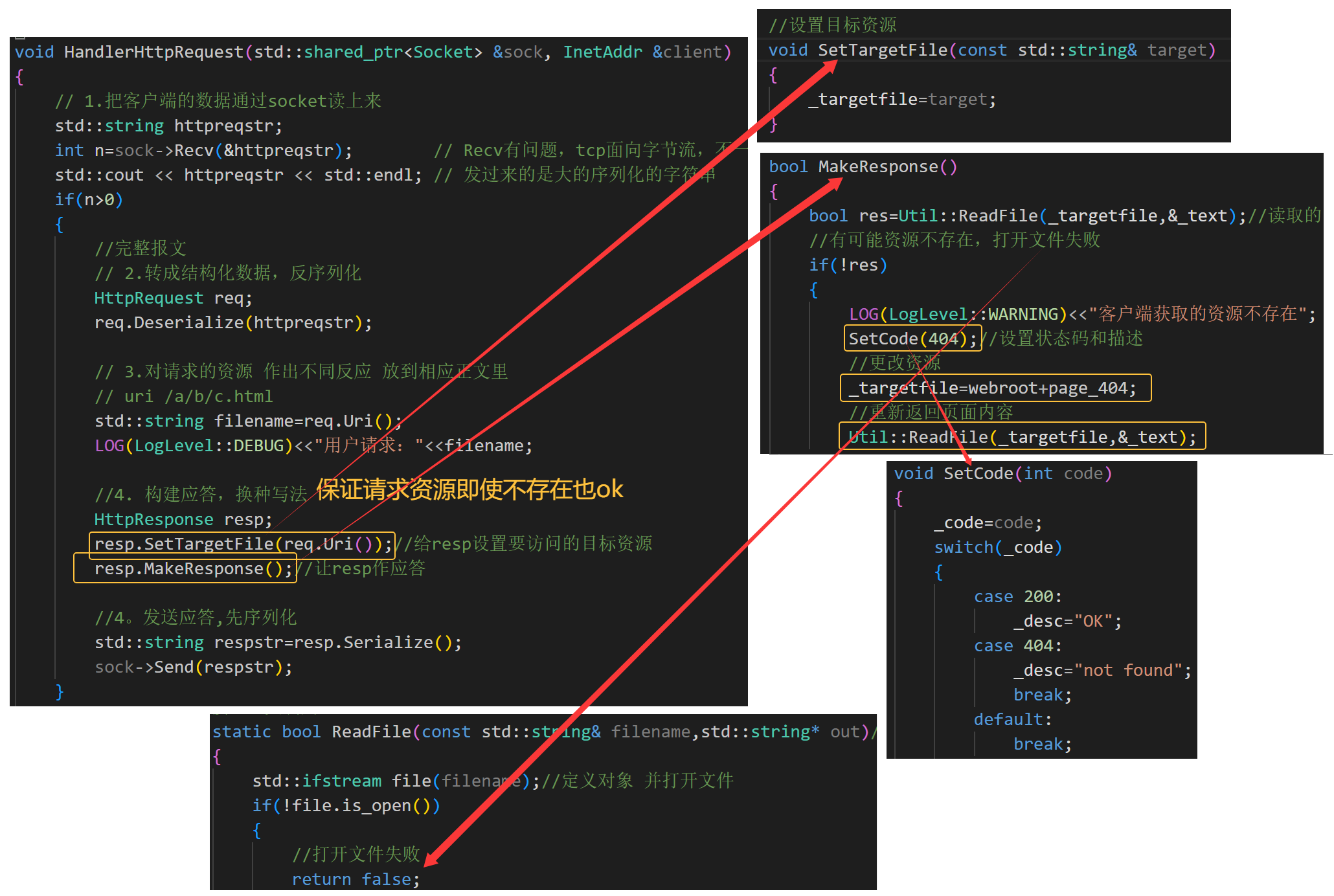
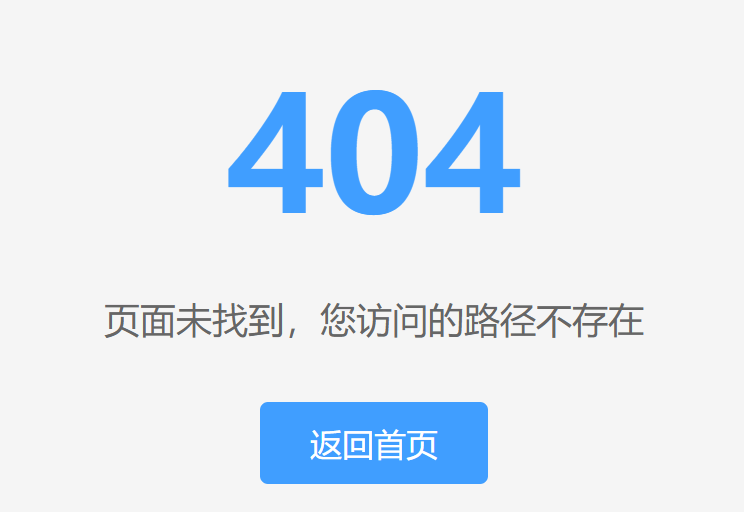
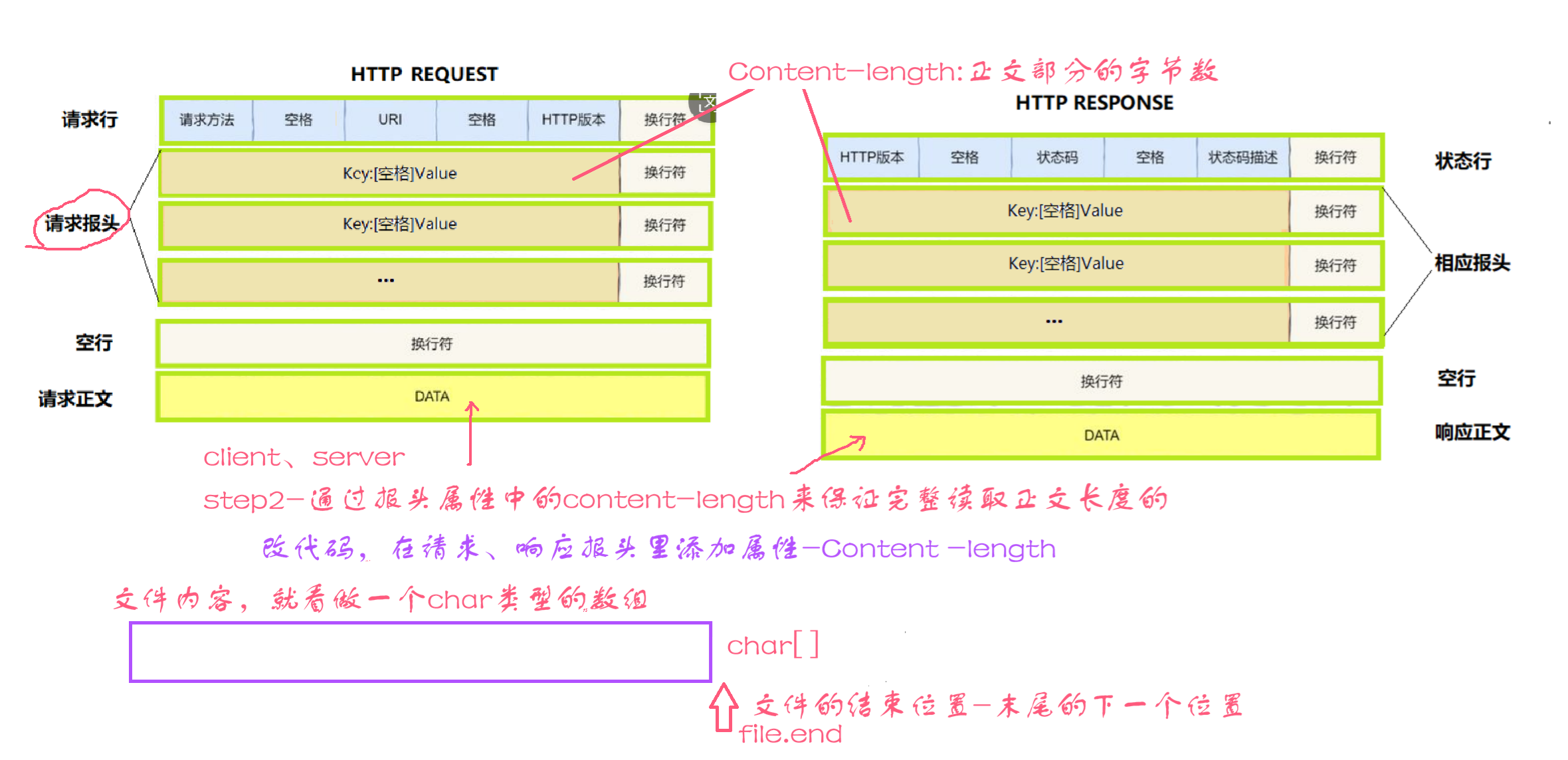
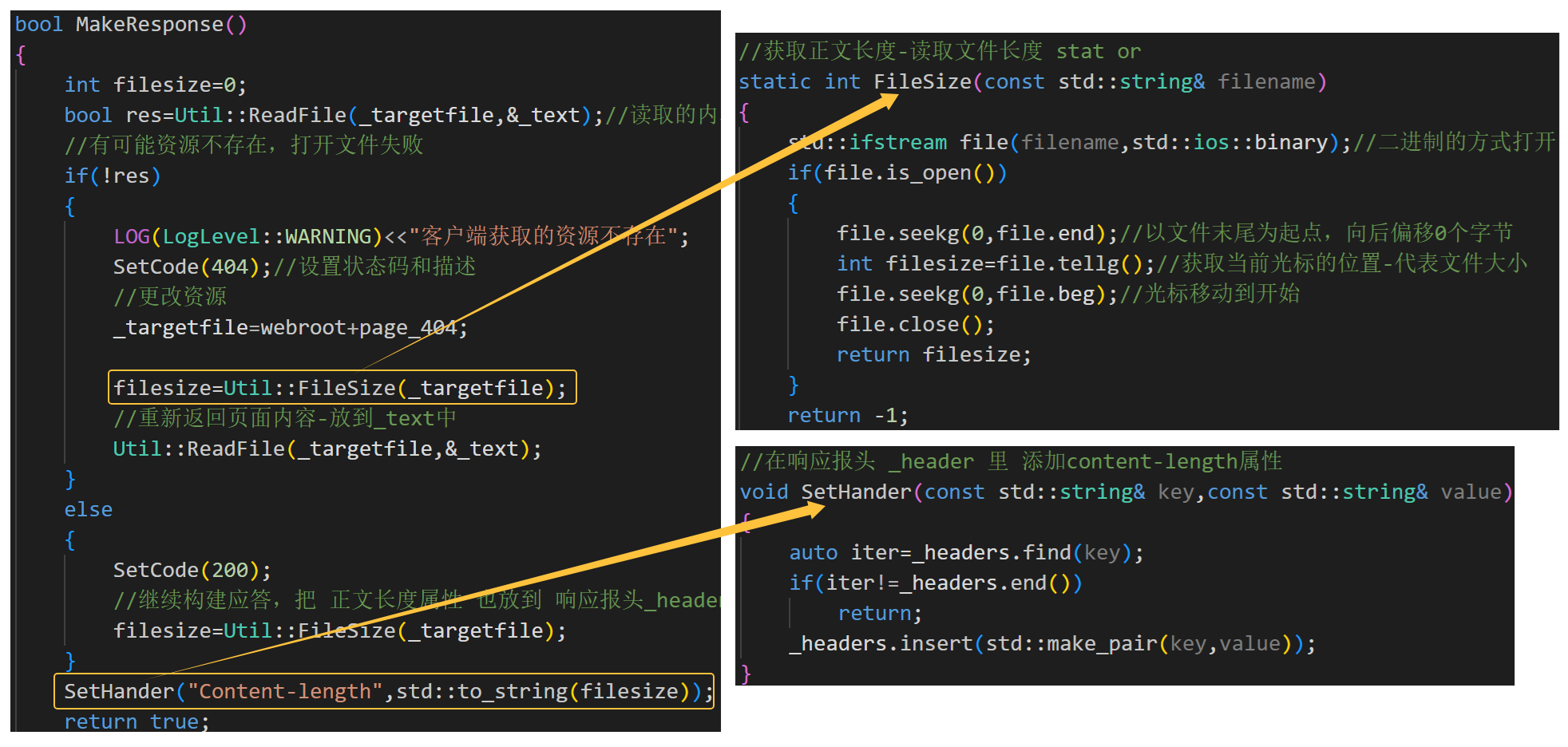
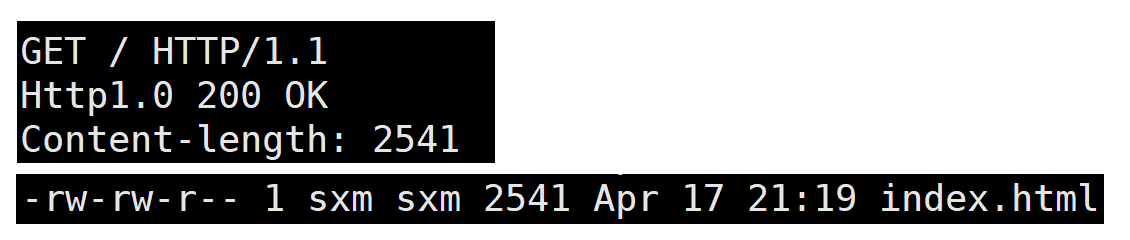
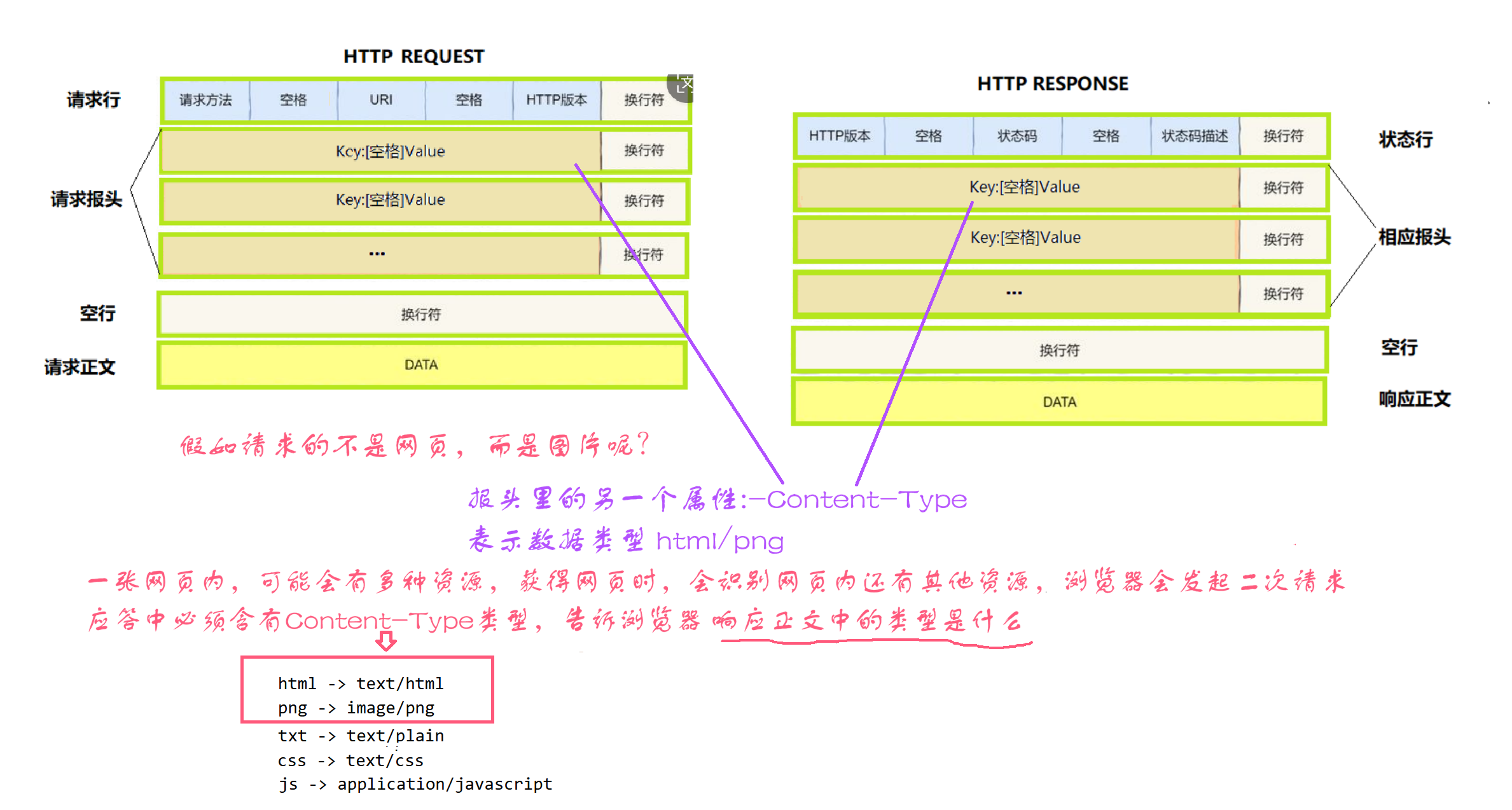
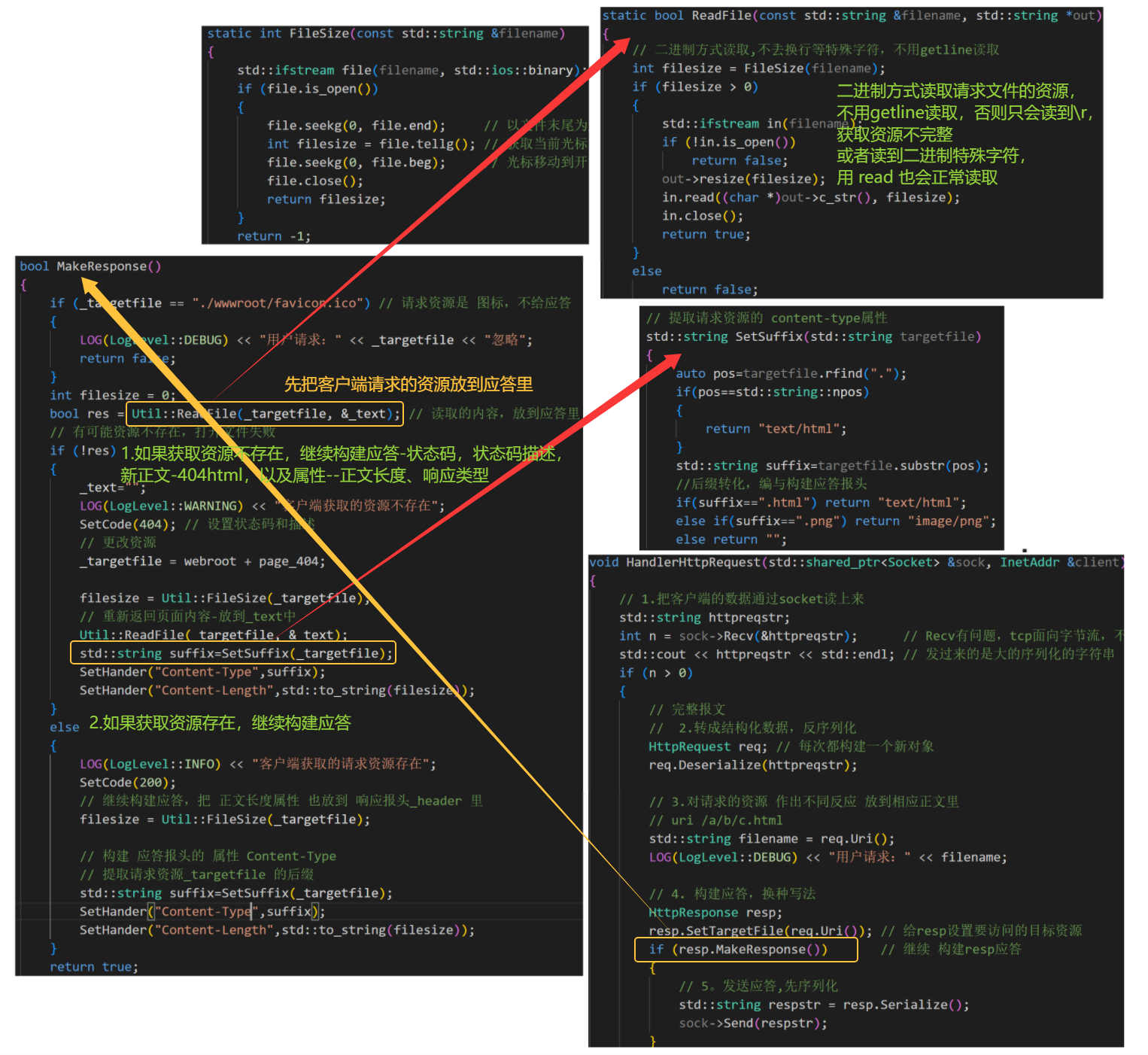
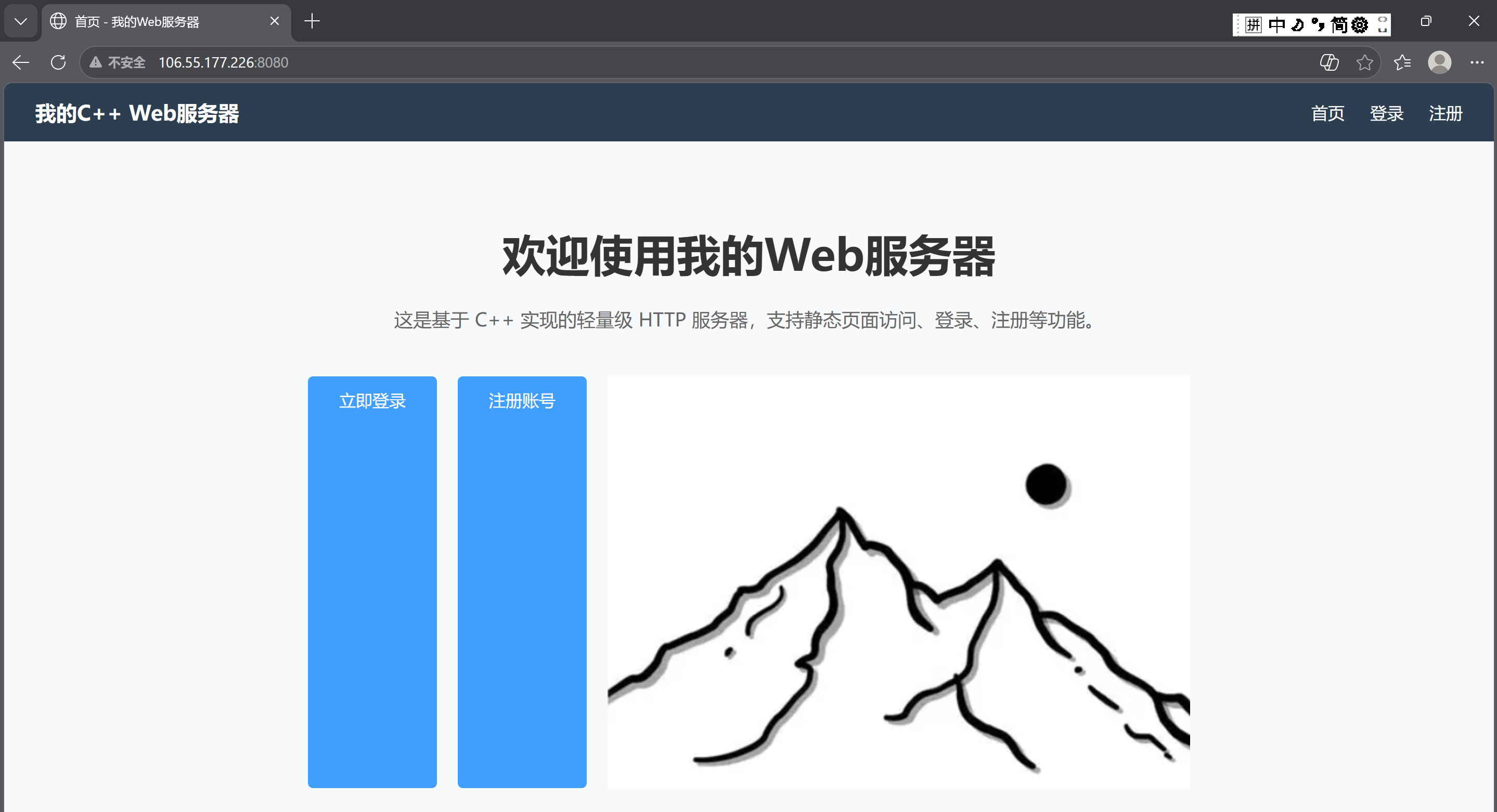
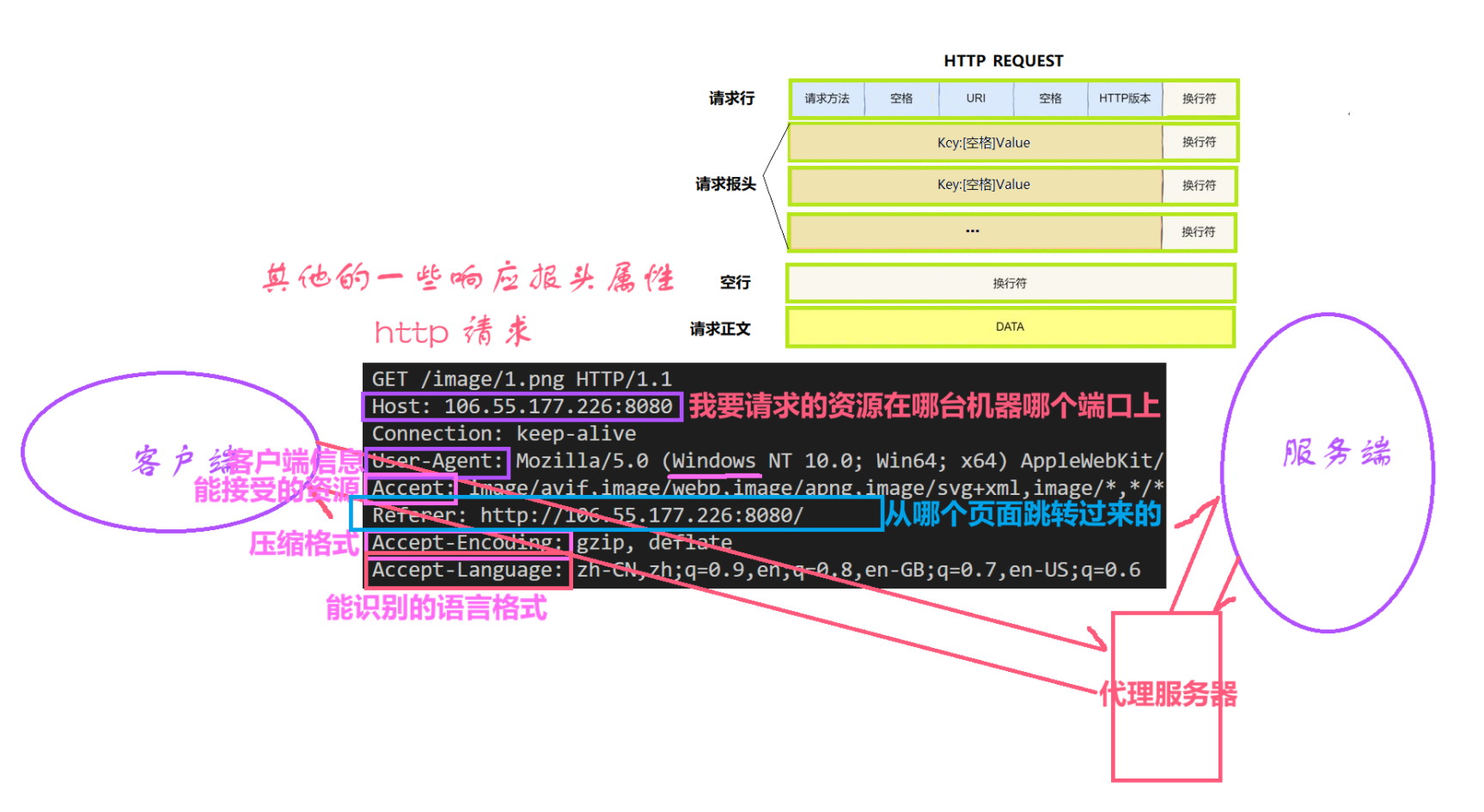
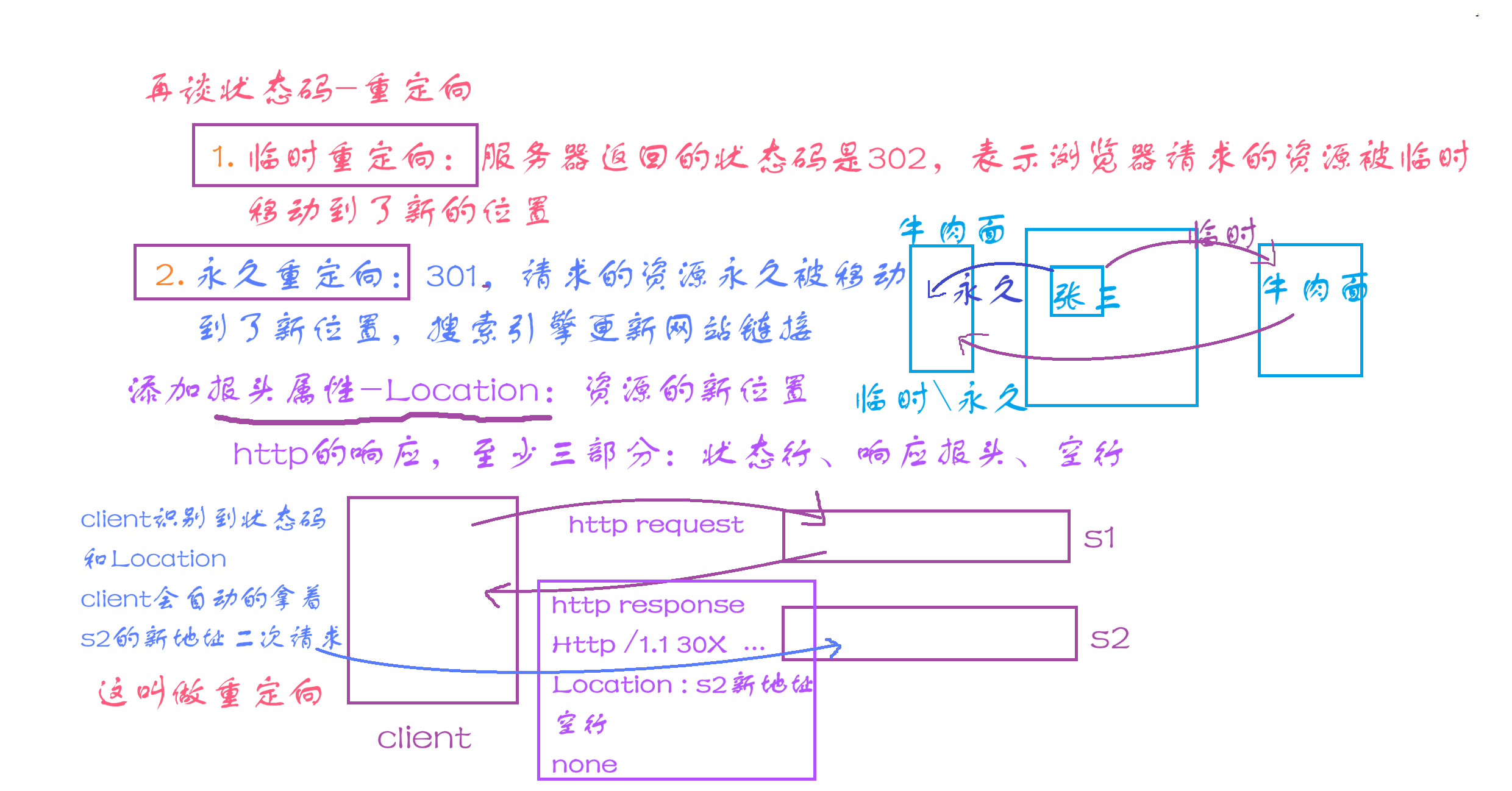
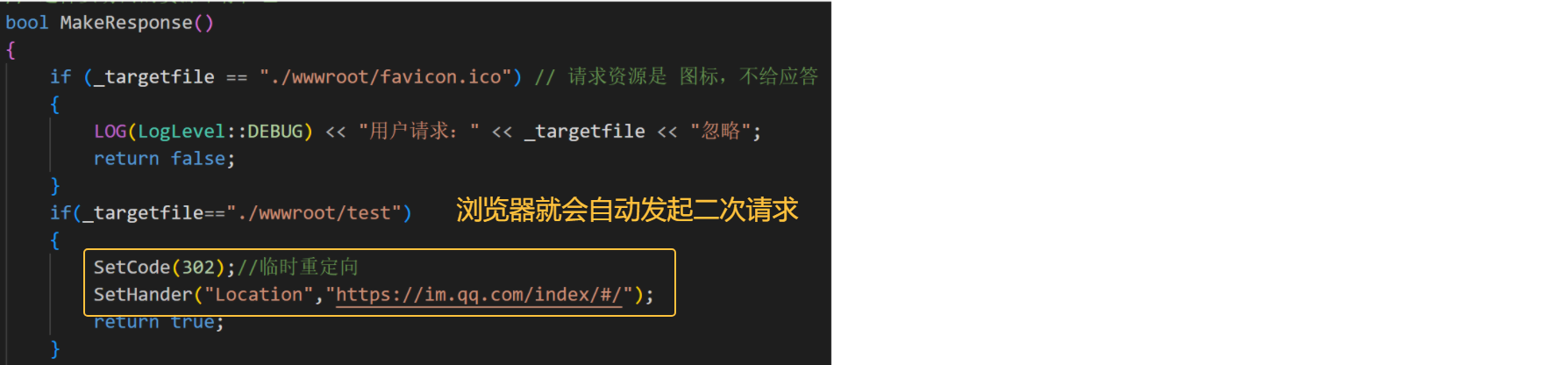
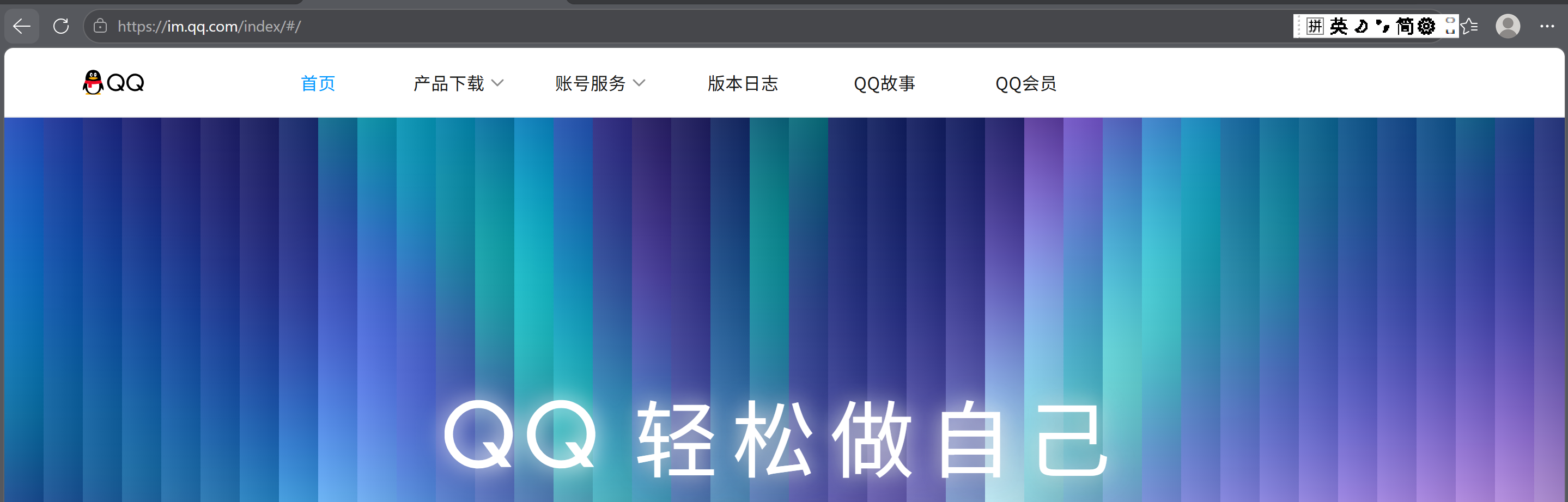

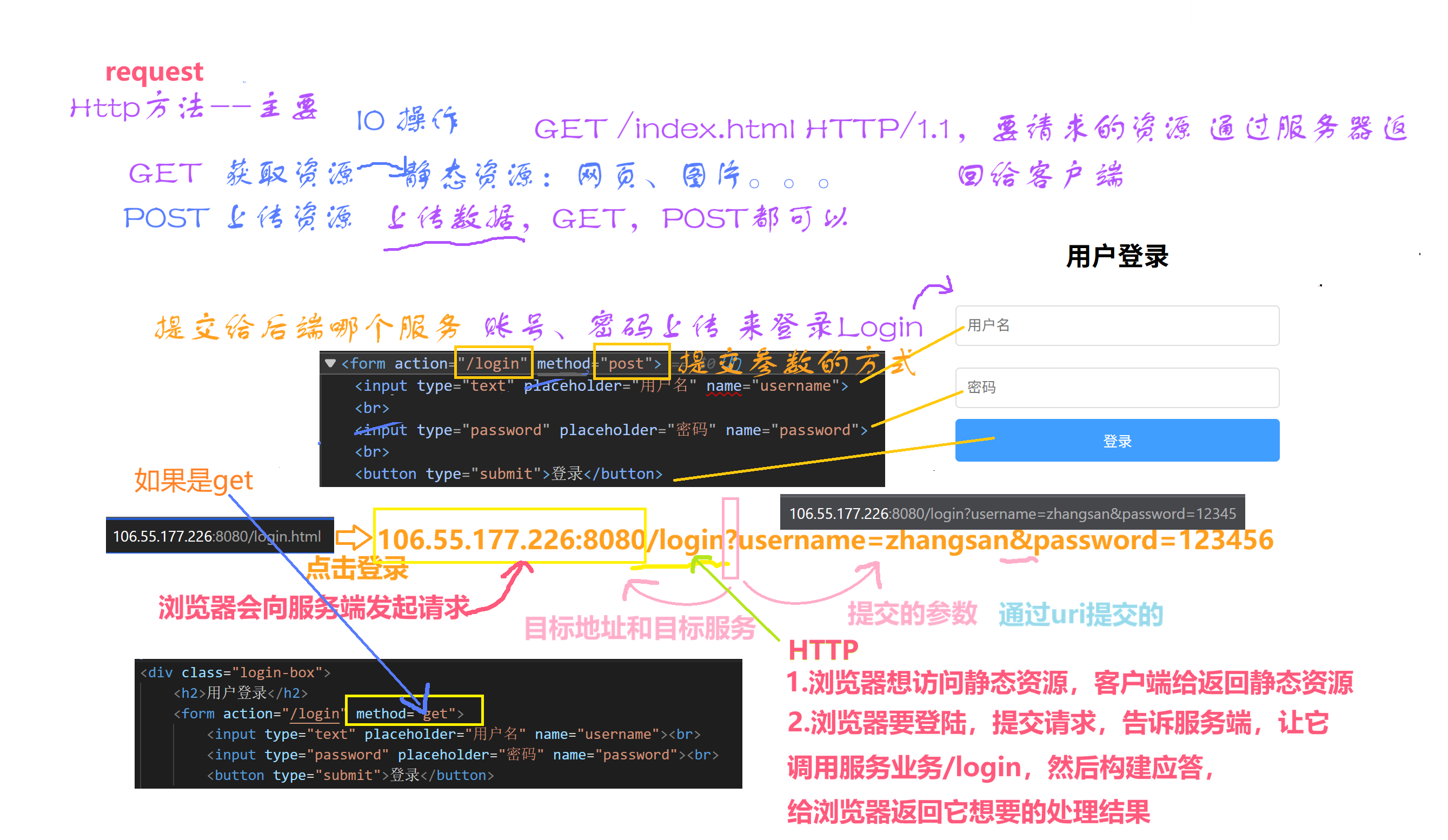
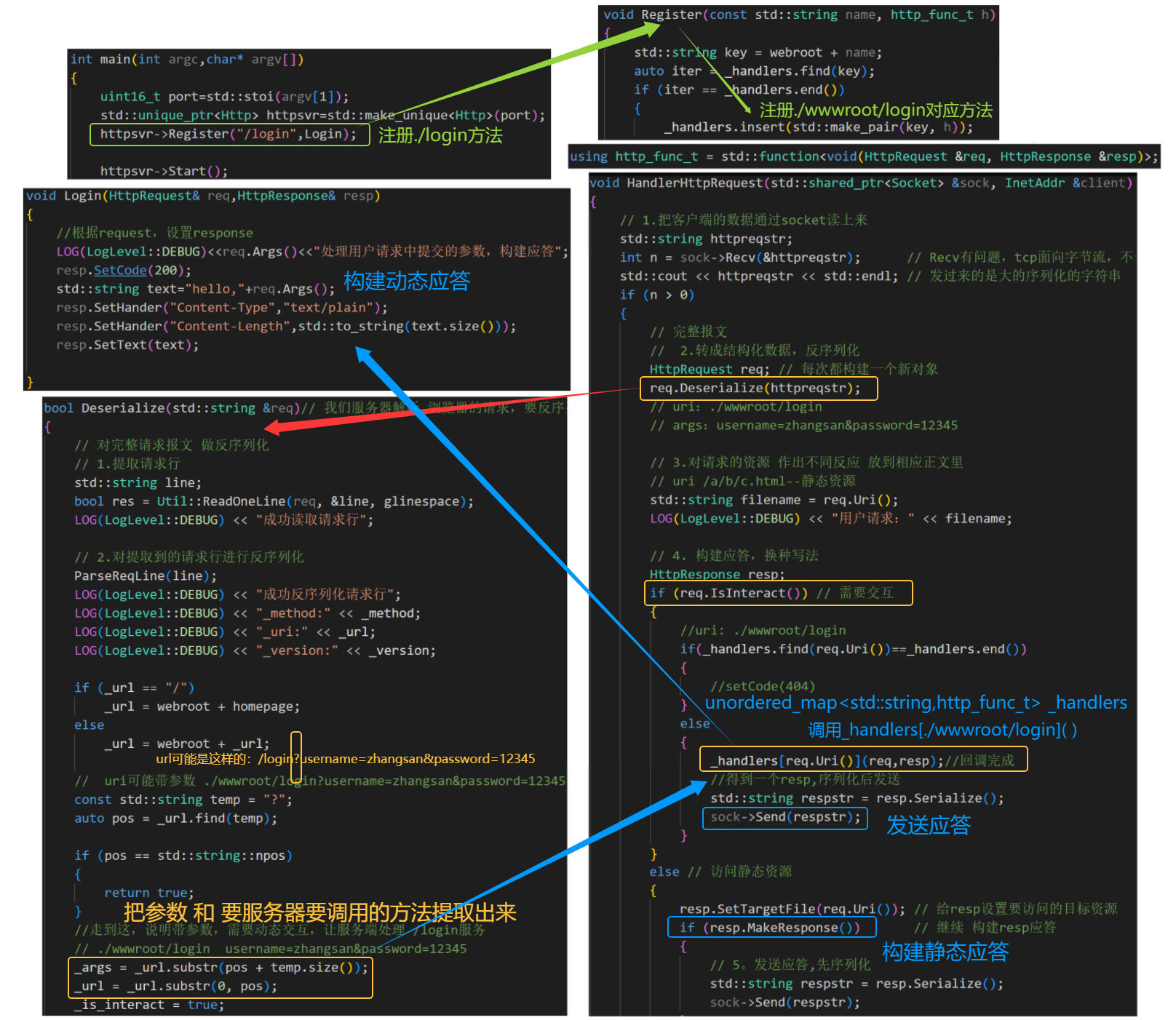
接下来就转移到业务处理模块了

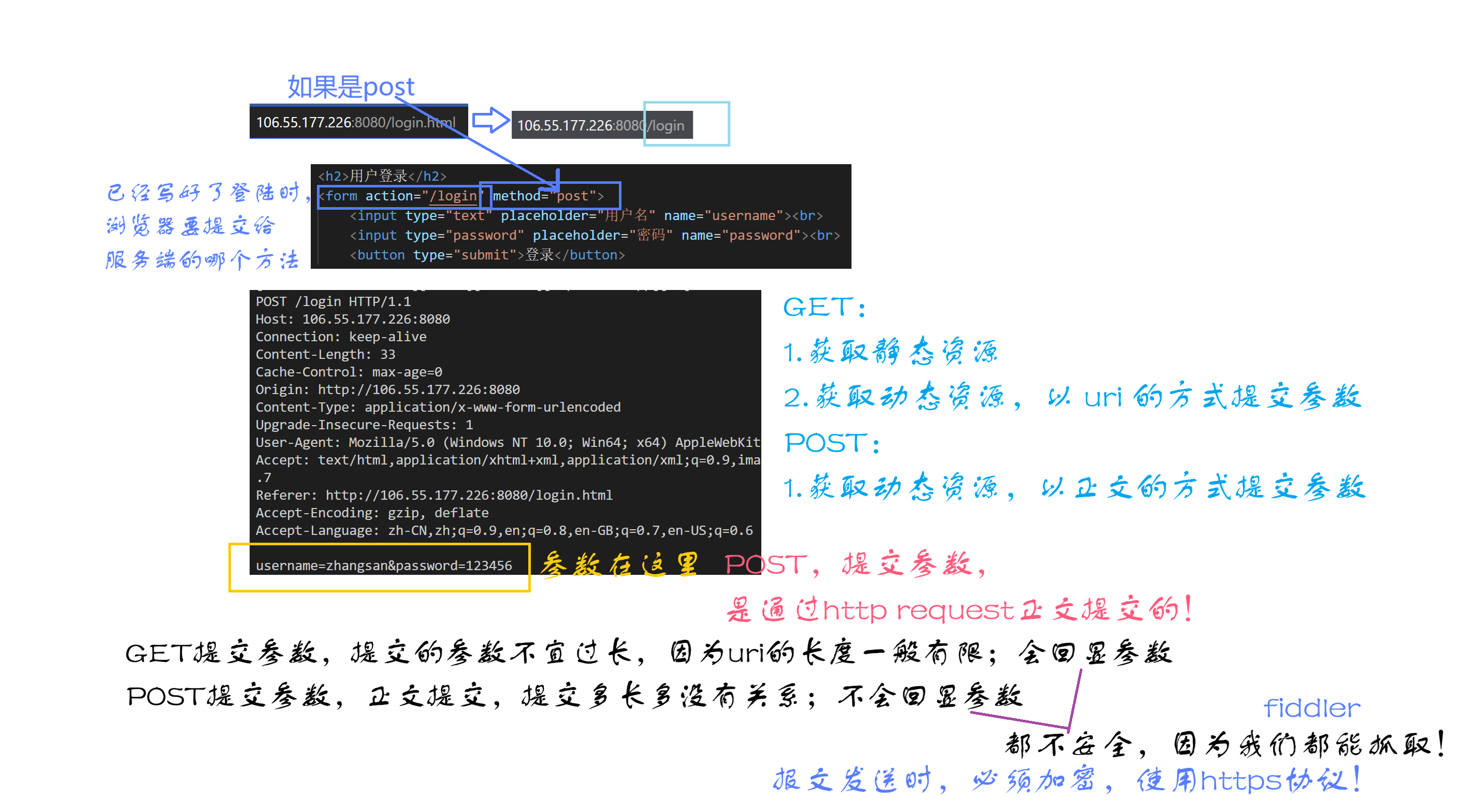
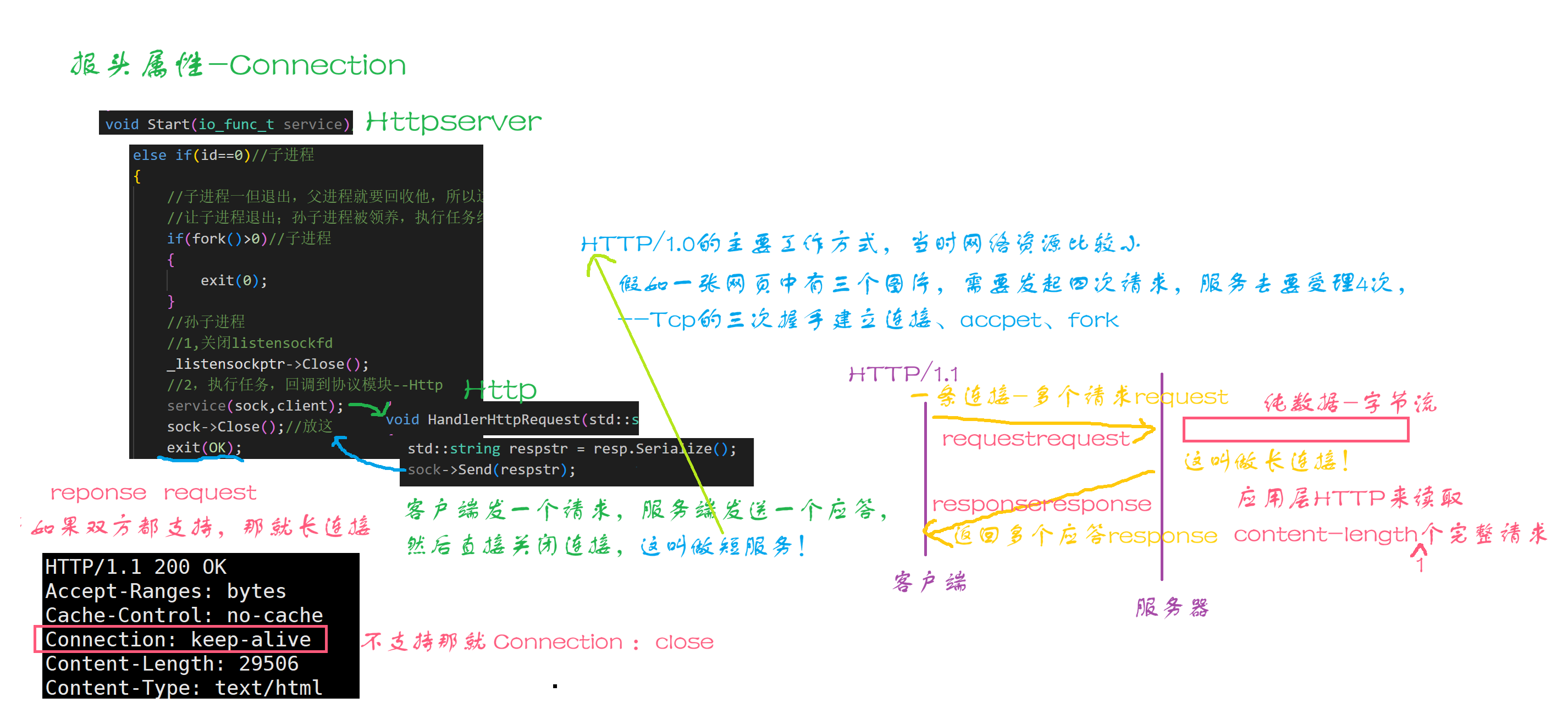
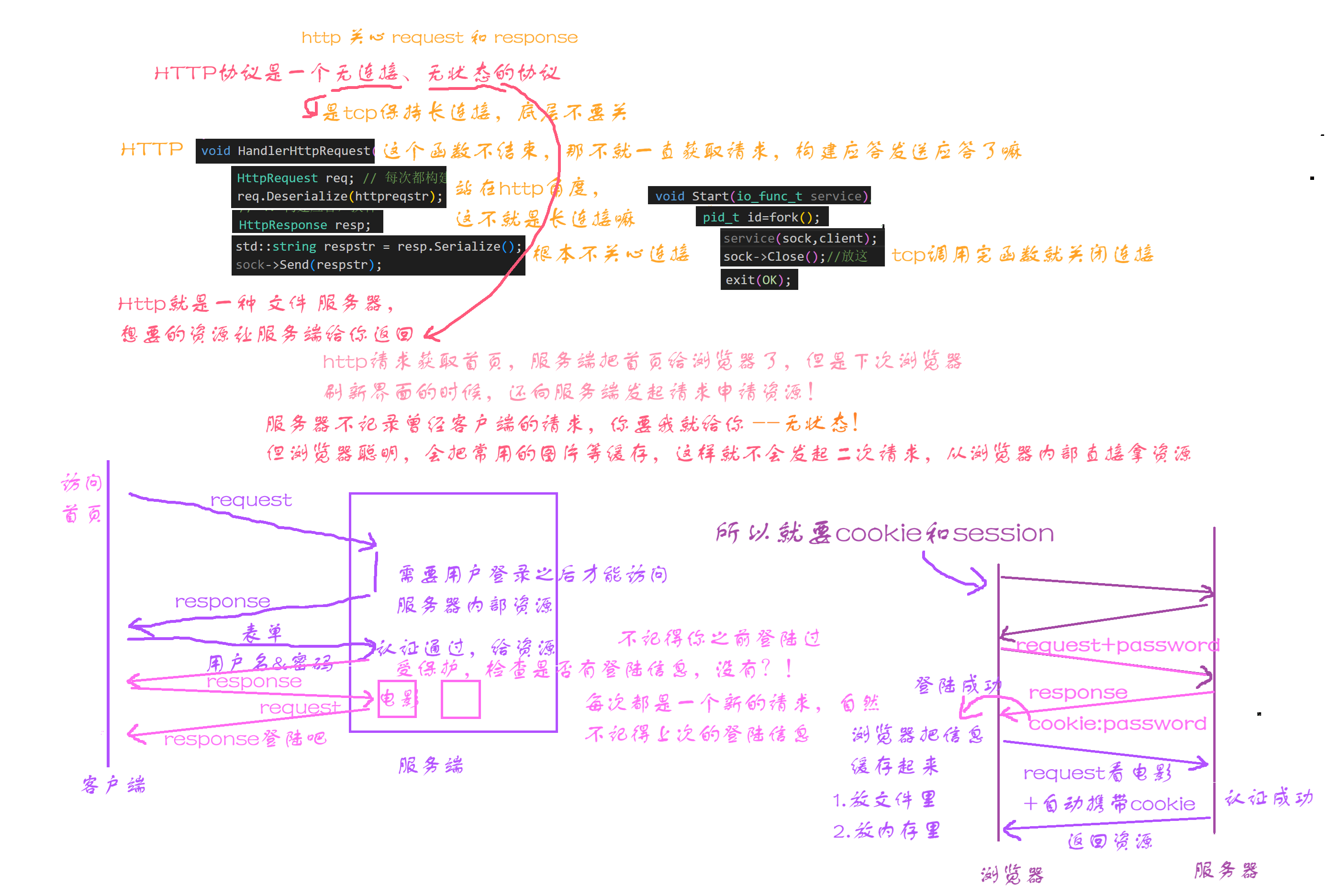
Http.hpp
#pragma once

// 先来一个tcp服务器
#include "Tcpserver.hpp"
#include <memory>
#include <iostream>
#include "Log.hpp"
#include <string>
#include "Socket.hpp"
#include "Util.hpp"
#include <sstream>
#include <functional>
#include <unordered_map>

using namespace SocketModule;
using namespace LogModule;

const std::string gspace = " ";
const std::string glinespace = "\r\n";
const std::string glinesep = ": ";

// web根目录
const std::string webroot = "./wwwroot";
// 首页
const std::string homepage = "/index.html";
// 错误页面
const std::string page_404 = "/page_404.html";

// http的请求协议
class HttpRequest
{
public:
    HttpRequest() : _is_interact(false)
    {
    }

    // 浏览器把 结构化数据转成序列化 给 我们发送--我们不写
    std::string Serialize()
    {
        return std::string();
    }
    // 把请求行 反序列化 空格为单位 _method  url _version
    void ParseReqLine(std::string &line)
    {
        std::stringstream ss(line);
        ss >> _method >> _url >> _version;
    }

    bool Deserialize(std::string &req)// 我们服务器解析 浏览器的请求,要反序列化--我们写
    {
        // 对完整请求报文 做反序列化
        // 1.提取请求行
        std::string line;
        bool res = Util::ReadOneLine(req, &line, glinespace);
        LOG(LogLevel::DEBUG) << "成功读取请求行";

        // 2.对提取到的请求行进行反序列化
        ParseReqLine(line);
        LOG(LogLevel::DEBUG) << "成功反序列化请求行";
        LOG(LogLevel::DEBUG) << "_method:" << _method;
        LOG(LogLevel::DEBUG) << "_uri:" << _url;
        LOG(LogLevel::DEBUG) << "_version:" << _version;

        if (_url == "/")
            _url = webroot + homepage;
        else
            _url = webroot + _url;

        //  uri可能带参数 ./wwwroot/login?username=zhangsan&password=12345
        const std::string temp = "?";
        auto pos = _url.find(temp);

        if (pos == std::string::npos)
        {
            return true;
        }
        //走到这,说明带参数,需要动态交互,让服务端处理 /login服务
        // ./wwwroot/login  username=zhangsan&password=12345
        _args = _url.substr(pos + temp.size());
        _url = _url.substr(0, pos);
        _is_interact = true;

        return true;
    }

    std::string Uri()
    {
        return _url;
    }

    bool IsInteract()
    {
        return _is_interact;
    }

    std::string Args()
    {
        return _args;
    }

    ~HttpRequest()
    {
    }

private:
    // 请求行
    std::string _method; // 请求方法
    std::string _url;
    std::string _version; // http版本
    // 请求报头
    std::unordered_map<std::string, std::string> _headers;
    std::string _blankline; // 空行
    // 请求正文
    std::string _text;

    bool _is_interact; // 是否需要交互
    std::string _args;
};

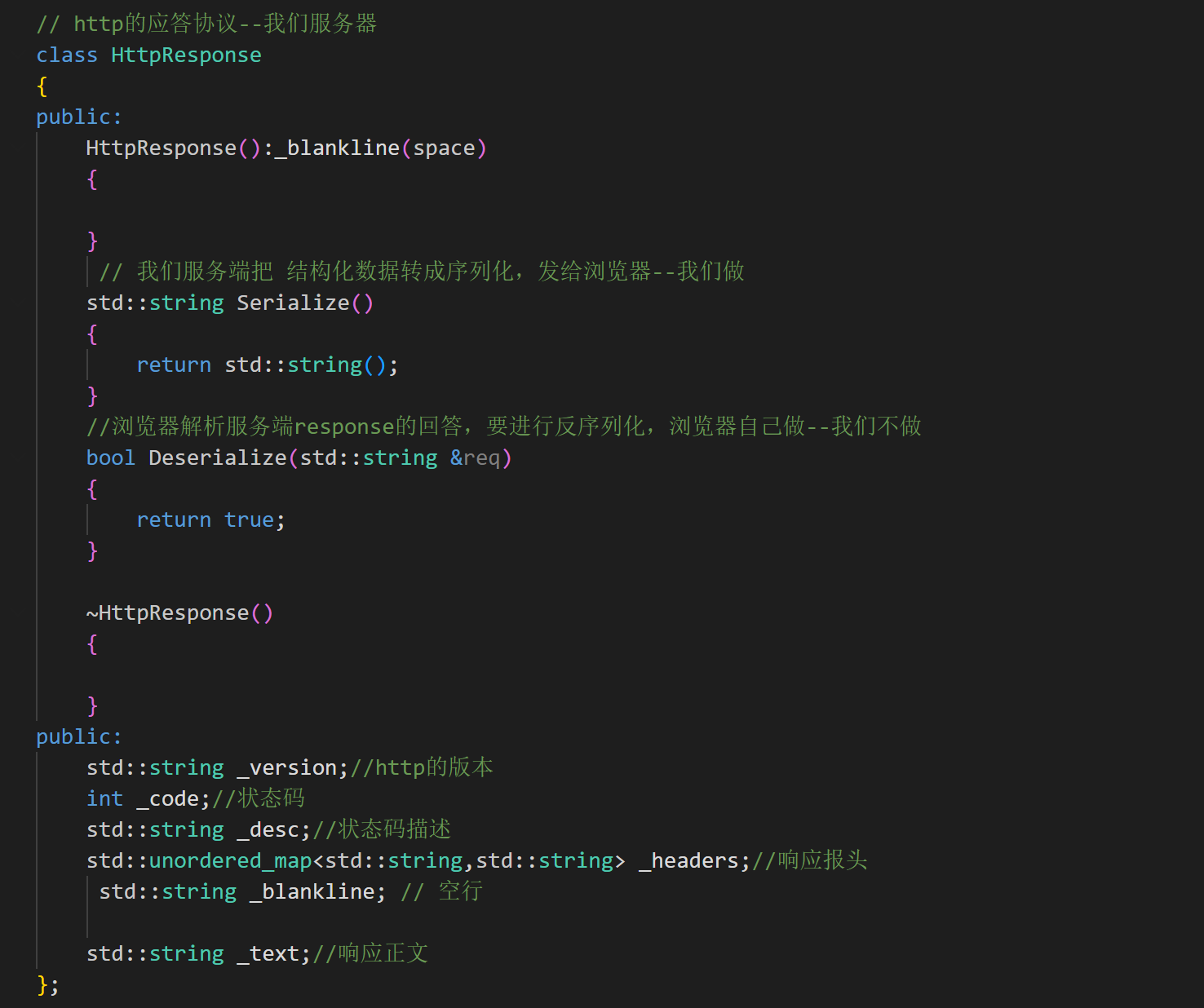
// http的应答协议--我们服务器
class HttpResponse
{
public:
    HttpResponse() : _blankline(glinespace), _version("Http/1.0")
    {
    }
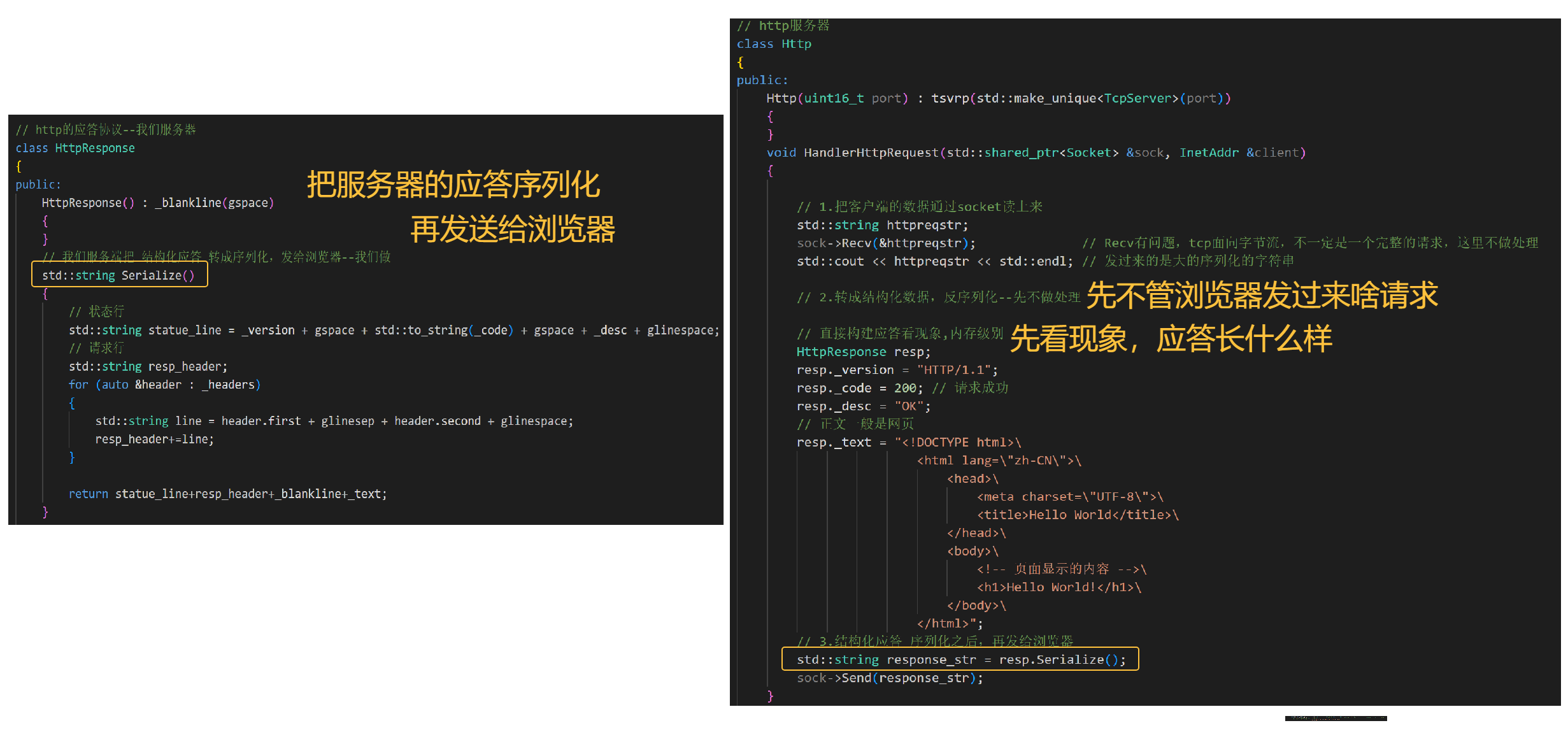
    // 我们服务端把 结构化应答 转成序列化,发给浏览器--我们做
    std::string Serialize()
    {
        // 状态行
        std::string statue_line = _version + gspace + std::to_string(_code) + gspace + _desc + glinespace;
        // 响应报头
        std::string resp_header;
        for (auto &header : _headers)
        {
            std::string line = header.first + glinesep + header.second + glinespace;
            resp_header += line;
        }

        return statue_line + resp_header + _blankline + _text;
    }

    // 浏览器解析服务端response的回答,要进行反序列化,浏览器自己做--我们不做
    bool Deserialize(std::string &req)
    {
        return true;
    }

    // 设置目标资源
    void SetTargetFile(const std::string &target)
    {
        _targetfile = target;
    }

    void SetCode(int code)
    {
        _code = code;
        switch (_code)
        {
        case 200:
            _desc = "OK";
            break;
        case 404:
            _desc = "not found";
            break;
        case 302:
            _desc = "see other";
            break;
        case 301:
            _desc = "临时重定向";
            break;
        default:
            break;
        }
    }
    // 在响应报头 _header 里 添加content-length。。。属性
    void SetHander(const std::string &key, const std::string &value)
    {
        auto iter = _headers.find(key);
        if (iter != _headers.end())
            return;
        _headers.insert(std::make_pair(key, value));
    }

    // 提取请求资源的 content-type属性
    std::string SetSuffix(std::string targetfile)
    {
        auto pos = targetfile.rfind(".");
        if (pos == std::string::npos)
        {
            return "text/html";
        }
        std::string suffix = targetfile.substr(pos);
        // 后缀转化,编与构建应答报头
        if (suffix == ".html")
            return "text/html";
        else if (suffix == ".png")
            return "image/png";
        else
            return "";
    }

    // 这样要访问的资源不存在也ok
    bool MakeResponse()
    {
        if (_targetfile == "./wwwroot/favicon.ico") // 请求资源是 图标,不给应答
        {
            LOG(LogLevel::DEBUG) << "用户请求:" << _targetfile << "忽略";
            return false;
        }
        if (_targetfile == "./wwwroot/test")
        {
            SetCode(302); // 临时重定向
            SetHander("Location", "https://im.qq.com/index/#/");
            return true;
        }
        int filesize = 0;
        bool res = Util::ReadFile(_targetfile, &_text); // 读取的内容,放到应答里
        // 有可能资源不存在,打开文件失败
        if (!res)
        {
            // SetCode(302);
            // SetHander("Location","http://106.55.177.226:8080/page_404.html");

            _text = "";
            LOG(LogLevel::WARNING) << "客户端获取的资源不存在";
            SetCode(404); // 设置状态码和描述
            // 更改资源
            _targetfile = webroot + page_404;

            filesize = Util::FileSize(_targetfile);
            // 重新返回页面内容-放到_text中
            Util::ReadFile(_targetfile, &_text);
            std::string suffix = SetSuffix(_targetfile);
            SetHander("Content-Type", suffix);
            SetHander("Content-Length", std::to_string(filesize));
        }
        else
        {
            LOG(LogLevel::INFO) << "客户端获取的请求资源存在";
            SetCode(200);
            // 继续构建应答,把 正文长度属性 也放到 响应报头_header 里
            filesize = Util::FileSize(_targetfile);

            // 构建 应答报头的 属性 Content-Type
            // 提取请求资源_targetfile 的后缀
            std::string suffix = SetSuffix(_targetfile);
            SetHander("Content-Type", suffix);
            SetHander("Content-Length", std::to_string(filesize));
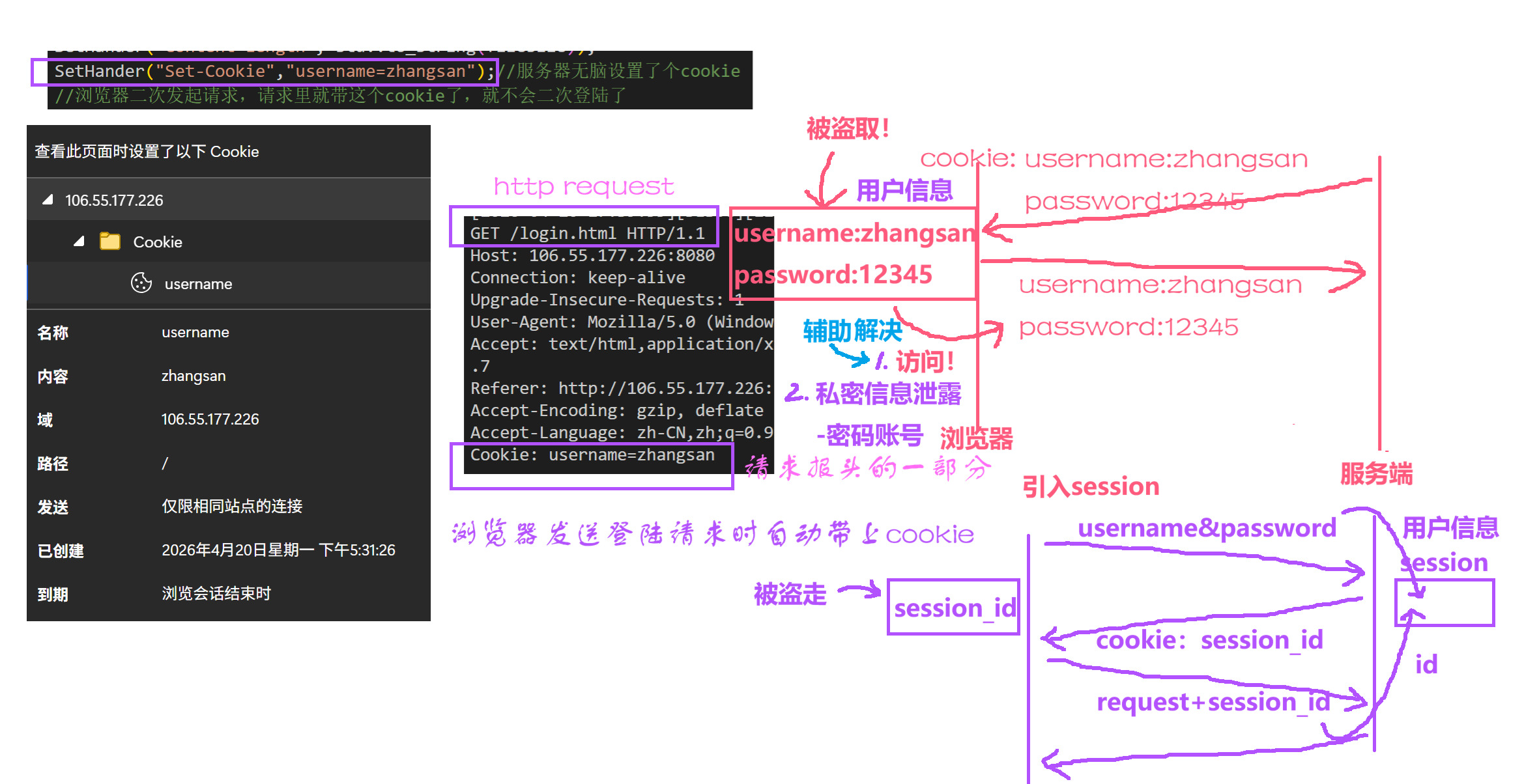
            SetHander("Set-Cookie","username=zhangsan");//服务器无脑设置了个cookie
            //浏览器二次发起请求,请求里就带这个cookie了,就不会二次登陆了

        }
        return true;
    }
    void SetText(const std::string& t)
    {
        _text=t;
    }

    ~HttpResponse()
    {
    }

public:
    std::string _version;                                  // http的版本
    int _code;                                             // 状态码
    std::string _desc;                                     // 状态码描述
    std::unordered_map<std::string, std::string> _headers; // 响应报头
    std::string _blankline;                                // 空行

    std::string _text; // 响应正文

    // 其他属性
    std::string _targetfile; // 目标要访问的资源
};

using http_func_t = std::function<void(HttpRequest &req, HttpResponse &resp)>;

// http服务器
class Http
{
public:
    Http(uint16_t port) : tsvrp(std::make_unique<TcpServer>(port))
    {
    }
    void HandlerHttpRequest(std::shared_ptr<Socket> &sock, InetAddr &client)
    {
        // 1.把客户端的数据通过socket读上来
        std::string httpreqstr;
        int n = sock->Recv(&httpreqstr);      // Recv有问题,tcp面向字节流,不一定是一个完整的请求,这里不做处理
        std::cout << httpreqstr << std::endl; // 发过来的是大的序列化的字符串
        if (n > 0)
        {
            // 完整报文
            //  2.转成结构化数据,反序列化
            HttpRequest req; // 每次都构建一个新对象
            req.Deserialize(httpreqstr);
            // uri:./wwwroot/login
            // args:username=zhangsan&password=12345

            // 3.对请求的资源 作出不同反应 放到相应正文里
            // uri /a/b/c.html--静态资源
            std::string filename = req.Uri();
            LOG(LogLevel::DEBUG) << "用户请求:" << filename;

            // 4. 构建应答,换种写法
            HttpResponse resp;
            if (req.IsInteract()) // 需要交互
            {
                //uri: ./wwwroot/login
                if(_handlers.find(req.Uri())==_handlers.end())
                {
                    //setCode(404)
                }
                else
                {
                    _handlers[req.Uri()](req,resp);//回调完成
                    //得到一个resp,序列化后发送
                    std::string respstr = resp.Serialize();
                    sock->Send(respstr);
                }
            }
            else // 访问静态资源
            {
                resp.SetTargetFile(req.Uri()); // 给resp设置要访问的目标资源
                if (resp.MakeResponse())       // 继续 构建resp应答
                {
                    // 5。发送应答,先序列化
                    std::string respstr = resp.Serialize();
                    sock->Send(respstr);
                }
            }
        }

        /*
        HttpResponse resp;
        resp._version = "HTTP/1.1";
        resp._code = 200; // 请求成功
        resp._desc = "OK";

        Util::ReadFile(filename,&resp._text);
        */

        /*
        // 直接构建应答看现象,内存级别
        HttpResponse resp;
        resp._version = "HTTP/1.1";
        resp._code = 200; // 请求成功
        resp._desc = "OK";

        // 正文一般是网页
        //先直接返回首页
        std::string file=webroot+homepage; //访问的资源
        Util::ReadFile(file,&resp._text);//把文件读取,填写正文

        // 3.结构化应答 序列化之后,再发给浏览器
        std::string response_str = resp.Serialize();
        sock->Send(response_str);
        */
    }
    void Start()
    {
        tsvrp->Start([this](std::shared_ptr<Socket> &sock, InetAddr &client)
                     { this->HandlerHttpRequest(sock, client); });
    }
    void Register(const std::string name, http_func_t h)
    {
        // ./wwwroot/login
        std::string key = webroot + name;
        auto iter = _handlers.find(key);
        if (iter == _handlers.end())
        {
            _handlers.insert(std::make_pair(key, h));
        }
    }
    ~Http()
    {
    }

private:
    std::unique_ptr<TcpServer> tsvrp;
    std::unordered_map<std::string, http_func_t> _handlers;
};
Util.hpp
#pragma once

// 工具类
#include <iostream>
#include <string>
#include <fstream>

class Util
{
public:
    // 直接通过类调用 Util::ReadFile,
    static bool ReadFile(const std::string &filename, std::string *out) // 读取指定文件内容,带出来
    {

        // 二进制方式读取,不丢换行等特殊字符,不用getline读取
        int filesize = FileSize(filename);
        if (filesize > 0)
        {
            std::ifstream in(filename);
            if (!in.is_open())
                return false;
            out->resize(filesize);
            in.read((char *)out->c_str(), filesize);
            in.close();
            return true;
        }
        else
            return false;

        /*
        std::ifstream file(filename);//定义对象 并打开文件
        if(!file.is_open())
        {
            //打开文件失败
            return false;
        }
        //开始读取文件内容
        std::string line;
        while(std::getline(file,line))//从std::ifstream中读取
        {
            *out+=line;
        }
        file.close();
        return true;
        */
    }
    // 从一个大字符串里 提取一行
    static bool ReadOneLine(std::string &bigstr, std::string *out, const std::string &sep)
    {
        auto pos = bigstr.find(sep); // 下标
        if (pos == std::string::npos)
            return false;
        *out = bigstr.substr(0, pos);
        bigstr.erase(0, pos + sep.size());
        return true;
    }

    // 获取正文长度-读取文件长度 stat or
    static int FileSize(const std::string &filename)
    {
        std::ifstream file(filename, std::ios::binary); // 二进制的方式打开
        if (file.is_open())
        {
            file.seekg(0, file.end);     // 以文件末尾为起点,向后偏移0个字节
            int filesize = file.tellg(); // 获取当前光标的位置-代表文件大小
            file.seekg(0, file.beg);     // 光标移动到开始
            file.close();
            return filesize;
        }
        return -1;
    }

private:
};
Main.cc
#include "Http.hpp"

//登陆功能 login
void Login(HttpRequest& req,HttpResponse& resp)
{
    //根据request,设置response
    LOG(LogLevel::DEBUG)<<req.Args()<<"处理用户请求中提交的参数,构建应答";
    resp.SetCode(200);
    std::string text="hello,"+req.Args();
    resp.SetHander("Content-Type","text/plain");
    resp.SetHander("Content-Length",std::to_string(text.size()));
    resp.SetText(text);

}
//./httpserver port
int main(int argc,char* argv[])
{
    uint16_t port=std::stoi(argv[1]);
    std::unique_ptr<Http> httpsvr=std::make_unique<Http>(port);
    httpsvr->Register("/login",Login);

    httpsvr->Start();

}
完。

openEuler 是由开放原子开源基金会孵化的全场景开源操作系统项目,面向数字基础设施四大核心场景(服务器、云计算、边缘计算、嵌入式),全面支持 ARM、x86、RISC-V、loongArch、PowerPC、SW-64 等多样性计算架构
更多推荐

 0
0 0
0- 0


 已为社区贡献2条内容

所有评论(0)