Linux操作系统-shell编程之shell脚本应用案例
·
本文提供四个实用的Shell脚本应用案例,包括:批量创建用户、Nginx源码安装、系统巡检以及主机连通性检测。
1、自动批量创建用户
创建100个用户,输出用户名和密码的列表,用户密码需要为随机字符串,用户列表在userlist.txt文件中。
需求实现shell脚本如下:
#!/bin/bash
#this script is for adding user
#version 1.0
#author: albertzhang
#user.txt格式如下
#user1
#user2
#user3
#....
while read line;do
    username=$line
    #添加用户
    useradd $username
    #产生随机密码
    passwd=`head /dev/urandom | tr -dc A-Za-z0-9 | head -c 10`
    #设置用户密码
    echo "$passwd" |passwd --stdin $username
    #将账户密码输出到userlist.txt文件中
   if [ $? -eq 0 ];then
       echo "$username $passwd" >> userlist.txt
       echo "add $username success."
   fi
done < user.txt
脚本执行结果验证: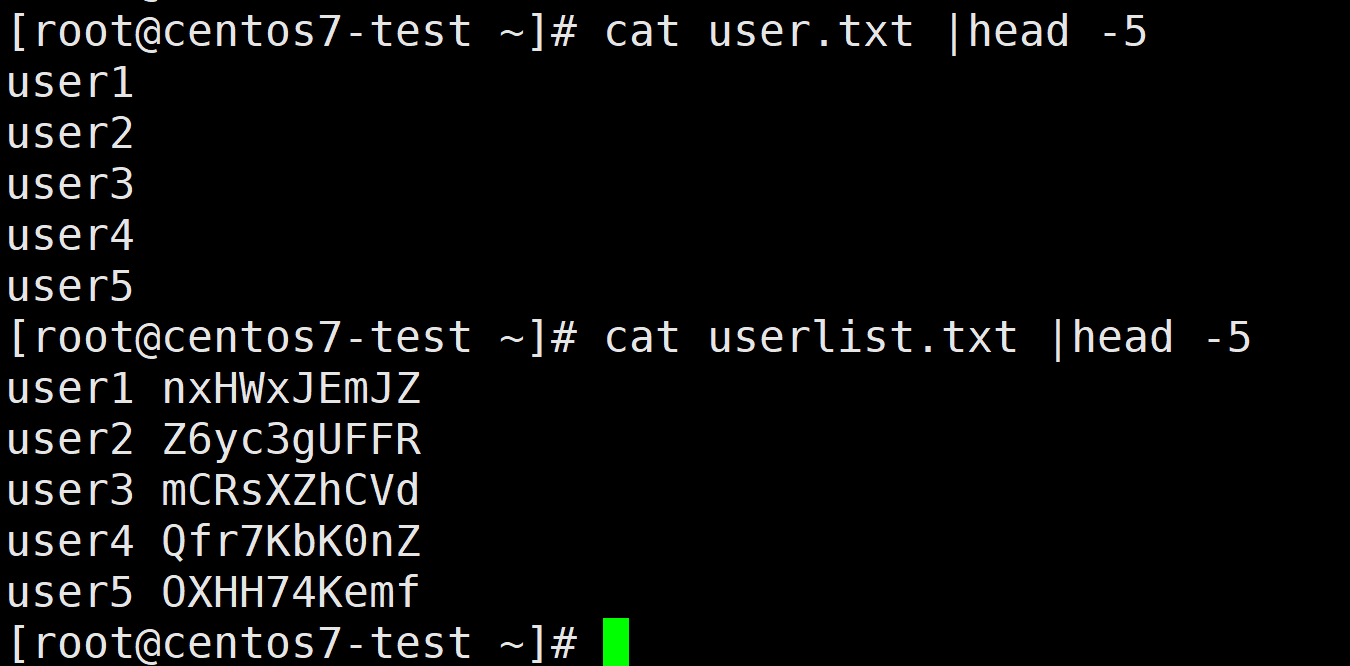
2、Nginx源码自动安装
通过原码编译安装linux,并实现nginx开机自启动。
需求实现shell脚本如下:
#!/bin/bash
#this script is for installing nginx by using source code of nginx
#version 1.0
#author: albertzhang
#安装基础软件包
yum groupinstall "Development Tools"
yum install wget pcre pcre-devel zlib zlib-devel openssl openssl-devel -y
#下载nginx源码包并解压
wget https://nginx.org/download/nginx-1.30.4.tar.gz
tar -zxvf nginx-1.30.4.tar.gz
cd nginx-1.30.4
#创建nginx运行用户
groupadd nginx
useradd -g nginx -s /sbin/nologin -M nginx
#nginx原码安装配置
./configure \
    --prefix=/usr/local/nginx \
    --user=nginx \
    --group=nginx \
    --with-http_ssl_module \
    --with-http_v2_module \
    --with-http_stub_status_module \
    --with-stream \
    --with-http_gzip_static_module
#编译与安装nginx
make && make install
#测试nginx是否安装成功
/usr/local/nginx/sbin/nginx && echo "nginx 启动成功" || (echo "nginx 启动失败";exit 1)
ipaddr=`ifconfig |egrep '[0-9]{1,3}\.[0-9]{1,3}\.[0-9]{1,3}\.[0-9]{1,3}'|grep -v '127.0.0.1' |awk -F' ' '{print $2}'`
status_code=$(curl -o /dev/null -s -w "%{http_code}\n" http://${ipaddr})
if [[ $status_code == '200' ]];then
     echo "nginx 安装成功"
else
     echo "nginx 安装失败"
	 exit 1
fi
#添加nginx服务文件,实现开机自启动
cat > /etc/systemd/system/nginx.service << EOF
[Unit]
Description=The NGINX HTTP and reverse proxy server
After=network.target

[Service]
Type=forking
ExecStartPre=/usr/local/nginx/sbin/nginx -t
ExecStart=/usr/local/nginx/sbin/nginx
ExecReload=/usr/local/nginx/sbin/nginx -s reload
ExecStop=/usr/local/nginx/sbin/nginx -s stop
PrivateTmp=true

[Install]
WantedBy=multi-user.target
EOF
/usr/local/nginx/sbin/nginx -s stop && systemctl start nginx
systemctl enable nginx
if systemctl status nginx |grep running;then
   echo "nginx 服务启动成功"
   echo "nginx 访问地址:http://${ipaddr}"
fi
脚本执行结果验证: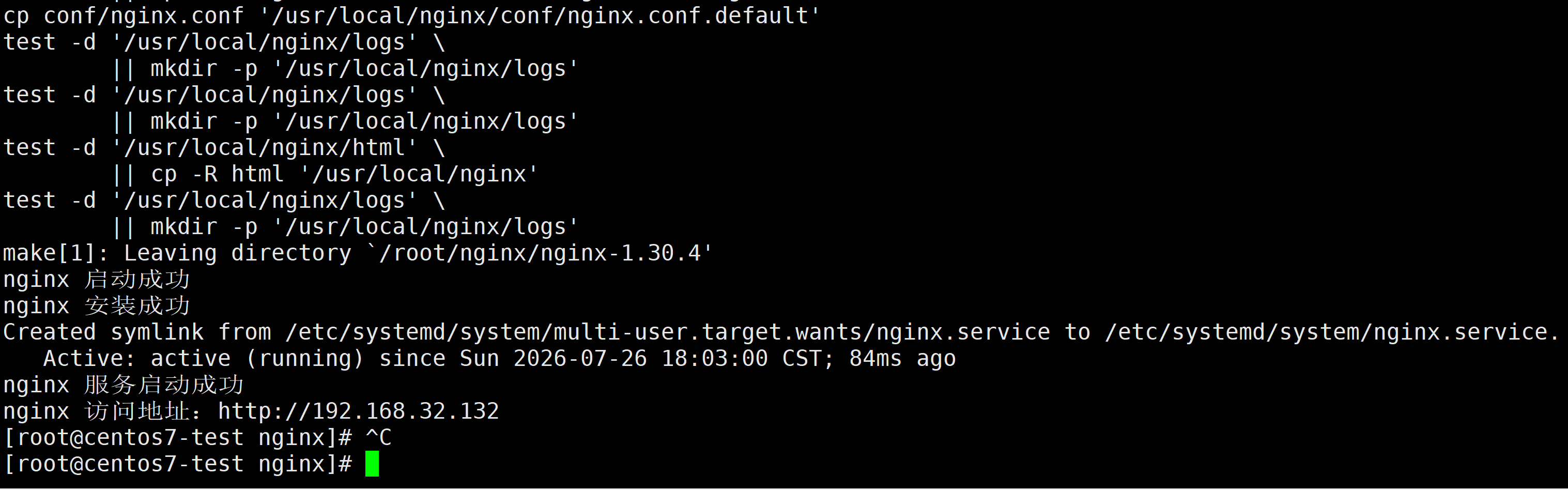
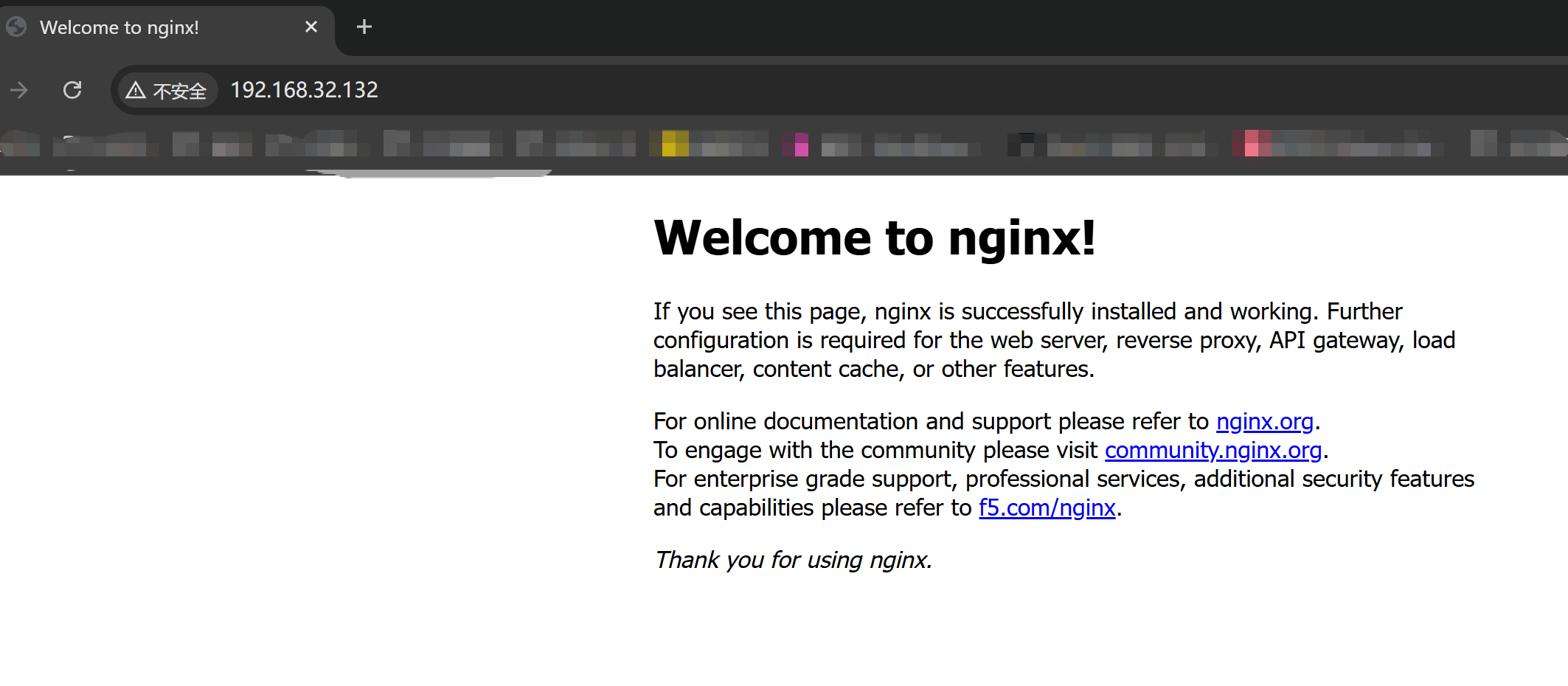
3、系统自动巡检
巡检操作系统,获取CPU、内存、磁盘空间使用率、磁盘IO使用率等指标。
需求实现shell脚本如下:
#!/bin/bash
# ============================================================
# system inspection for centos7
# function:usage of cpu、usage of memory、usage of disk capacity、util of disk
# author:albertzhang
# version:1.0
# ============================================================

# 设置颜色输出(可选)
RED='\033[0;31m'
GREEN='\033[0;32m'
YELLOW='\033[0;33m'
NC='\033[0m' # No Color

# 获取主机名和当前时间
HOSTNAME=$(hostname)
DATETIME=$(date +"%Y-%m-%d %H:%M:%S")

# 输出标题
echo "============================================================"
echo -e "系统巡检报告 - ${HOSTNAME}"
echo "时间: ${DATETIME}"
echo "============================================================"

# ------------------------------------------------------------
# 1. CPU 使用率
# ------------------------------------------------------------
echo -e "\n[1] CPU 使用率"
# 使用 top 或 mpstat;这里用 top 的 batch 模式获取
CPU_IDLE=$(top -bn1 | grep "Cpu(s)" | awk '{print $8}' | cut -d. -f1)
CPU_USAGE=$((100 - CPU_IDLE))
echo "  CPU 使用率: ${CPU_USAGE}% (空闲 ${CPU_IDLE}%)"

# 系统负载(1分钟、5分钟、15分钟)
LOAD=$(uptime | awk -F'load average:' '{print $2}' | sed 's/^[ \t]*//')
echo "  系统负载: ${LOAD}"

# ------------------------------------------------------------
# 2. 内存使用率
# ------------------------------------------------------------
echo -e "\n[2] 内存使用率"
MEM_TOTAL=$(free -m | awk '/^Mem:/{print $2}')
MEM_USED=$(free -m | awk '/^Mem:/{print $3}')
MEM_FREE=$(free -m | awk '/^Mem:/{print $4}')
MEM_AVAIL=$(free -m | awk '/^Mem:/{print $7}')
MEM_PERCENT=$((MEM_USED * 100 / MEM_TOTAL))

echo "  总内存: ${MEM_TOTAL} MB"
echo "  已用内存: ${MEM_USED} MB"
echo "  空闲内存: ${MEM_FREE} MB"
echo "  可用内存: ${MEM_AVAIL} MB"
echo "  内存使用率: ${MEM_PERCENT}%"

# ------------------------------------------------------------
# 3. 磁盘空间使用率(主要分区)
# ------------------------------------------------------------
echo -e "\n[3] 磁盘空间使用率 (主要分区)"
# 显示所有挂载点,排除 tmpfs、devtmpfs 等
df -hP | grep -vE '^(Filesystem|tmpfs|devtmpfs)' | while read line; do
    usage=$(echo $line | awk '{print $5}' | sed 's/%//')
    mount=$(echo $line | awk '{print $6}')
    used=$(echo $line | awk '{print $3}')
    avail=$(echo $line | awk '{print $4}')
    size=$(echo $line | awk '{print $2}')
    # 如果使用率超过 80% 则高亮显示
    if [ "$usage" -ge 80 ] 2>/dev/null; then
        echo -e "  ${RED}${mount}${NC} 总容量 ${size} 已用 ${used} 可用 ${avail} 使用率 ${usage}% (警告)"
    else
        echo "  ${mount} 总容量 ${size} 已用 ${used} 可用 ${avail} 使用率 ${usage}%"
    fi
done

# ------------------------------------------------------------
# 4. 磁盘 I/O 使用率 (%util)
# ------------------------------------------------------------
echo -e "\n[4] 磁盘 I/O 使用率 (%util)"
# 检查 iostat 是否安装
if ! command -v iostat &>/dev/null; then
    echo -e "  ${YELLOW}警告: iostat 未安装,请执行 'yum install -y sysstat' 安装。${NC}"
else
    # 仅显示非 0 使用率的设备,或全部显示
    iostat -x -k 1 2 | tail -n +4 | while read line; do
        # 跳过空行
        [ -z "$line" ] && continue
        # 提取设备名和 %util(倒数第二列)
        device=$(echo $line | awk '{print $1}')
        util=$(echo $line | awk '{print $(NF-1)}')
        # 跳过 loop 或 ram 设备
        if [[ "$device" =~ ^(loop|ram|sr) ]]; then
            continue
        fi
        # 如果 util 是数字且大于 0,或者我们想显示所有
        if [[ "$util" =~ ^[0-9.]+$ ]] && [ "$(echo "$util > 0" | bc)" -eq 1 ] 2>/dev/null; then
            echo "  ${device}: %util = ${util}%"
        fi
    done
fi

echo -e "\n============================================================"
echo "巡检完成"
echo "============================================================"
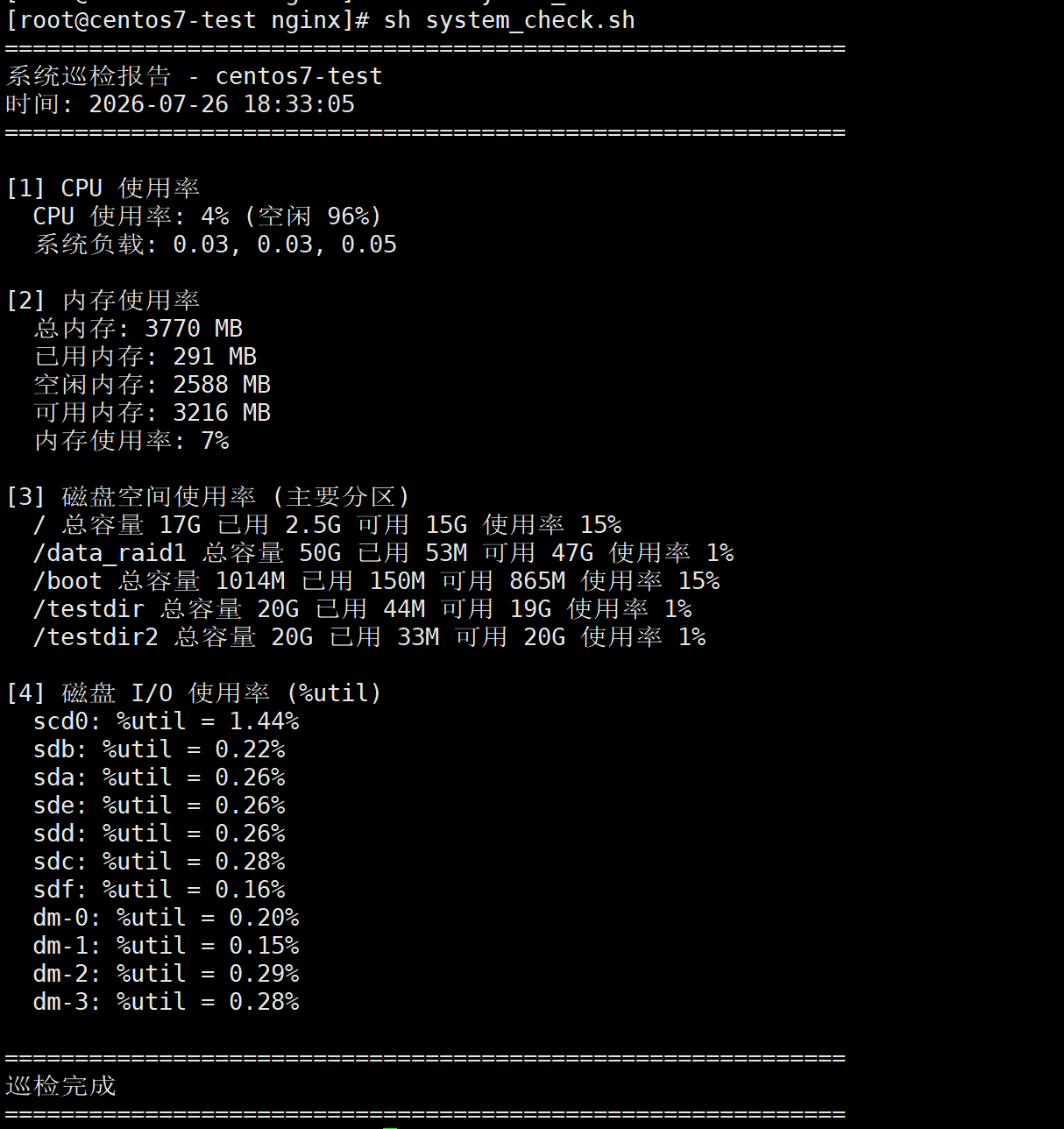
脚本执行结果验证:
4、主机连通性自动检测
编写shell 脚本检测主机列表内的主机存活与否。
需求实现shell脚本如下:
#!/bin/bash
#check host is up or down
#version 1.0
#author: albertzhang

#第一种方法
#for host in `cat iplist.txt`;do
#    ping -c 2 -w 1 $host >/dev/null 2>&1 && echo "$host is up." || echo "$host is down."
#done

#第二种方法
cat iplist.txt | while read host;do
                     ping -c 2 -w 1 $host >/dev/null 2>&1 && echo "$host is up." || echo "$host is down."
                 done
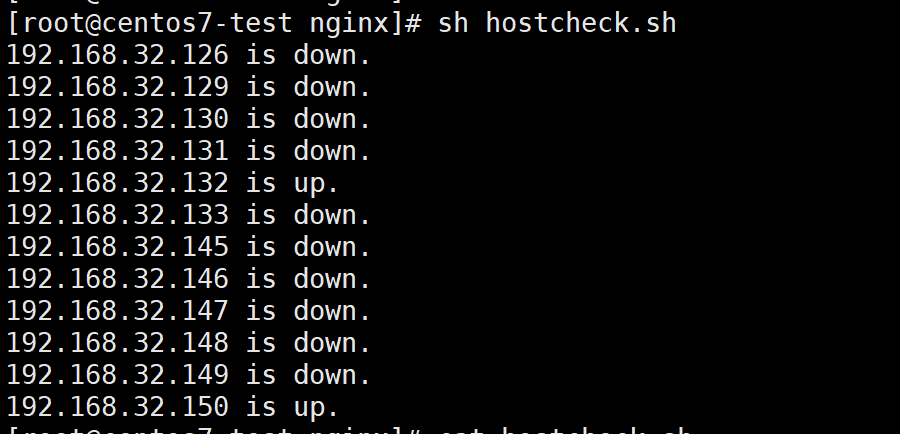
脚本执行结果验证:
Shell脚本相关文章到此就结束了,熟悉shell的方法就是多写多练,如果你有任何疑问,欢迎在评论区留言交流!

openEuler 是由开放原子开源基金会孵化的全场景开源操作系统项目,面向数字基础设施四大核心场景(服务器、云计算、边缘计算、嵌入式),全面支持 ARM、x86、RISC-V、loongArch、PowerPC、SW-64 等多样性计算架构
更多推荐

 6
6 0
0- 0


 已为社区贡献25条内容

所有评论(0)